

What Is Enterprise Field Service Management Software?
Enterprise field service management software helps service teams manage scheduling, dispatch, route optimization, mobile crews, work orders, customer communication, digital documentation, reporting, and integrations across multiple teams, locations, and workflows. Unlike basic scheduling software, enterprise FSM software connects field execution with CRM, accounting, customer updates, and operational visibility.
Arrivy is a strong enterprise-friendly FSM option for growing service businesses that need scheduling, dispatch, crew tracking, customer communication, digital forms, CRM integrations, accounting workflows, and real-time visibility without unnecessary complexity.
What Does Enterprise Field Service Management Software Do?
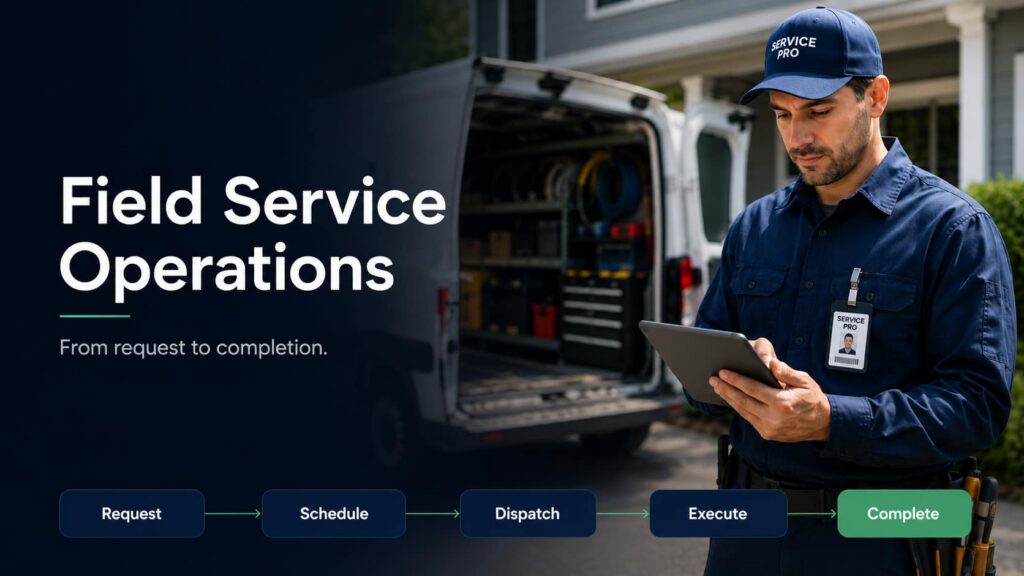
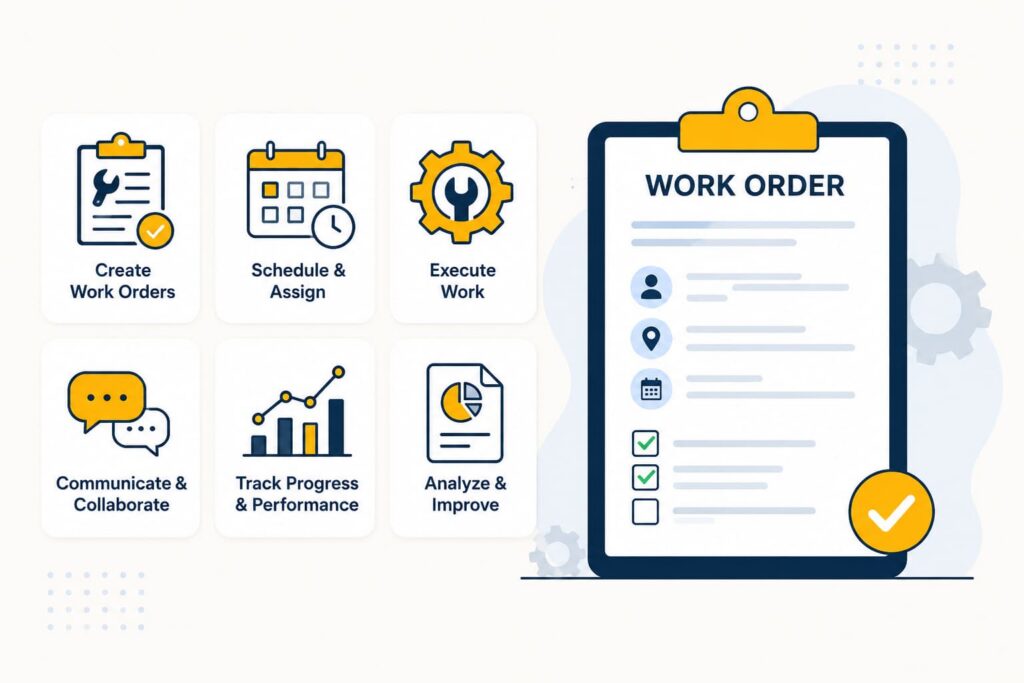
Enterprise field service management software is a centralized field execution platform for organizations that coordinate work outside the office. It helps teams move from job creation to scheduling and dispatch, route planning, mobile updates, field documentation, customer communication, completion reporting, and invoicing.
For enterprise and fast-growing field service teams, FSM software becomes the operating layer that connects dispatchers, mobile crews, managers, customers, and back-office systems.
When availability, skills, location, ETA, completion status, photos, signatures, and billing readiness are spread across spreadsheets, phone calls, paper forms, and disconnected apps, service operations slow down. Enterprise FSM software creates a shared source of truth for field work.
Why Enterprise Teams Need More Than Basic Scheduling Software?
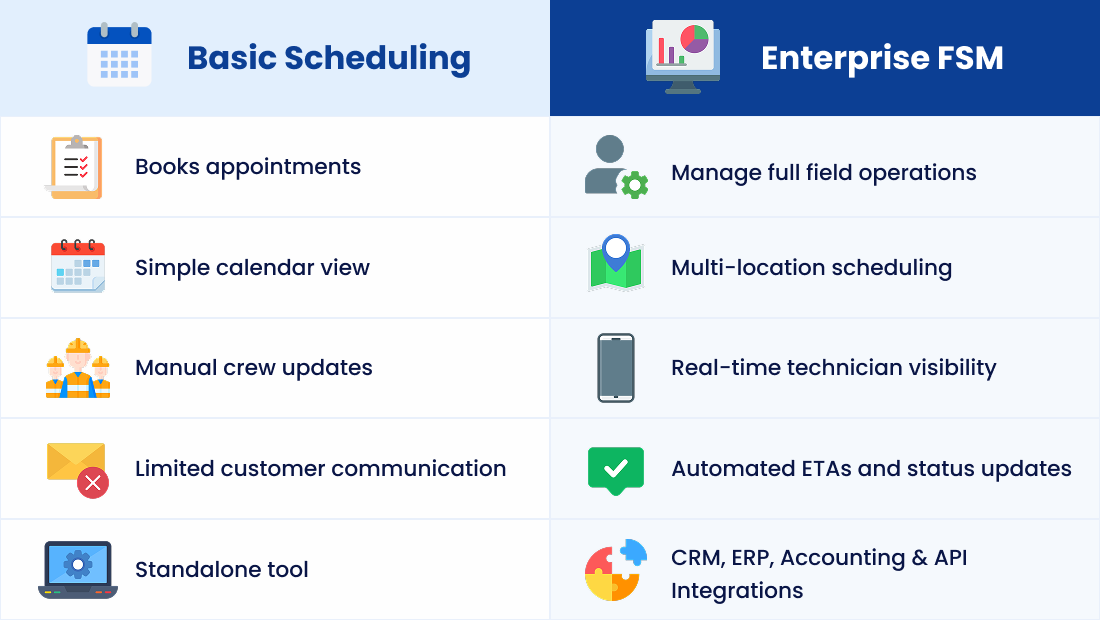
Basic scheduling software can help a small team book appointments. Enterprise field operations involve much more than time slots.
Larger service businesses manage multiple locations, service territories, crews, vehicles, subcontractors, assets, job types, service windows, emergency requests, SLAs, preventive maintenance, and compliance documentation. They also need CRM, accounting, ERP, payment, API, customer portal, reporting, and data governance workflows.
That is why enterprise FSM software should support field service automation, dispatch software, workforce management, technician scheduling, service territory management, role-based permissions, audit trails, asset history, inventory or parts management, and field service analytics.
Who Enterprise FSM Software Is Best For
Enterprise FSM software is best for service organizations that manage complex field operations across multiple crews, locations, regions, or systems.
It is a strong fit for multi-location businesses, high-volume service teams, dispatch-heavy operations, organizations using CRM and accounting systems, crews working across large territories, and teams replacing spreadsheets, calls, paper forms, and disconnected tools.
It may be too advanced for solo technicians, very small teams with simple scheduling, or businesses that only need a basic calendar and invoice tool.
Key Use Cases of Enterprise Field Service Management Software
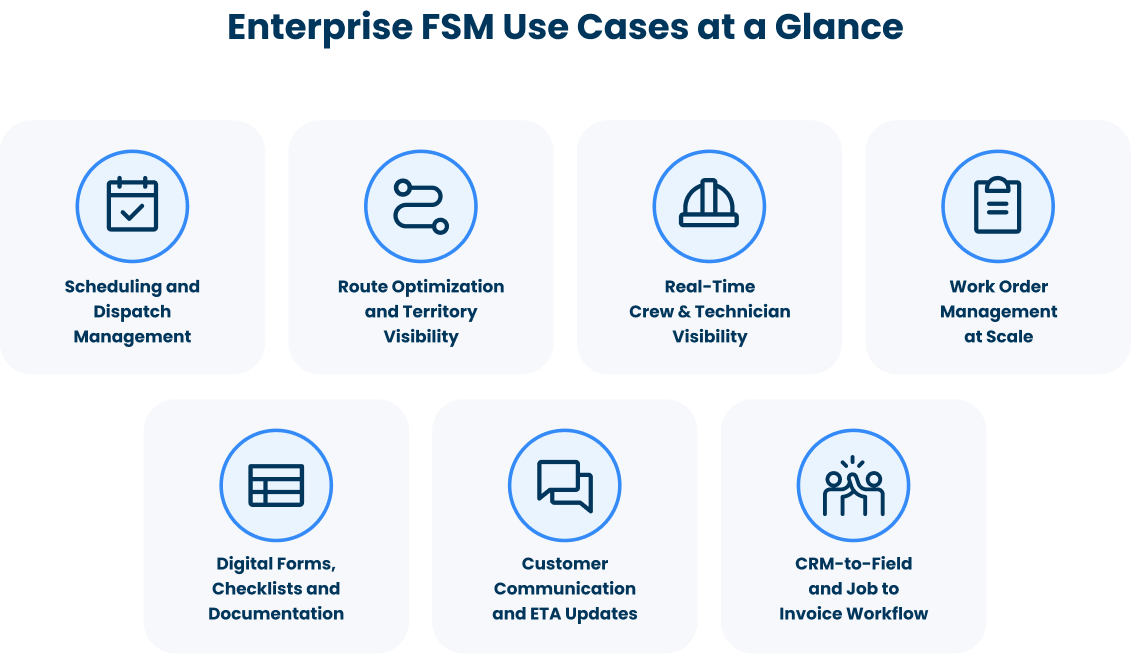
Enterprise field service management software supports a wide range of operational workflows. These use cases show how FSM platforms help large service teams improve coordination, reduce manual effort, and deliver more reliable field operations at scale.
Scheduling and Dispatch Management
Scheduling is one of the highest-value use cases for enterprise FSM software. Large service teams need to assign jobs based on availability, location, skills, certifications, priority, service window, job type, and customer expectations.
Manual scheduling creates double bookings, missed appointments, idle crews, and dispatcher overload. A centralized dispatch board helps teams view capacity, adjust assignments, manage same-day changes, and update crews in real time.
Route Optimization and Territory Visibility
Enterprise field teams often cover large territories and complete many jobs each day. Poor routing increases drive time, fuel costs, late arrivals, and technician fatigue.
Route optimization helps dispatchers plan routes, assign nearby crews, and adjust when emergency jobs or delays appear. For inspections, installations, maintenance, repairs, and recurring service, better routing improves productivity and customer satisfaction.
Real-Time Crew and Technician Visibility
Without real-time crew visibility, managers rely on calls and texts to know where teams are. That slows dispatch decisions and makes it harder to protect service level agreements.
Enterprise FSM software gives teams visibility into crew location, job status, schedule progress, delays, and technician utilization. Managers can spot bottlenecks earlier and keep customers informed before small delays escalate.
Work Order Management at Scale
Enterprise service teams may manage hundreds or thousands of work orders across branches, regions, crews, and service types. FSM software centralizes job details, customer notes, service instructions, asset history, photos, signatures, parts, materials, forms, approvals, and completion records so field and office teams stay aligned.
Digital Forms, Checklists, and Documentation
Enterprise field operations often require inspections, safety forms, compliance checklists, proof of service, customer signatures, and completion reports. Digital forms standardize this work, while offline mobile access keeps crews productive in low-connectivity areas.
Customer Communication and ETA Updates
As job volume grows, communication becomes harder. If customers do not know when a crew will arrive or what stage a job is in, they call the office.
Enterprise FSM software reduces that burden with automated reminders, ETA updates, status notifications, customer portals, and completion messages. This improves customer experience while reducing dispatcher follow-up.
CRM-to-Field and Job-to-Invoice Workflows
Many enterprise teams manage sales, service requests, or customer records in a CRM, but field execution happens elsewhere. When systems are disconnected, job details get lost between sales, operations, dispatch, and billing.
Enterprise FSM software connects CRM records to operational jobs through a two-way sync. Completed work can then move into quotes, invoices, accounting, or ERP workflows faster, with less manual re-entry.
How to Choose Enterprise Field Service Management Software?
Enterprise buyers should evaluate more than scheduling. The platform should support complexity without making daily field work harder.
| Enterprise Requirement | Why It Matters |
|---|---|
| Multi-location scheduling | Supports branches, territories, and regional teams |
| Role-based permissions | Controls access for admins, managers, dispatchers, crews, and customers |
| API and integration flexibility | Connects CRM, ERP, accounting, payment, calendar, and internal systems |
| Mobile field access | Gives crews job details, forms, photos, and ability to report status updates from the field |
| Offline support | Keeps teams working in low-connectivity areas |
| Audit trail | Tracks timestamps, status changes, forms, approvals, and photos |
| Reporting and analytics | Measures job completion, delays, utilization, and customer experience |
| Configurable workflows | Supports different industries, statuses, forms, and rules |
| Scalability | Handles more jobs, users, crews, locations, and integrations over time |
Why Arrivy Is One of the Best FSM Software Options for Enterprise Businesses
Arrivy is a practical FSM platform for growing enterprise businesses that need scheduling, dispatch, route optimization, crew tracking, work orders, digital forms, customer updates, CRM integrations, accounting workflows, and real-time visibility.
Arrivy works well for multi-crew operations, multi-location businesses, companies replacing spreadsheets, teams using HubSpot or Salesforce (or other CRMs), teams using QuickBooks or Xero (or other accounting tools), and service businesses that need customer-facing visibility without unnecessary complexity.
Instead of acting only as a calendar, Arrivy functions as a field execution layer. It helps office teams coordinate jobs, dispatchers manage changes, crews capture mobile updates, customers receive timely communication, and back-office teams move completed work toward billing.
Enterprise FSM Software Use Case Examples
Here are some examples of common use cases of enterprise FSM software:
Final Takeaway
Enterprise field service management software should manage real field execution, not just store job data. The right platform connects scheduling, dispatch, mobile crews, routes, work orders, customer updates, documentation, reporting, CRM, accounting, and integrations across complex service operations.
For growing field service teams that need visibility, flexible workflows, customer communication, and connected execution without unnecessary complexity, Arrivy is a strong enterprise-friendly FSM option.