Login
Login























Every field service job follows a path from request to completion. How the path is managed determines how many jobs your team completes in a day. This guide explains what field service automation is and the value it brings to your operations.
Quick Answer
Field service automation software manages scheduling, dispatching, job tracking, and customer communication in a single system. It assigns jobs based on technician availability, skills, and location, and tracks progress in real time. You reduce manual work, avoid scheduling errors, and complete more jobs each day.
What Is Field Service Automation?
Field service automation (FSA) is software that manages and automates operational tasks in field service businesses. It brings scheduling, dispatching, job tracking, customer updates, and data capture into one system.
In many teams, daily work still depends on calls, spreadsheets, and constant follow-ups. FSA replaces this with a structured workflow. When a job is confirmed, the system checks technician availability, assigns the job based on skills and location, sends details to the technician, and notifies the customer.
According to McKinsey & Company, up to 30% of current work hours could be automated by 2030. Field service businesses are already seeing this shift as routine coordination moves into software.
Field service automation is used across HVAC, roofing, plumbing, electrical, telecommunications, medical equipment servicing, and home services. It is a core part of field service management, connecting office teams, field technicians, and customers in one continuous workflow.
Why Field Service Automation Is Essential Today?
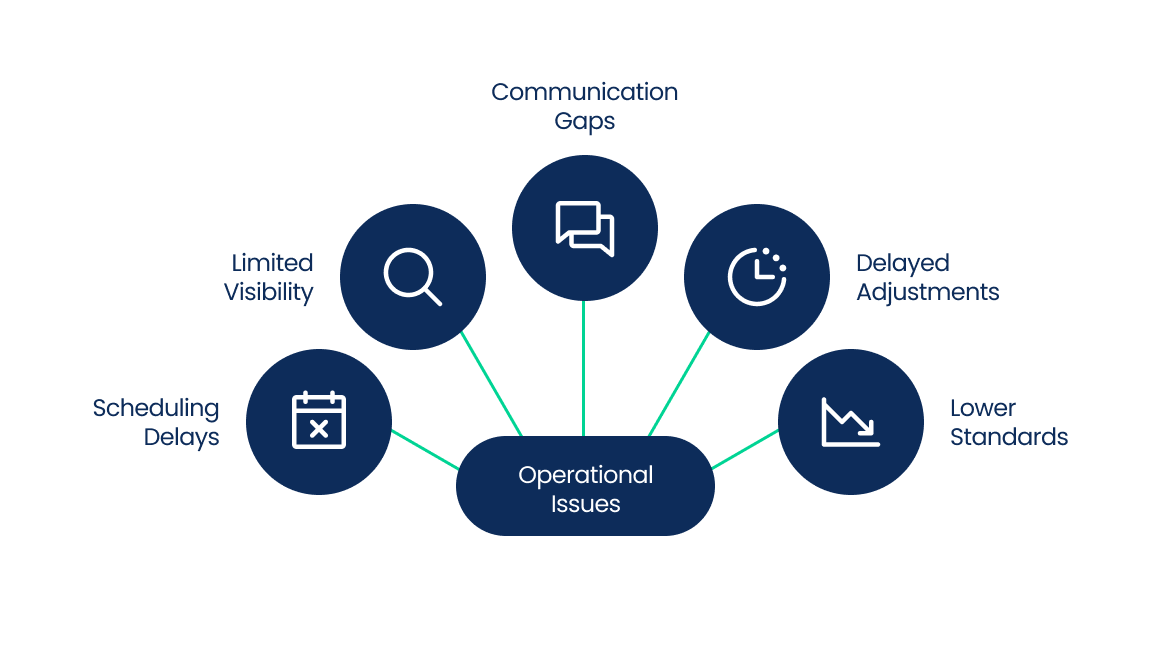
Customer expectations have changed. People expect clear communication, accurate arrival windows, and fast service. Delays or silence during a job affect trust and repeat business.
Common issues in day-to-day operations:
According to PwC, nearly 80% of consumers value speed, convenience, and knowledgeable support. Gaps in coordination and visibility directly affect these expectations and reduce first-time fix rates.
Field service automation addresses these gaps by improving coordination, visibility, and communication across daily operations. Arrivy is built specifically for this, bringing scheduling, real-time tracking, and automated customer updates into one platform so your team can meet these demands without the manual effort.
How Field Service Automation Works?
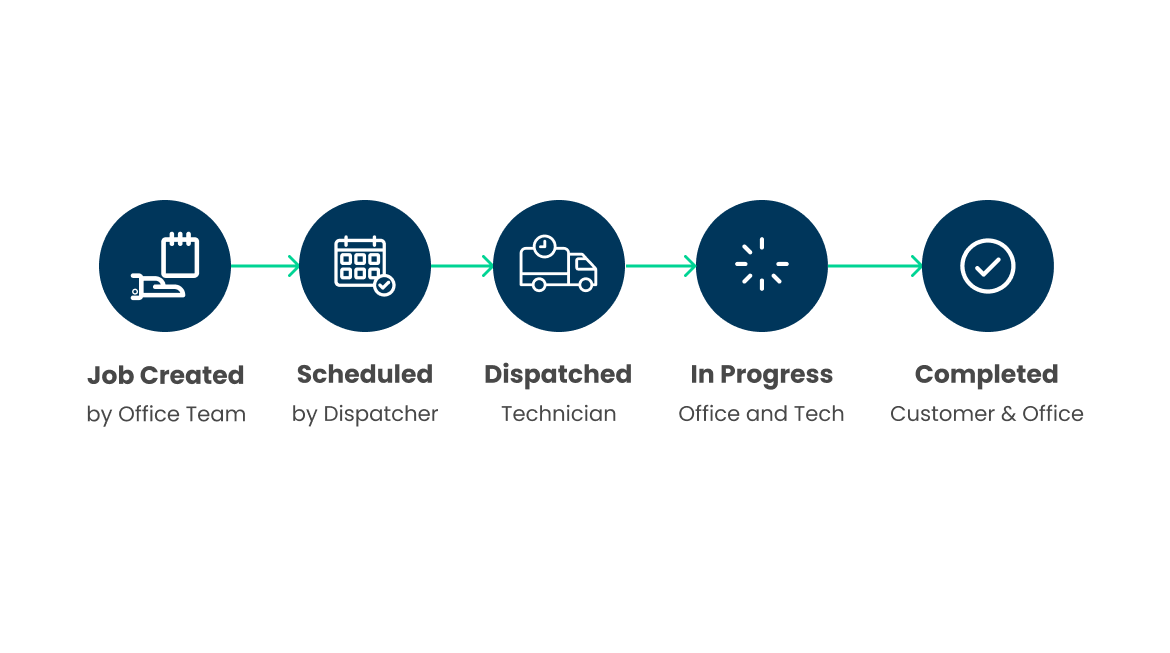
Field service automation connects each step of a service request from start to completion in one system. Tasks move forward without constant follow-ups or manual coordination.
Here is how a typical job flows:
| Stage | Action | Role |
|---|---|---|
| Job created | Request logged with full details | Office team |
| Scheduled | Task assigned based on availability, skills, and location | Dispatcher |
| Dispatched | Sent to technician with details and directions via mobile app | Technician |
| In progress | Status updates from the field with live visibility | Office and technician |
| Completed | Closed with recorded data and customer confirmation | Customer and office |
Many field service platforms, like Arrivy, use this structured approach to connect scheduling, dispatch, and job tracking in one system. Each step moves forward without manual input between stages. This is how automated scheduling and work order management replace daily admin work.
Key Features of Field Service Automation
Field service automation improves how work is assigned, tracked, and completed across your day. The following seven core capabilities support this shift.
1. Automated Scheduling and Dispatch
Jobs are assigned based on availability, location, and skill. Automated scheduling and dispatch reduce delays and missed assignments.
2. Customer Self-Booking
Customers schedule their own appointments through online booking. Availability updates in real time, and confirmed bookings flow directly into your dispatch queue without any manual input.
3. Real-time Technician Tracking
Track where technicians are and how work is progressing. Delays become visible early, so schedules can be adjusted in time.
4. Route Optimization
Routes are planned based on job order and distance. Less travel time leads to more jobs completed and lower fuel costs.
5. Mobile Workforce Management
Technicians work from a mobile app. They access job details, update status, capture photos, and collect signatures on-site.
6. Digital Forms and Reporting
Job data is recorded during the visit and stored instantly in digital forms. Reports are generated from live data without manual entry.
7. Customer Communication Automation
Customers receive updates at each stage, including confirmation, dispatch, and arrival. This keeps them informed and reduces follow-ups.
Together, these capabilities reduce manual coordination and give your team a clearer view of daily operations.
Benefits of Field Service Automation
Field service automation changes how your team uses time, handles work, and measures performance. The impact shows up in daily output and long-term cost control.
Higher efficiency
Switching to field service automation can produce results that show up fast:
These improvements come from removing delays in job assignment, reducing travel time, and keeping schedules aligned throughout the day. Teams that adopt field service automation often see scheduling time drop from minutes to seconds and technician utilization improve within the first few weeks.
Fewer errors
Errors often come from re-entering data, missed updates, or unclear job details. When all job information stays in one system, assignments stay accurate, and records remain consistent.
Better customer experience
Customers no longer wait without updates or unclear arrival windows. They receive clear communication at each stage, which reduces complaints and increases repeat business.
Lower operational costs
Time saved on scheduling and admin work reduces overhead. Fewer mistakes reduce rework. Shorter routes reduce fuel costs. Over time, these changes lower the cost of running each job.
Before vs After Field Service Automation
The difference between manual and automated affects every part of your business. Here is the detailed breakdown of the difference:
| Area | Manual Operations | Automated Operations |
|---|---|---|
| Scheduling | Dispatcher assigns jobs by hand via phone or spreadsheet | Software auto-assigns based on availability, skill, and location |
| Dispatching | Technician informed via call or text | Instant mobile notification with full job details |
| Job Tracking | Office calls technician to check progress | Real-time GPS tracking visible to the entire team |
| Work Order Management | Closed manually after follow-up calls | Closes automatically upon job completion |
| Customer Communication | Manual calls or texts from office staff | Automated notifications at every job stage |
| Reporting | Compiled manually from paper forms or spreadsheets | Generated automatically from live job data |
| First-Time Fix Rate | Lower due to random technician assignment | Higher due to skill-based and location-based dispatch |
| Response to Changes | Slow, requires dispatcher intervention | Instant, system adjusts and notifies in real time |
The shift is clear:
→ Businesses running on manual processes spend the majority of their time managing logistics.
→ Businesses running on automation spend that time growing.
How to Choose Field Service Automation Software
Choosing the right field service automation software affects how work gets scheduled, tracked, and completed. The wrong choice adds friction instead of removing it.
Focus on these factors:
Ease of use
The interface should be clear enough to pick up within a few days. Test it with a real job flow. If basic tasks feel slow or confusing, adoption will drop.
Mobile capabilities
Field work depends on mobile access. The app should support job updates, photos, signatures, and customer details. It should run on iOS and Android and continue working in low or no connectivity.
Integration support
The system needs to connect with your CRM, accounting tools, and communication platforms. Without this, data gets repeated, and errors increase. Check which integrations the software supports before you buy. Look for support with tools like QuickBooks, HubSpot, Salesforce, or an open API.
Scalability
The software should handle more users, higher job volume, and multiple locations without performance issues. Role-based access and flexible plans indicate long-term fit.
Choose a system that solves your current operational gaps and continues to support your growth.
Conclusion
Field service automation changes how work is managed across your operation. It brings consistency to scheduling, clarity to job progress, and structure to daily execution. As operations grow, this level of control becomes necessary to keep work moving without delays or confusion.
Platforms like Arrivy are built around these workflows, helping teams manage scheduling, dispatch, and job tracking within one system.
Ready to automate your field operations?
See how Arrivy’s field service automation software helps you schedule, dispatch, track, and execute jobs without the manual work.