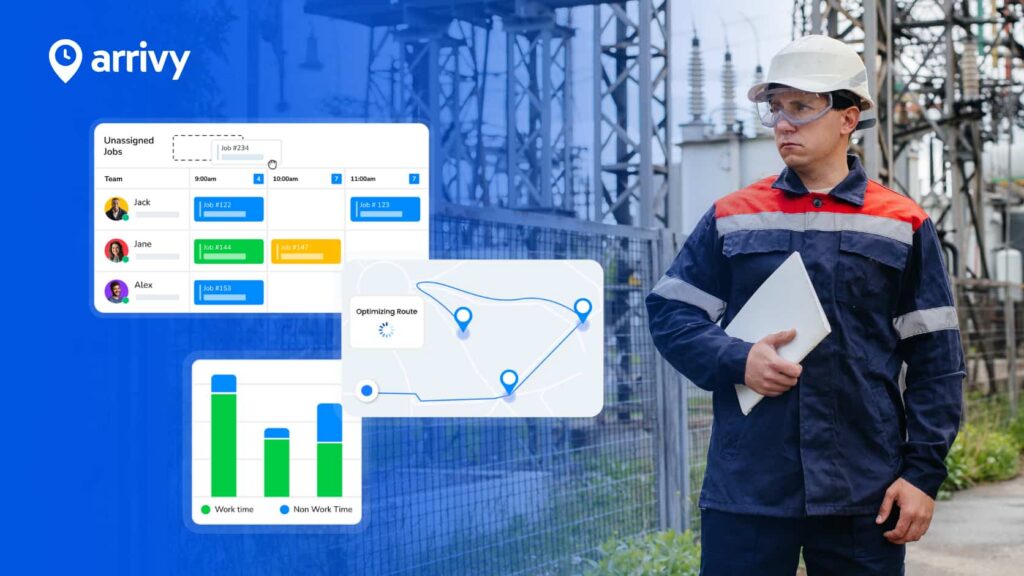
 Login
Login























AI Summary
Quick Answer: Arrivy is our top overall choice for Australian businesses that need connected scheduling, dispatch, multi-crew management, route optimisation, field visibility, documentation and customer communication. Simpro, Ascora, AroFlo, ServiceM8 and Fergus are stronger choices for particular trade, financial, compliance or small-business requirements.
- Arrivy — Best overall for connected field operations, multi-crew scheduling, dispatch, route optimisation and customer communication.
- Simpro — Best for established trade businesses managing complex service jobs, projects, assets and financial controls.
- Ascora — Best for growing Australian trade businesses with multiple crews and more complex jobs.
- AroFlo — Best for customisable Australian trade operations, compliance and job management.
- ServiceM8 — Best for small service businesses and tradies that want straightforward job management and simple flat-rate pricing.
- Fergus — Best for tradies focused on job costing, labour, materials and profitability.
- The right software depends on team size, job complexity, service territory, accounting systems, mobile requirements and the level of operational control the business needs.
Running a field-service business becomes harder when the team grows. One technician may be finishing a repair while another is travelling to an installation, an urgent call-out comes in, a customer changes their appointment, and the office is trying to keep quotes, timesheets, invoices and job information up to date. How do you keep everyone working from the same information when the day rarely goes exactly as planned?
When schedules, job details, photos, forms, timesheets and customer updates are spread across spreadsheets, calendars, calls and messages, managers can quickly lose visibility. Australian businesses also need field software that works with the systems they already depend on, including Xero, MYOB, QuickBooks and trade supplier platforms.
This guide compares six of the best field service management software platforms for Australian businesses in 2026: Arrivy, Simpro, Ascora, AroFlo, ServiceM8 and Fergus. We look at their features, pricing, strengths, limitations and best-fit use cases to help you decide which one matches the way your business actually operates.
What Is Field Service Management Software?
Field service management software helps businesses organise work carried out at customer locations rather than inside a central office. It can connect scheduling, dispatch, technicians, work orders, mobile activity, forms, photos, signatures, customer updates, timesheets, reporting and integrations in one system.
In Australia, businesses may also see similar products described as job management software, tradie software, service management software or field workforce management software. The terminology varies, but the goal is similar: give the office and field teams better visibility over work from booking through completion.
Why Australian Field Service Businesses Need Management Software
Managing Multiple Jobs and Crews
A small team may manage appointments with a calendar and phone calls, but this becomes difficult as more technicians, crews and jobs are added. Field service software gives the office one place to understand who is working, where they are going and what is scheduled next.
Long Travel Distances
Travel time can reduce the number of jobs a technician completes in a day. Businesses covering large suburbs or service territories should consider location, travel time and technician availability when planning work.
Urgent Jobs and Schedule Changes
A breakdown, cancellation, late-running job or technician absence can change the whole day. Good software should let dispatchers reorganise schedules quickly without losing visibility over existing appointments.
Disconnected Office and Field Teams
Field teams need access to the same job information as the office. Mobile apps can reduce the need for technicians to call back for addresses, instructions, documents or updates.
Paperwork and Compliance
Australian trade businesses may need to manage job cards, inspections, checklists, certificates, Safe Work Method Statements (SWMS), photos and signatures. Digital forms keep this information connected with the actual job.
Poor Visibility Into Job Profitability
Revenue alone does not show whether a job was profitable. Businesses may need to compare labour, materials, supplier costs, travel and other expenses against what the customer was charged.
Customer Communication
Customers want to know when someone is coming and whether an appointment has changed. Automated confirmations, reminders, arrival updates and completion messages can reduce manual calls from the office.
Growing Administrative Work
Quoting, scheduling, timesheets, invoicing and reporting can take more time as the business grows. Connecting these activities helps reduce repeated data entry.
Recurring Service and Maintenance
HVAC, plumbing, electrical, fire protection and maintenance companies may perform work repeatedly at the same sites. Recurring jobs and equipment service histories can make these contracts easier to manage.
Quick Comparison: Best Field Service Management Software in Australia
| Company | Best For | Editorial Rating | Free Plan / Trial | Starting Pricing |
|---|---|---|---|---|
| Arrivy | Connected multi-crew field operations | 4.8/5 | 14-day free trial | $25/full-access user/month |
| Simpro | Complex trade and service operations | 4.7/5 | Demo available | Custom quote |
| Ascora | Growing multi-crew Australian trade businesses | 4.6/5 | 14-day free trial | A$45/user/month |
| AroFlo | Customisable job management and compliance | 4.5/5 | Free demo; trial listed by Capterra | From A$39/user/month on Capterra |
| ServiceM8 | Small service businesses and tradies | 4.5/5 | Free plan + 14-day trial | Free; paid from A$29/month |
| Fergus | Job costing and profitability for tradies | 4.4/5 | 14-day free trial | From A$53/month |
Editorial ratings are our own assessment and are not customer-review scores. Pricing was checked in September 2026 and may change. Arrivy’s public page displays dollar pricing; Australian businesses should confirm applicable currency and taxes before purchasing. AroFlo’s starting figure above comes from Capterra because its current public website is primarily demo-led.
How We Evaluated the Best Field Service Management Software in Australia
We evaluated each platform based on how well it supports the practical operating cycle of a field-service business rather than simply counting features. Our research included official product pages, pricing information, integration documentation, mobile capabilities and support resources. We also reviewed current Capterra listings and customer feedback to understand common strengths and limitations. Review volume varies significantly, for example, Capterra currently lists only one Arrivy review compared with hundreds for some competitors, so customer ratings were used as supporting research rather than as our scoring system.
Disclosure
Arrivy publishes this comparison. To keep the guide useful, all six products are assessed against the same core criteria, and we highlight areas where competing platforms offer deeper functionality than Arrivy.
Key Features to Look for in Field Service Management Software in Australia
| Feature | Why It Matters |
|---|---|
| Scheduling and dispatch | Helps assign work and respond to daily changes |
| Technician availability | Helps match jobs with available workers |
| Crew management | Important when several people work on the same job |
| Route optimisation | Reduces unnecessary travel between appointments |
| GPS visibility | Shows where field teams are and how jobs are progressing |
| Mobile access | Gives technicians job information while on-site |
| Offline functionality | Keeps important field work available where coverage is poor |
| Work orders | Connects job requirements with execution |
| Digital forms | Standardises safety, inspection and service documentation |
| Photos and signatures | Creates evidence that work was completed |
| Timesheets | Records labour against jobs |
| Job costing | Helps identify profitable and unprofitable work |
| Recurring jobs | Supports maintenance and repeat service contracts |
| Asset management | Maintains equipment and service history |
| Customer communication | Keeps customers informed about appointments |
| Quoting | Helps turn enquiries into approved work |
| Invoicing | Connects completed jobs with billing |
| Reporting | Gives managers clearer operational visibility |
| Accounting integrations | Connects with Xero, MYOB, QuickBooks and similar systems |
| Supplier integrations | Reduces manual material and purchasing administration |
| APIs and integrations | Connects field operations with the wider business stack |
6 Best Field Service Management Software Platforms in Australia
1. Arrivy — Best Overall for Connected Field Operations
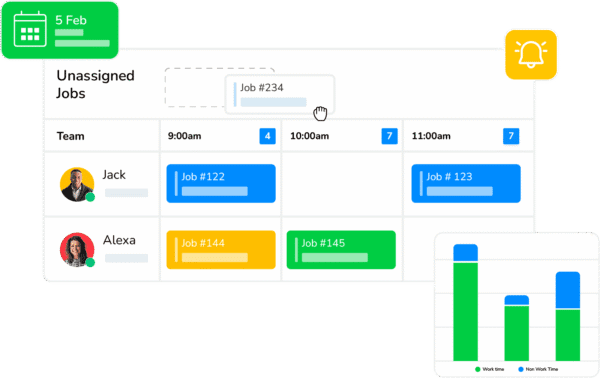
Arrivy is a field service management platform focused heavily on the execution side of service operations. It connects scheduling, dispatch, crews, route planning, mobile field work, forms, field visibility and customer communication instead of treating them as separate processes.
For Australian businesses managing several technicians or crews across customer locations, this makes Arrivy particularly relevant when the biggest problem is maintaining operational visibility throughout the day. Dispatchers can schedule jobs, assign crews, track progress and location, adjust routes and keep customers informed as work moves forward. Arrivy also supports digital field forms that can be completed online or offline.
Arrivy can sit alongside other business systems rather than replacing all of them. Its current FSM platform advertises more than 50 integrations and publicly shows systems including Xero, HubSpot and Salesforce, while other Arrivy documentation confirms accounting connections such as QuickBooks.
Pros
- Strong scheduling and dispatch
- Dedicated multi-stop route optimisation
- Good multi-crew coordination
- Strong customer communication
- Offline digital forms
Cons
- Not designed as a complete accounting platform
- MYOB is not currently highlighted as a native integration
- Some advanced capabilities are available only on higher plans
- Australian accounting and localisation may depend on integrations
- Standard and Premium plans require at least three full-access users
- Deep asset maintenance is not Arrivy’s primary speciality
Pricing
Arrivy’s Standard plan starts at $25 per full-access user per month and includes scheduling and dispatch, customer and crew experience, notifications and reporting. The Premium plan starts at $50 per full-access user per month and adds digital forms, route planning, advanced reporting and an advanced integration. Enterprise pricing is customised. Standard and Premium plans start with a minimum of three full-access users, and a 14-day free trial is available without a credit card.
Best For
Arrivy is best suited to growing field-service businesses that need to coordinate schedules, dispatchers, technicians, crews, routes, field work, documentation and customer communication across one connected operational environment.
2. Simpro — Best for Complex Trade and Field Service Operations
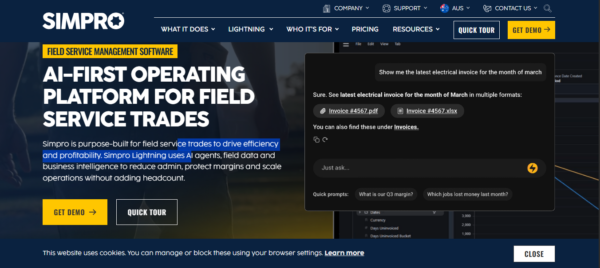
Simpro is one of the most comprehensive field service and trade-management platforms in this comparison. It supports service work, larger projects, preventative maintenance, quoting, inventory, purchasing, asset management, job costing, invoicing and reporting.
Its scheduling tools help businesses view staff availability, assign field workers and contractors, use geographical zones and locate nearby staff. Simpro also offers fleet tracking through Simtrac and has been expanding its scheduling capabilities with route and travel optimisation.
Simpro Mobile gives technicians access to schedules, jobs, site history, assets, quotes, time tracking, photos, signatures and invoicing from the field. Offline functionality is also supported for relevant workflows.
Pros
- Very broad trade and FSM functionality
- Strong project and maintenance capabilities
- Deep asset, inventory, and job-cost management
- Mobile and offline field functionality
- Strong scheduling and workforce visibility
- Good Australian and New Zealand support presence
Cons
- No simple public starting price
- Initial setup fee applies
- Can be more complex than smaller businesses need
- Implementation may require more planning
- Some capabilities are available as add-ons
- Pricing varies by team size and configuration
Pricing
Simpro does not publish a fixed monthly entry price. Pricing is customised around team size, field and office users, billing preferences and required add-ons. The company also confirms that an initial setup fee applies for onboarding, training and data migration.
Best For
Simpro is best suited to established HVAC, electrical, plumbing, fire, security and other trade businesses managing a mix of service work, projects, assets, materials and financial controls.
3. Ascora — Best for Growing Multi-Crew Trade Businesses
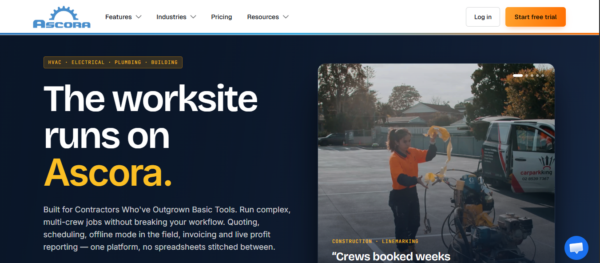
Ascora is an Australian field service management platform built specifically for trade businesses. Its current positioning focuses on contractors that have grown beyond basic scheduling tools and need to manage multi-crew jobs, projects, compliance, recurring service and profitability.
Scheduling includes drag-and-drop assignment, multiple users on jobs, team views, customer notifications and optimised route planning. Ascora also provides real-time GPS tracking that can help dispatchers identify nearby technicians for urgent call-outs.
For Australian businesses, its accounting support is particularly relevant. Ascora documents integrations with Xero, MYOB and QuickBooks, with customer, invoice and payment information able to move between systems.
Pros
- Built for Australian trade businesses
- Strong multi-crew scheduling
- Dedicated route optimisation
- Offline mobile mode
- Strong forms and equipment functionality
- Excellent local accounting compatibility
Cons
- Per-user pricing can become expensive for larger teams
- Advanced features require higher-tier plans
- One-time implementation fee applies
- Smaller independent review base than larger competitors
- May be more than very small operators need
- Enterprise pricing requires a custom quote
Pricing
Ascora’s Essentials plan costs A$45 per user per month and covers core field-service management, scheduling, quoting, invoicing and offline mobile access. Elite costs A$59 per user per month and adds features such as custom electronic forms, equipment management, project stages and advanced reporting. Enterprise pricing is customised. A 14-day free trial is available without a credit card.
Best For
Ascora is best suited to growing Australian HVAC, electrical, plumbing, construction, roofing and other trade businesses managing several technicians or crews.
4. AroFlo — Best for Customisable Australian Trade Operations
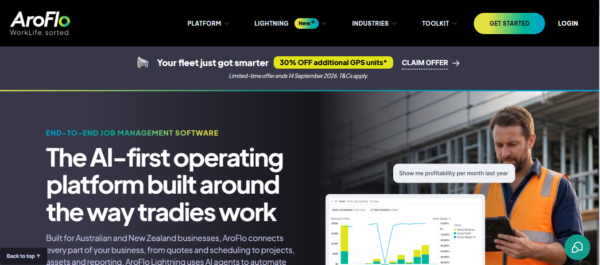
AroFlo is an Australian-built job management and field-service platform designed around the requirements of trade businesses. Its feature set is broad, covering scheduling, GPS tracking, maintenance, job costing, safety and compliance, inventory, purchasing, assets, projects, timesheets and reporting.
AroFlo’s scheduling tools include recurring jobs, GPS-based technician selection, qualification-based assignment, automated customer reminders and crew scheduling. Its field-service tools also support compliance forms, photographs, documents and job information from site.
Its Australian integration ecosystem is another strength. AroFlo currently highlights Xero, MYOB, QuickBooks and suppliers such as Reece and Rexel.
Pros
- Australian-built for trade businesses
- Strong compliance functionality
- Good job costing and inventory tools
- Strong supplier integrations
- Asset and maintenance capabilities
- Supports Xero, MYOB, and QuickBooks
Cons
- Pricing is not very transparent on the vendor website
- Broad functionality may require more setup and training
- Routing is more GPS and scheduling-focused than a dedicated route optimiser
- Offline mode is relatively new
- Smaller businesses may not need the full feature set
- Implementation requirements should be confirmed before purchase
AroFlo’s updated app introduced broader Offline Mode availability in 2026, allowing key task information, documents and notes to remain accessible when connectivity is poor.
Pricing
AroFlo’s current website directs businesses toward a free demo rather than presenting a simple public pricing table. Capterra currently lists pricing from A$39 per user per month and indicates that a free trial is available. Businesses should confirm the current plan, onboarding costs and included features directly with AroFlo before purchasing.
Best For
AroFlo is best suited to Australian trade businesses that need configurable job management, compliance, assets, materials, supplier integrations and field-service functionality in one platform.
5. ServiceM8 — Best for Small Service Businesses and Tradies
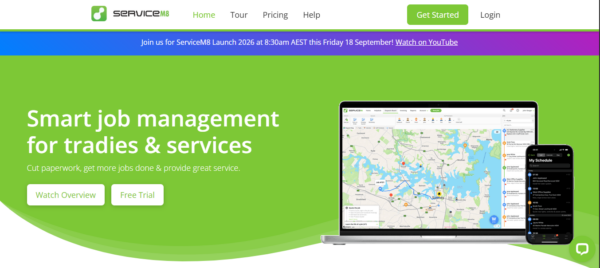
ServiceM8 is built around straightforward job management for small trade and service businesses. It combines job cards, scheduling, quoting, invoicing, customer communication, online booking, payments and field activity within a relatively simple operating model.
Its Australian plans are unusual because paid subscriptions are primarily based on the number of new jobs created each month rather than charging for every staff member. The Starter plan, for example, supports unlimited users with 50 new jobs per month.
ServiceM8 also offers auto routing, a dispatch map, staff GPS, recurring jobs and offline access. It integrates with Xero, QuickBooks Online and MYOB.
Pros
- Free plan available
- Simple pricing for small teams
- Paid plans include unlimited users
- Strong customer communication
- Auto routing and GPS functionality
- Integrates with Xero, MYOB, and QuickBooks
Cons
- Full mobile experience is still optimised for iOS
- Android Lite has reduced functionality
- Job-volume limits apply to plans
- Some advanced features require higher plans or add-ons
- Less suited to complex commercial or project-based operations
- Advanced job costing is not included at entry level
ServiceM8 now supports Android through ServiceM8 Lite, but the company explicitly describes the iPhone and iPad app as its most feature-rich experience. Android users receive core field functionality but not every management or advanced feature available on iOS.
Offline access is available, although functions requiring an active connection — such as sending communications or generating some final documents — remain unavailable until connectivity returns.
Pricing
ServiceM8 offers a Free plan at A$0 per month for one user and up to 30 new jobs per month. Starter costs A$29 per month for unlimited users and 50 jobs, Growing costs A$79 per month for 150 jobs, Premium costs A$149 for 500 jobs and Premium Plus costs A$349 for 1,500+ jobs. Australian pricing includes GST.
Best For
ServiceM8 is best suited to small Australian trade and service businesses that prioritise simplicity, customer communication, scheduling and straightforward job management.
6. Fergus — Best for Job Costing and Profitabilit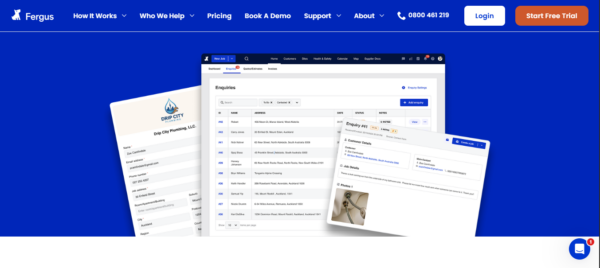
Fergus describes itself as job management software built for Aussie tradies. It combines scheduling, job cards, quotes, labour, materials, supplier costs, invoicing, payments and reporting.
Its scheduling tools support drag-and-drop planning, multiple crew members and subcontractors on the same job, recurring maintenance and travel-aware job assignment. Field staff use the Fergus Go app to access jobs, checklists, notes and site information.
Fergus also has strong Australian accounting and supplier connectivity. It integrates with Xero, MYOB and QuickBooks and supports supplier integrations with businesses such as Reece and Tradelink.
Pros
- Built specifically for tradies
- Strong job costing
- Good Australian supplier integrations
- Supports Xero, MYOB, and QuickBooks
- Recurring maintenance scheduling
- Android and iOS mobile support
Cons
- Less focused on advanced route optimisation
- Asset management is less extensive than specialist platforms
- Complex commercial operations may need deeper controls
- Additional user types can increase costs
- Not as broad as Simpro for project and inventory management
- Larger businesses may require an Enterprise arrangement
Fergus expanded its offline capabilities in 2026, allowing time entries, photos and job notes to be captured without a signal and synchronised later.
Pricing
Fergus’s Essentials plan starts at A$53 per month, while Professional starts at A$77 per month. Timesheet users start from A$26 per month, and companies with larger teams can request an Enterprise plan. Fergus offers a 14-day free trial with no credit card required.
Best For
Fergus is best suited to Australian tradies and service companies where labour, materials, supplier costs, job margins and profitability are major priorities.
What Should Australian Businesses Look for in Field Service Software?
1. Scheduling That Handles Daily Changes
Schedules rarely stay unchanged all day. Look for software that makes it easy to respond to cancellations, emergency jobs, late technicians and overrunning work.
2. Technician and Crew Management
The closest technician is not always the right technician. Consider availability, qualifications, skills, working hours, workload and whether several people need to attend the same job.
3. Dispatch and Field Visibility
Managers should be able to understand who is available, travelling, on-site, delayed or ready for another job without relying on constant phone calls.
4. Route Optimisation
Showing jobs on a map is not the same as optimising a route. Businesses covering large Australian service territories should check whether the platform actually considers job sequence, travel time, appointment windows and technician availability.
5. Mobile and Offline Work
Technicians should be able to access job information, forms, photographs and other records from their phones. If poor coverage is common, test exactly which actions remain available offline.
6. Forms and Compliance
For trades, this may include SWMS, JSAs, inspection reports, safety checklists, certificates and proof of completed work. The platform should make required information easy to collect from the field.
7. Job Costing
Growing trade businesses should understand what each job actually costs. Labour, materials, travel, supplier costs and other expenses should be compared with the revenue generated.
8. Customer Communication
Look for appointment confirmations, reminders, technician arrival updates, delays and completion notifications. Communication is most useful when it is tied directly to real field activity.
9. Recurring Service and Assets
HVAC, electrical, fire protection and other maintenance businesses should consider whether recurring jobs, service history and customer equipment can be managed effectively.
10. Australian Integrations
Australian businesses should check whether the software works with the systems they already use, particularly Xero, MYOB, QuickBooks, trade suppliers, payment platforms, CRM systems, fleet tools and payroll applications.
Which Field Service Management Software Should You Choose?
Instead of selecting software solely from a feature list, test the shortlisted platforms with a real scenario from your business. For example: an urgent job arrives while two technicians are already in the field, one appointment is delayed and another customer needs an updated arrival time. The platform should make it clear how the office responds.
How Arrivy Helps Australian Field Service Businesses Coordinate Operations
Many field-service businesses already have separate systems for accounting, CRM, fleet management or other back-office functions. Their challenge is often maintaining control once work moves from the office into the field.
Arrivy focuses on this operational layer. Businesses can use it to:
For companies that have outgrown calendars, spreadsheets and manual dispatch processes, Arrivy can provide greater visibility between the office, field teams and customers.
Its strength is not replacing accounting, payroll, deep inventory management or every specialised trade system. Its strength is bringing the operational parts of field service — scheduling, dispatch, routing, crews, field execution and customer communication — closer together.
Editor’s Review
Arrivy is particularly strong when the operational problem sits between the office and the field. Dispatchers get visibility into schedules, crews, locations and job progress, while field teams can access their work and capture documentation from mobile devices. Customer communication is also closely connected with job activity, which helps reduce manual updates.
Australian buyers should still compare it carefully with locally established trade platforms. Businesses needing deep stock, supplier and job-cost management may prefer Simpro, AroFlo or Fergus, while Ascora offers particularly strong Australian trade and accounting functionality. For businesses prioritising connected field execution across several crews and customer locations, however, Arrivy offers one of the strongest overall combinations in this comparison.
Conclusion
The best field service management software in Australia depends on the type of work a business performs and where its operational problems occur. Arrivy focuses on connected field execution, Simpro supports complex trade operations, Ascora serves growing multi-crew businesses, AroFlo combines trade job management with compliance, ServiceM8 provides a simpler option for smaller teams, and Fergus places strong emphasis on job costs and profitability.
Before making a decision, businesses should evaluate workforce size, job complexity, travel requirements, accounting systems, supplier relationships, mobile needs and future growth. The strongest platform is not necessarily the one with the longest feature list, but the one that makes everyday field operations easier to manage.