 Login





AI Summary
Recommended Reads:
What Is Construction Field Service Management Software?
Construction field service management software helps contractors schedule crews, dispatch work, manage inspections, and track job progress across multiple locations. It keeps office and field teams connected through mobile work orders, digital documentation, time tracking, and job updates.
Some platforms also include estimating, invoicing, project management, and job costing, depending on the complexity of the business.
Best Construction Field Service Management Software at a Glance
| Software | Best for | Starting Price | Free Trial |
|---|---|---|---|
| Arrivy | Connected construction field operations | $50/user/month (3-user minimum) | 14-day free trial |
| ServiceTitan | Specialty contractors and construction operations | Custom quote | Demo available |
| BuildOps | Commercial construction and mechanical contractors | Custom quote | Demo available |
| Simpro | Multi-trade contractors managing projects and service work | Custom quote | Demo available |
| FieldPulse | Small and midsize construction contractors | Custom quote | Demo available |
| Jobber | Small contractors and residential service businesses | $29/month (annual billing) | 14-day free trial |
| Workyard | Construction crew tracking and labor management | $6/user/month (annual billing) | 14-day free trial |
*Prices are in USD. Published starting rates may exclude additional users, implementation, add-ons, and other charges. *
7 Best Construction Field Service Management Software Platforms
1
Arrivy: Best for Connected Construction Field Operations

Arrivy is a field service and operations management platform built to help construction businesses coordinate work from site surveys and scheduling through field execution and completion. Its construction field service management software helps teams keep crews, jobsites, and field activity connected throughout the project lifecycle.
Its construction-focused platform connects crew scheduling, dispatch, resource allocation, work orders, digital documentation, time tracking, and customer communication.
Office teams can assign crews based on skills, location, and availability, monitor job progress, and adjust schedules when plans change. Field teams can access work orders, capture site information, complete inspections, and upload photos and signatures through the mobile app.
Arrivy also supports multi-stage workflows, making it useful for contractors handling installations, inspections, follow-up visits, and work across several jobsites.
Arrivy is a field service and operations management platform built to help construction businesses coordinate work from site surveys and scheduling through field execution and completion. Its construction field service management software helps teams keep crews, jobsites, and field activity connected throughout the project lifecycle.
Its construction-focused platform connects crew scheduling, dispatch, resource allocation, work orders, digital documentation, time tracking, and customer communication.
Office teams can assign crews based on skills, location, and availability, monitor job progress, and adjust schedules when plans change. Field teams can access work orders, capture site information, complete inspections, and upload photos and signatures through the mobile app.
Arrivy also supports multi-stage workflows, making it useful for contractors handling installations, inspections, follow-up visits, and work across several jobsites.
Key Features:
Pros:
-
Strong connection between scheduling, dispatch, and field execution.
-
Useful for managing multiple crews, equipment, and jobsites.
-
Digital Forms help keep inspections, photos, and job records organized.
-
Real-time visibility helps dispatchers respond to changing schedules.
-
Customer notifications reduce manual calls and follow-ups.
-
Supports multi-stage work and follow-up visits.
-
AI capabilities help with scheduling suggestions, field assistance, and documentation.
-
Integrates with existing CRM, accounting, and other business systems.
Cons:
-
Businesses requiring advanced construction takeoffs or BIM tools may need specialist applications.
-
Complex workflows may require initial configuration to match existing processes.
Pricing:
Arrivy’s Premium plan starts at $50 per full-access user per month, with a minimum of three users. It includes Digital Forms, route planning, advanced reporting, and one advanced integration. Enterprise and custom plans are available for businesses with more specific requirements. A 14-day free trial is available without requiring a credit card.
Best for:
Arrivy is best suited to construction contractors managing multiple crews, installations, inspections, site visits, and field operations who need scheduling, documentation, and customer communication connected in one platform.
2
ServiceTitan: Best for Specialty Contractors Managing Construction Operations

ServiceTitan is a business management platform built for residential and commercial specialty contractors, including HVAC, plumbing, electrical, and other construction-related trades.
Its construction capabilities extend beyond conventional service dispatch. The platform connects project management, crew scheduling, time tracking, daily logs, document management, RFIs, change orders, and progress billing.
Field teams can record site activity through the mobile application, while office teams use project information to track progress, costs, and outstanding work.
ServiceTitan is a business management platform built for residential and commercial specialty contractors, including HVAC, plumbing, electrical, and other construction-related trades.
Its construction capabilities extend beyond conventional service dispatch. The platform connects project management, crew scheduling, time tracking, daily logs, document management, RFIs, change orders, and progress billing.
Field teams can record site activity through the mobile application, while office teams use project information to track progress, costs, and outstanding work.
Key Features:
Pros:
-
Combines construction and service management workflows.
-
Strong crew scheduling and labor tracking.
-
Daily logs help capture site conditions, issues, materials, and work activity.
-
Supports RFIs and change-order management.
-
Progress billing supports larger construction projects.
-
Mobile tools help connect field workers with office teams.
-
Reporting provides visibility into project costs and performance.
Cons:
-
Its extensive functionality may be more than smaller contractors need.
-
Implementation and configuration can require considerable planning.
-
Businesses should evaluate which construction features are included in their selected package.
Pricing:
ServiceTitan uses custom pricing based on business requirements, team size, and selected products. It does not publish a standard starting subscription price. Contractors need to request a personalized demonstration and quotation.
Best for:
ServiceTitan is best suited to established specialty contractors managing multiple projects, field crews, construction documentation, progress billing, and financial reporting.
3
BuildOps: Best for Commercial Construction and Mechanical Contractors

BuildOps is a contractor management platform designed specifically for commercial service and construction businesses.
It supports contractors working across HVAC, mechanical, electrical, plumbing, fire protection, and refrigeration. Its platform connects service management, project execution, financials, and sales rather than treating them as separate workflows.
Construction teams can coordinate schedules, resources, project documents, materials, subcontractors, and financial information. Its mobile tools also help field teams record work and communicate updates with the office.
BuildOps is best suited to commercial contractors managing complex projects alongside ongoing service and maintenance work.
BuildOps is a contractor management platform designed specifically for commercial service and construction businesses.
It supports contractors working across HVAC, mechanical, electrical, plumbing, fire protection, and refrigeration. Its platform connects service management, project execution, financials, and sales rather than treating them as separate workflows.
Construction teams can coordinate schedules, resources, project documents, materials, subcontractors, and financial information. Its mobile tools also help field teams record work and communicate updates with the office.
BuildOps is best suited to commercial contractors managing complex projects alongside ongoing service and maintenance work.
Key Features:
Pros:
-
Built around commercial contractor workflows.
-
Connects service operations and construction projects.
-
Strong resource planning and field coordination.
-
Supports document control and subcontract management.
-
Provides project financial and job-costing visibility.
-
Integrates purchasing and inventory workflows.
-
OpsAI adds operational assistance and reporting capabilities.
Cons:
-
Smaller residential contractors may not need its extensive commercial functionality.
-
Pricing is customized rather than publicly listed.
-
Businesses should evaluate implementation requirements before migrating existing workflows.
Pricing:
BuildOps offers custom pricing based on crew size, trades, and the capabilities required.
Its plans can cover service management, project management, or both. Implementation and onboarding support are included with each plan. A personalized demo is available.
Best for:
BuildOps is best suited to commercial HVAC, mechanical, electrical, and multi-trade contractors managing service operations alongside larger construction projects.
4
Simpro: Best for Multi-Trade Contractors Managing Projects and Service Work
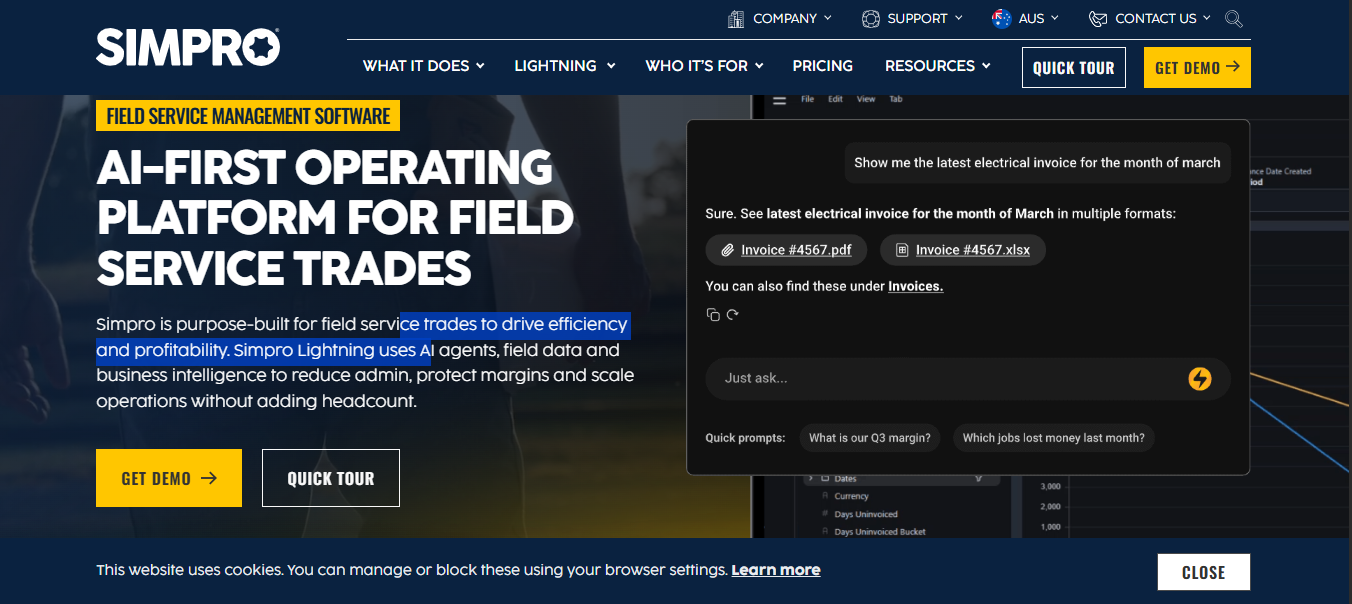
Simpro is field service and job management software designed for trade contractors handling service jobs, maintenance, and larger projects.
It brings estimating, quoting, scheduling, dispatch, inventory, purchasing, invoicing, and reporting into one platform.
Its mobile application allows field workers to access job details, record time, capture photos, complete audits, collect signatures, and process payments. For project-based contractors, Simpro also supports multi-stage invoicing, material allocation, and job-level financial visibility.
This makes it a useful option for businesses that need more than basic scheduling and want stronger control over materials, resources, and project costs.
Simpro is field service and job management software designed for trade contractors handling service jobs, maintenance, and larger projects.
It brings estimating, quoting, scheduling, dispatch, inventory, purchasing, invoicing, and reporting into one platform.
Its mobile application allows field workers to access job details, record time, capture photos, complete audits, collect signatures, and process payments. For project-based contractors, Simpro also supports multi-stage invoicing, material allocation, and job-level financial visibility.
This makes it a useful option for businesses that need more than basic scheduling and want stronger control over materials, resources, and project costs.
Key Features:
Pros:
-
Combines service, project, and maintenance workflows.
-
Strong estimating and quoting capabilities.
-
Helps manage materials and supplier purchasing.
-
Supports multiple employees and equipment assignments.
-
Mobile tools allow field teams to capture job information.
-
Supports progress invoicing for multi-stage projects.
-
Detailed financial and workforce reporting.
Cons:
-
Businesses may need time to configure the platform around their workflows.
-
Some capabilities, including takeoffs and fleet tracking, require additional modules.
-
Pricing is not publicly displayed as a fixed subscription rate.
Pricing:
Simpro uses custom pricing based on business size, users, and required functionality.
Its base plan covers quoting, scheduling, field operations, inventory, invoicing, and reporting. Additional functionality is available through add-ons.
Businesses need to request a quotation and demonstration.
Best for:
Simpro is best suited to multi-trade contractors managing service jobs, maintenance agreements, project work, equipment, materials, and financial reporting.
5
FieldPulse: Best for Small and Midsize Construction Contractors
FieldPulse is a field service management platform designed for growing contractors that need better control over jobs, customers, teams, and project workflows. It supports businesses across remodeling, renovation, roofing, electrical, plumbing, HVAC, and other trades.
Contractors can schedule jobs, assign multiple team members, create estimates and invoices, manage customer records, and track field updates. Its project management tools also help organize tasks, resources, timelines, and project expenses.
FieldPulse is particularly useful for smaller contractors looking for a flexible system that connects everyday field operations with basic project management.
FieldPulse is a field service management platform designed for growing contractors that need better control over jobs, customers, teams, and project workflows. It supports businesses across remodeling, renovation, roofing, electrical, plumbing, HVAC, and other trades.
Contractors can schedule jobs, assign multiple team members, create estimates and invoices, manage customer records, and track field updates. Its project management tools also help organize tasks, resources, timelines, and project expenses.
FieldPulse is particularly useful for smaller contractors looking for a flexible system that connects everyday field operations with basic project management.
Key Features:
Pros:
-
Designed for contractors across several trades.
-
Easy-to-understand scheduling and dispatch tools.
-
Supports project tasks, resources, and timelines.
-
Combines estimates, invoices, and customer records.
-
Mobile access keeps field teams connected.
-
Custom workflows help businesses organize their processes.
Cons:
-
Businesses managing complex commercial projects should verify the depth of project controls they require.
-
Pricing depends on the number of users and selected capabilities.
-
Some advanced capabilities are offered through additional products or configurations.
Pricing:
FieldPulse currently uses custom, seat-based pricing. The final subscription depends on team size, user roles, and required functionality. Businesses can request a personalized quotation and demonstration through its website.
Best for:
FieldPulse is best suited to small and midsize contractors that need connected job scheduling, customer management, estimates, team assignments, and straightforward project tracking.
6
Jobber: Best for Small Contractors and Residential Service Businesses

Jobber is a field service management platform that helps smaller contractors manage customers, estimates, schedules, jobs, invoices, and payments.
Although it is not exclusively designed for construction, its contractor-focused tools can support residential builders, remodelers, and service-oriented construction businesses.
Teams can create quotes, turn approved work into scheduled jobs, communicate with customers, track time, and manage payments. Its Client Hub also allows customers to review quotes, check appointments, and pay invoices.
Jobber is most useful when the priority is running everyday contractor operations without moving to a more complex commercial construction platform.
Jobber is a field service management platform that helps smaller contractors manage customers, estimates, schedules, jobs, invoices, and payments.
Although it is not exclusively designed for construction, its contractor-focused tools can support residential builders, remodelers, and service-oriented construction businesses.
Teams can create quotes, turn approved work into scheduled jobs, communicate with customers, track time, and manage payments. Its Client Hub also allows customers to review quotes, check appointments, and pay invoices.
Jobber is most useful when the priority is running everyday contractor operations without moving to a more complex commercial construction platform.
Key Features:
Pros:
-
Straightforward platform for small contractors.
-
Connects quotes, scheduling, and invoicing.
-
Customer portal supports self-service.
-
Recurring jobs and reminders reduce manual administration.
-
Mobile access helps field teams manage daily work.
-
Job costing is available on higher-tier plans.
-
Offers a 14-day free trial.
Cons:
-
Not designed to replace specialist commercial construction project management systems.
-
Complex RFIs, submittals, and document-control workflows may require additional software.
-
Advanced features such as job costing and crew scheduling require higher-tier plans.
Pricing:
Jobber’s Core plan starts at $29 per month when billed annually, for one user. Monthly billing starts at $49.
Higher plans introduce additional functionality, including automated workflows, time tracking, job costing, and crew scheduling.
Jobber offers a 14-day free trial without requiring a credit card.
Best for:
Jobber is best suited to small construction contractors, remodelers, and residential service businesses that want simple quoting, scheduling, customer management, and invoicing.
7
Workyard: Best for Construction Crew Tracking and Labor Management

Workyard is construction workforce and operations management software focused on crew visibility, GPS time tracking, scheduling, and labor costs. Its main strength is helping construction managers understand where crews are working, how much time they spend on each job, and how labor costs are developing.
Managers can schedule work, assign tasks, monitor attendance, and receive field updates through notes, photos, and daily reports. GPS-verified timekeeping also helps connect employee hours with specific projects and job phases.
Workyard is particularly relevant to contractors whose biggest challenge is managing field labor and maintaining accurate job-cost information.
Workyard is construction workforce and operations management software focused on crew visibility, GPS time tracking, scheduling, and labor costs. Its main strength is helping construction managers understand where crews are working, how much time they spend on each job, and how labor costs are developing.
Managers can schedule work, assign tasks, monitor attendance, and receive field updates through notes, photos, and daily reports. GPS-verified timekeeping also helps connect employee hours with specific projects and job phases.
Workyard is particularly relevant to contractors whose biggest challenge is managing field labor and maintaining accurate job-cost information.
Key Features:
Pros:
-
Strong construction-focused workforce management.
-
GPS-verified time records improve labor visibility.
-
Live crew maps show who is working at each jobsite.
-
Connects labor hours with project costs.
-
Supports field photos, notes, and daily reports.
-
Helps manage attendance and overtime compliance.
-
Offers payroll and accounting integrations.
Cons:
-
More focused on workforce management than full customer-facing FSM.
-
Businesses needing advanced estimating, quoting, and invoicing may require additional software.
-
More advanced scheduling and project-management capabilities require higher-tier plans.
Pricing:
Workyard’s Starter plan begins at $6 per user per month when billed annually. Monthly billing is also available.
Higher plans provide additional scheduling, task management, and labor-cost capabilities. A 14-day free trial is available.
Best for:
Workyard is best suited to construction businesses that want accurate crew attendance, GPS time tracking, jobsite visibility, and better control over labor costs.
What Features Should You Look for in Construction Field Service Management Software?
management software depends on the size of your team and the work you handle. A small contractor handling a few installations has different requirements from a commercial subcontractor coordinating multiple crews, inspections, and ongoing projects.
Crew Scheduling and Dispatch: Look for software that lets managers assign crews based on skills, availability, location, and job requirements. It should also make last-minute changes easy when workers or schedules change.
Multi-Site Job Management: Contractors need visibility into work happening across several locations. The software should organize job details, assignments, timelines, and progress without relying on separate spreadsheets.
Digital Inspections and Documentation: Field teams should be able to complete inspection forms, upload photographs, collect signatures, and record site conditions. These records should remain connected to the relevant job.
Mobile Field Access: Crews should have access to work orders, drawings, checklists, permits, and job instructions from their phones or tablets. Offline functionality is useful on sites with unreliable connectivity.
Real-Time Job Tracking: Managers should be able to see which crews are on site, which jobs are progressing, and where delays are occurring. This helps offices respond before small problems affect other assignments.
Time Tracking and Labor Management: Accurate time records help contractors monitor crew hours, travel time, overtime, and labor costs. Look for software that connects timesheets with individual jobs or project phases.
Customer Communication: Customers and project stakeholders should receive relevant appointment updates, ETAs, and progress notifications. Connecting these updates with actual field activity reduces manual follow-ups.
Estimates and Work Orders: Approved quotes should carry the correct scope, materials, instructions, and customer information into the work order. This reduces duplicate entry and prevents crews from working with incomplete job details.
Job Costing and Reporting: Managers should be able to compare estimated and actual labor, materials, and other costs. Useful reporting should highlight delays, productivity, resource utilization, and project performance.
Integrations: Check whether the platform connects with your existing CRM, accounting software, payroll, document storage, and other construction applications. Good integrations reduce duplicate entry and disconnected records.
Why Choose Arrivy?
Arrivy is particularly relevant when the main challenge is coordinating what happens between an approved construction job and its completion in the field.
Its construction field management software connects scheduling, crew assignments, dispatch, job progress, inspections, digital documentation, and customer updates. Office teams can monitor active work, reassign crews when schedules change, and keep field records connected to the relevant job.
Arrivy also brings AI into these workflows through SAL AI. Its capabilities include AI scheduling suggestions, team assistance, Photo AI for field quality checks, AI Form Builder, and completed-task summaries. This helps teams manage field information and documentation without relying entirely on manual processes.
For contractors that already have a CRM, accounting platform, or specialist construction application, Arrivy can also work alongside existing systems through integrations rather than requiring every business process to move into one platform.
Conclusion
The best construction field service management software depends on the type of work your company handles. ServiceTitan and BuildOps offer extensive capabilities for established commercial and specialty contractors, while Simpro provides strong service, project, and maintenance workflows. FieldPulse and Jobber are practical options for smaller contractors, and Workyard focuses on crew tracking and labor management.
Arrivy stands out for contractors that need scheduling, dispatch, crew coordination, field documentation, and customer communication connected throughout job execution.
Before choosing a platform, test it against a real job involving a schedule change, an inspection, multiple crews, and missing documentation. The right software should make those situations easier to manage, not add another layer of administration.