Login
Login























Construction scheduling software helps contractors plan work, assign crews, update project timelines, and track jobsite progress from one system.
The right tool depends on how your team schedules work. Some contractors need Gantt charts and project controls. Some need jobsite task management. Others need crew dispatch, mobile updates, customer notifications, photos, forms, and completion tracking.
This guide compares six construction scheduling software options for 2026 based on use case, free plan availability, free trial availability, lowest price, key features, pros, cons, and third-party ratings.
The tools reviewed are Arrivy, Procore, Fieldwire, Buildertrend, Autodesk Construction Cloud, and JobTread.
What Is Construction Scheduling Software?
Construction scheduling software helps contractors plan work, assign crews, coordinate subcontractors, track jobsite progress, and update schedules when conditions change.
Most tools include calendar views, task assignments, mobile updates, notifications, and reporting. Some platforms also include Gantt charts, document management, customer communication, job costing, invoicing, forms, photos, and route planning. The right tool depends on how the team works.
Construction Scheduling Software vs Construction Project Management Software
Construction scheduling software focuses on when work happens and who is responsible for it. It usually helps with crew assignments, job timelines, task due dates, subcontractor schedules, calendar views, Gantt views, and field updates.
Construction project management software is broader. It may include scheduling, but it can also include RFIs, submittals, drawings, contracts, financials, change orders, punch lists, safety, quality, and document control.
Some construction teams need both. Others only need a practical scheduling and dispatch system that keeps crews, jobs, and customers aligned.
Best Construction Scheduling Software at a Glance
| Tool | Best for | Free Plan | Free Trial | Starting Price |
|---|---|---|---|---|
| Arrivy | Field construction teams that need crew scheduling, dispatch, customer updates, and job tracking | No | Yes | Starts at $75/month for 3 full-access |
| Procore | Large contractors that need scheduling inside a full construction management platform | No | No | Custom quote |
| Fieldwire | Jobsite teams that need task scheduling, drawings, punch lists, and field coordination | Yes | No | Free Basic plan. Paid plans start at $39/user/month, billed annually |
| Buildertrend | Residential builders and remodelers that need scheduling, client communication, and project workflows | No | No | Custom quote |
| Autodesk Construction Cloud | Large project teams that need schedules connected with documents, models, cost items, and project data | No | Yes | Custom quote |
| JobTread | Small to midsize contractors that need scheduling, estimating, invoicing, and job management | No | No | Starts at $199/month billed annually, including 1 user. Additional internal users start at $20/month |
How We Compared the Tools?
We reviewed each platform based on construction scheduling needs, public product information, pricing pages, review platforms, and best-fit contractor workflows.
The main factors were:
Crew scheduling
Dispatch workflows
Jobsite task management
Calendar and Gantt views
Mobile field updates
Subcontractor coordination
Customer communication
Forms, photos, and job documentation
Integrations
Reporting
Pricing transparency
Free plan or free trial availability
Third-party ratings
Best-fit team size
We ranked the tools by how well they match real construction workflows. That means we looked beyond calendars and task lists. Each tool was compared by workflow fit, field usability, crew coordination, pricing transparency, customer communication, and how well it supports day-to-day construction operations.
6 Best Construction Scheduling Software for Teams
1. Arrivy: Best for Construction Field Teams and Real-Time Crew Scheduling
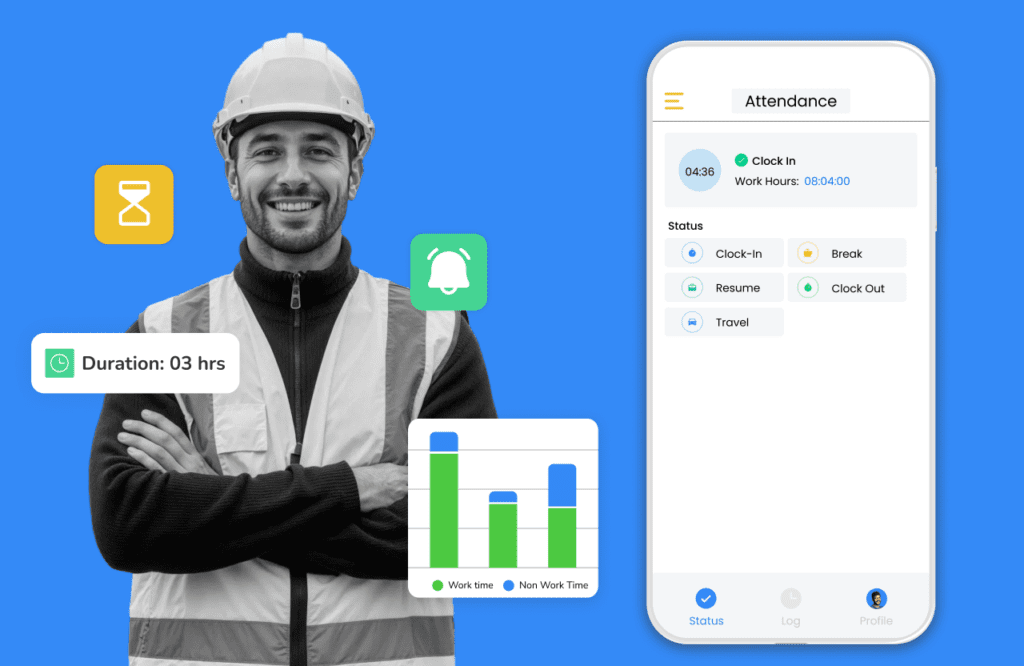
Arrivy is field service management software for construction teams that schedule and dispatch mobile crews.
It fits companies handling installations, inspections, site visits, service jobs, subcontractor handoffs, and customer-facing construction work.
The platform focuses on daily field execution rather than heavy construction administration or BIM workflows.
Pros
- Strong fit for mobile construction crews
- Useful for installations, inspections, site visits, and service jobs
- Combines scheduling, dispatch, customer updates, and field documentation
- Gives office teams a live view of job progress
- Helps reduce manual calls and texts
- Supports forms, photos, signatures, and job proof
- Works well for customer-facing construction workflows
Cons
- Not built for BIM-heavy construction planning
- Not a full construction ERP
- Not as deep as Procore or Autodesk for RFIs, submittals, and enterprise project controls
- Best suited for field execution rather than complex CPM scheduling
Pricing
Arrivy offers a 14-day free trail. It lists a Standard plan starting at $25 per user per month. The plan starts with a minimum of three full-access users. Arrivy also offers a Premium plan and custom Enterprise pricing.
Teams should confirm pricing based on user count, billing term, integrations, and workflow needs.
Best Fit
Choose Arrivy if your team schedules field crews and needs better control over daily job execution.
It is especially useful for construction teams that need dispatch, mobile updates, customer communication, job tracking, photos, forms, and completion proof in one workflow.
2. Procore: Best for Large Construction Teams and Enterprise Project Management
Procore is construction management software for owners, general contractors, and specialty contractors.
It includes scheduling, but its main strength is managing large construction projects across documents, RFIs, submittals, drawings, financials, quality, safety, and reporting.
It is best for larger teams that need project controls and collaboration across many stakeholders.
Pros
- Strong platform for large contractors
- Covers many construction management workflows
- Good fit for projects with many stakeholders
- Strong document and drawing management
- Useful for RFIs, submittals, budgets, and project controls
- Scales well for enterprise construction teams
Cons
- Can be too complex for smaller contractors
- Implementation can take time
- Training may be needed for teams new to construction management software
- Less focused on route-aware dispatch and customer-facing field updates
- May feel heavy if the main need is daily crew scheduling
Pricing
Procore uses custom pricing. Pricing depends on the products selected and the amount of construction work managed through the platform. Contact Procore for a quote.
Best Fit
Procore is best for larger contractors that need scheduling inside a full construction management platform.
3. Fieldwire: Best for Jobsite Task Scheduling and Foreman Coordination
Fieldwire is jobsite management software for construction teams that need task coordination, drawings, punch lists, checklists, reports, and field updates.
It works well for foremen, site supervisors, subcontractors, and project teams that manage daily work from the jobsite.
It is less focused on customer communication, route planning, and high-volume crew dispatch.
Pros
- Strong for jobsite task management
- Good fit for foremen and site supervisors
- Easy access to drawings and plans
- Practical mobile app for field teams
- Supports punch lists, reports, and photos
- Transparent pricing
Cons
- Less focused on customer updates
- Not ideal for route-aware dispatch
- Advanced features require higher plans
- Per-user pricing can add up as the team grows
- Less complete than Procore or Autodesk for broader enterprise construction management
- Less focused on service-style construction workflows than Arrivy
Pricing
Fieldwire has a free Basic plan.
Paid annual plans start at $39 per user per month. The Business plan starts at $64 per user per month, and the Business Plus plan starts at $89 per user per month. Monthly billing may cost more.
Best Fit
Fieldwire is best for foremen, site supervisors, subcontractors, and field teams that need task scheduling tied to drawings and jobsite updates.
4. Buildertrend: Best for Residential Builders and Remodelers
Buildertrend is construction management software for home builders, remodelers, and residential contractors.
It combines scheduling with client communication, change orders, selections, daily logs, documents, financial tools, and subcontractor coordination.
It is strongest for residential teams. Buyers who need advanced commercial scheduling or deeper project controls should review the scheduling workflow carefully before committing.
Pros
- Strong fit for residential builders and remodelers
- Useful for client communication, selections, change orders, and daily logs
- Helps centralize homeowner, subcontractor, and internal updates
- Good option for multi-phase residential projects
Cons
- Less suited for commercial construction and public works projects
- Can feel broad if the team only needs scheduling
- Not built for route-aware dispatch or real-time crew tracking
- Best value is for residential teams, not every contractor type
Pricing
Buildertrend uses custom pricing. The company asks for business details before providing a quote. Its pricing page says pricing is tailored to each business.
Best Fit
Buildertrend is best for residential builders and remodelers that need scheduling, client communication, subcontractor updates, and project workflows in one system.
5. Autodesk Construction Cloud: Best for Connected Schedule Management Across Project Data
Pros
- Strong for connected construction project data
- Useful for teams already using Autodesk tools
- Good fit for commercial and enterprise projects
- Connects schedules with documents, files, photos, issues, and cost items
- Supports Gantt and list-based schedule views
- Works well for documentation-heavy projects
- Strong ecosystem for BIM, design, and construction workflows
Cons
- Can be heavy for smaller teams
- Setup may require more process planning
- Less focused on customer-facing field updates
- Less practical than Arrivy for daily dispatch and route-aware crew coordination
Pricing
Autodesk pricing depends on product, package, seats, and setup.
Teams should contact Autodesk for current pricing on Forma Build or Autodesk Construction Cloud workflows.
Best Fit
Autodesk Construction Cloud is best for larger construction teams that need schedules connected with project data, documents, models, cost items, and field workflows.
6. JobTread: Best for Small to Midsize Contractors Managing Schedules and Business Workflows
JobTread is construction estimating and project management software for small to midsize contractors.
It combines scheduling with tasks, documents, photos, finances, customers, vendors, subcontractors, estimates, proposals, invoices, and job costing.
It is a good fit for contractors that want scheduling and business workflows in one platform without moving into a heavier enterprise system.
Pros
- Combines scheduling with estimating and invoicing
- Useful for job costing and financial visibility
- Supports calendar, Gantt, and list views
- Customer and vendor portals are included
- Easier to approach than large enterprise construction platforms
Cons
- Not as enterprise-focused as Procore or Autodesk
- Not as focused on field dispatch as Arrivy
- Less suitable for BIM-heavy workflows
- May be more than needed for teams that only want a simple scheduler
- Best for business workflow management rather than real-time field execution
Pricing
JobTread starts at $199 per month and includes one internal user.
Additional internal users start at $20 per month.
Best Fit
JobTread is best for small to midsize contractors that want scheduling, estimating, invoicing, job costing, documents, and customer workflows in one platform.
How to Choose the Right Construction Scheduling Software?
Before choosing a platform, check whether it fits how your team actually works.
Type of work: Residential builders, commercial contractors, specialty contractors, and field service teams all need different scheduling workflows.
Scheduling depth: Decide whether you need simple calendar scheduling, Gantt charts, dependencies, lookahead planning, or daily dispatch.
Field usability: Crews should be able to view jobs, update status, upload photos, and complete forms from mobile.
Crew and subcontractor coordination: The tool should make assignments, schedule changes, and responsibility clear.
Customer communication: Look for ETAs, reminders, delay updates, and completion notifications if customers are part of the workflow.
Job documentation: Photos, notes, signatures, forms, and completion records help with billing, closeout, and accountability.
Integrations: Check whether the software connects with your CRM, accounting, invoicing, project management, or document tools.
Real cost: Review user minimums, add-ons, implementation fees, annual billing, and higher-tier feature limits.
Best Practices for Construction Scheduling in 2026
Keep job statuses current so the schedule reflects what is actually happening in the field.
Ask crews to update jobs as assigned, on the way, in progress, delayed, completed, or waiting on follow-up.
Assign crews based on both availability and location to reduce travel time and avoid unnecessary backtracking.
Use photos, forms, signatures, and notes to document field work for billing, closeout, customer communication, and accountability.
Send customer updates automatically when a job is scheduled, delayed, in progress, or completed.
Track delay reasons such as labor availability, site access, weather, materials, inspections, customer availability, and subcontractor coordination.
Connect scheduling with billing, CRM, forms, or work orders so completed jobs move faster to invoicing and follow-up.
Review missed appointments, late starts, incomplete jobs, overtime, route issues, and recurring delays each week.
Use scheduling data to improve how work is planned, assigned, completed, and closed out.
Final Verdict
The best construction scheduling software depends on how your team runs work. For teams focused on daily field execution, Arrivy is one of the best construction scheduling software options to consider in 2026. It is especially useful when the schedule needs to connect with dispatch, crew activity, customer updates, and job completion.