





















Quick Answer:
What Is a Field Service Mobile App?
A field service mobile app is the field-facing part of a field service management system. It gives engineers access to assigned jobs, customer and site details, work orders and other information needed away from the office. Depending on the software, engineers may also use the app to update job statuses, complete digital job sheets and forms, record time, add notes and photos, collect signatures and submit completed work.
A useful mobile app connects those field activities with scheduling, dispatch and the back office rather than storing them as isolated mobile records.
A mobile app is only useful to a field engineer if it reduces the number of things they have to chase. If the engineer still has to ring the office for the latest job notes or send photos separately after the visit, the app is not really supporting the job. It is just one more place to look.
A good field service mobile app should carry the job from assignment through to completion. That means giving engineers access to the right site and work information, allowing them to record what happens on site, and making those updates available to the back office without creating another round of manual admin.
For UK field service teams, mobile field service needs to support the practical parts of field work, like work orders, site history, digital job sheets, photos, status updates, signatures, time records and, where required, offline working.
This guide looks at those requirements from the engineer’s side of the job and explains what operations managers should check before choosing a field service app.
What Does a Field Service Mobile App Do?
A field service app helps move a job through the stages that take place outside the office.
For an engineer, that means:
For the operations team, the same workflow provides information about what is happening in the field.
The precise feature set varies between field service applications, but the underlying requirement is consistent: the engineer needs the right information at the point of work, and the business needs an accurate record of what happened.
That makes the mobile app even more important, as it becomes the source of truth for field and office teams.
What Engineers Need From a Field Service App
Engineers do not need every piece of information held by the business on every screen. They need the information and actions relevant to the job in front of them.
The following capabilities are therefore useful criteria when assessing a mobile app for field service engineers.
1. A Clear View of Today’s Jobs
An engineer should be able to open the app and understand the working day. The schedule should make relevant details easy to identify, such as:
This becomes particularly important when scheduling and dispatch changes occur during the day. If an urgent call-out is added, an appointment moves or another engineer is assigned to help, the updated plan should be available in the same place as the original assignment.
A calendar alone, however, is not sufficient. Knowing where to go is different from knowing what needs to be done.
2. Customer, Site and Access Information
The engineer also needs enough site information to arrive prepared. Depending on the type of work, this may include:
“Site” is particularly important in UK field service because one customer may have multiple service locations, and each location can have its own history, contacts and access requirements. The mobile app should allow engineers to access contact information and previous work associated with that location.
3. The Work Order and Scope of Work
Before work begins, the engineer should be able to answer a basic question:
What exactly has this engineer been sent to do?
The field service mobile app should make the relevant scope clear through a work order that may include:
Clear scope also matters, and an engineer should not have to ring the office to find out what the job involves. Whether the job comes from a sale, service request, quote, contract or recurring maintenance plan, the engineer should have the relevant details available on site.
4. Previous Job and Asset History
The current fault or service request may be linked to previous work carried out at the site.
An engineer may need to know:
Access to useful history can prevent the engineer from beginning every visit with no context. Previous job records can help engineers understand earlier work, notes, photographs and follow-up requirements before starting the next visit.
The value of history depends on relevance. The app should help the engineer find useful previous records rather than forcing them to search through every activity ever associated with the customer.
5. Directions and Location Details
Once the job is understood, the engineer needs to get there.
A mobile field service app may provide the job location directly to a mapping application rather than requiring the engineer to copy and re-enter an address. For the engineer, this removes a small but repetitive piece of manual work.
For dispatch, location information can also form part of a wider scheduling and route-planning process. Those are different functions from the engineer’s navigation screen and should not be confused: route planning helps decide how work should be sequenced, while mobile navigation helps an engineer reach the assigned location.
6. Offline Access
A mobile field service app that becomes unusable without a connection can fail at exactly the point it is needed.
Field engineers work in places such as plant rooms, basements, construction sites, large commercial buildings and rural locations where connectivity can vary.
UK mobile coverage is extensive, but it is not universal. According to Ofcom’s Spring 2026 Connected Nations update, predicted good 4G geographic coverage reaches 96% of UK landmass from at least one mobile network operator and 84% from all operators.
Those figures should not be interpreted as the probability that an individual engineer will or will not have signal during a job. They do demonstrate why a field workflow should not assume uninterrupted connectivity everywhere.
An offline-capable field service app should allow relevant information or actions to remain available when the connection drops, then synchronise the data when connectivity returns.
Arrivy, for example, provides an offline mode that downloads selected data to a technician’s device, stores supported changes locally and uploads them when an internet connection becomes available.
When evaluating an offline field service app, operations teams should ask a more specific question than simply, “Does the app work offline?”
Ask:
What exactly can the engineer view, enter and complete while offline, and how does that information synchronise afterwards?
Keep field work moving, even when connectivity drops
Book a Demo
7. Digital Job Sheets, Forms and Checklists
The job sheet remains familiar terminology in UK service operations.
Traditionally, it records the information an engineer needs before a visit and the work carried out while on site. It is like a record issued to the engineer and then completed with details of work performed.
A mobile app can turn job sheets, forms and job checklists into structured digital data.
Depending on the job, an engineer might complete:
Structured forms are particularly useful where specific information must be captured every time. Arrivy Digital Forms supports custom service reports and checklists, images, notes, digital signatures and offline data capture that synchronises when connectivity is restored.
8. Photos and Proof of Work
Field photos can document:
The important part is where those images go afterwards. If job photographs remain in a personal camera roll and somebody later has to work out which customer they belong to, the mobile workflow has only moved part of the process onto a phone.
Photos captured against the relevant job, form or task are more useful because they remain connected to the work they document.
Arrivy’s field workflow supports notes and photos within job journals, while its digital forms can also contain images.
9. Notes and Job Updates
Some situations on site cannot be captured fully through a standard form.
An engineer may discover:
Engineers therefore need a simple way to add context in notes.
10. Job Status Updates
Status updates tell the office where a job sits in its lifecycle. Depending on the workflow, statuses might represent stages such as:
Arrivy’s mobile field capabilities include job status updates, while its crew-tracking workflow can show statuses such as en route, on site or delayed.
11. Time and Travel Records
The mobile device is also a practical place to record time. Depending on the field service management app, engineers may be able to record:
Arrivy supports clocking in and out through its mobile app and can capture travel and work hours against tasks. Time records become more useful when they are attached to the actual job, crew or task rather than reconstructed separately after the working day.
12. Customer Signatures and Job Completion
Before leaving site, the engineer should be able to complete the record required by the business.
That may include:
After the engineer presses Complete, and the office now has enough information to understand what was done, the mobile workflow has captured the job effectively.
How an Engineer Uses a Mobile Field Service App During a Job
Looking at the workflow chronologically makes it easier to separate useful mobile functionality from a long feature list.
Before leaving
The engineer checks the day’s schedule and opens the next job.
They review the customer, site, scope of work, access details and relevant history. If the work requires particular equipment, documents or information, this is the point at which the app should surface it.
En route
The engineer opens directions from the assigned job and, where the workflow supports it, updates the job to show that travel has started.
The office now has current status information without requiring a separate check-in.
On arrival
The engineer records arrival or changes the job status.
They can review site instructions again before starting and open the relevant job sheet, work order or checklist.
During the work
This is where the mobile app becomes an execution tool. The engineer can refer to job information, complete forms, record readings, add notes, take photographs or update task information as work progresses.
If the connection disappears, supported offline functionality should allow the engineer to continue with the parts of the workflow designed for offline use.
Before leaving site
The engineer checks whether all required documentation has been captured. That might mean completing a service report, adding final photographs, entering a note, recording time and obtaining a customer signature.
Any required follow-up work should be recorded while the circumstances are still clear.
After completion
The job status changes and the captured information becomes available to the wider operation according to the platform’s workflow.
The purpose of the mobile application is not merely to make the engineer’s phone more capable. It is to create a reliable hand-off between the work completed on site and the people and systems that depend on that information afterwards.
Connected Field Service App vs Disconnected Field Tools
| Field activity | Disconnected process | Connected field service app |
|---|---|---|
| Daily schedule | Calls, messages or separate calendar | Assigned work visible in the mobile workflow |
| Job details | Email, PDF or office call | Information attached to the job |
| Site history | Ask the office or search another system | Relevant history accessible from the field |
| Directions | Copy address into maps | Launch directions from the job |
| Job sheets | Paper or separate documents | Digital job sheet or form |
| Photographs | Stored in camera roll | Captured against the job or form |
| Updates | Call or message dispatch | Update job status in the app |
| Notes | Paper, messages or separate app | Stored with the job record |
| Time | Reconstructed timesheet | Recorded against the task or job |
| Signature | Paper document | Digital capture where supported |
| Completion | Office re-enters field information | Completed record synchronises into the workflow |
The key difference is not that one column uses a smartphone and the other does not. It is whether information remains attached to the job throughout the process.
What Should Operations Managers Look for in a Field Service Management Mobile App?
Operations managers need to evaluate how the app experience behaves across an entire workforce. These questions are more useful than comparing feature counts.
Mobile usability is only one part of evaluating field service management software in the UK.
Why Mobile Usability Matters as Much as the Feature List
A field service application can contain every capability in a procurement spreadsheet and still be awkward on site. The app should therefore be evaluated in the conditions where it will actually be used.
Watch for practical friction such as:
The useful procurement question is:
Can our engineers reliably complete a normal job through it?
Run that test using representative jobs from your own operation.
See how Arrivy works for real field jobs
Start a Free Trial
How Arrivy Supports Mobile Field Operations
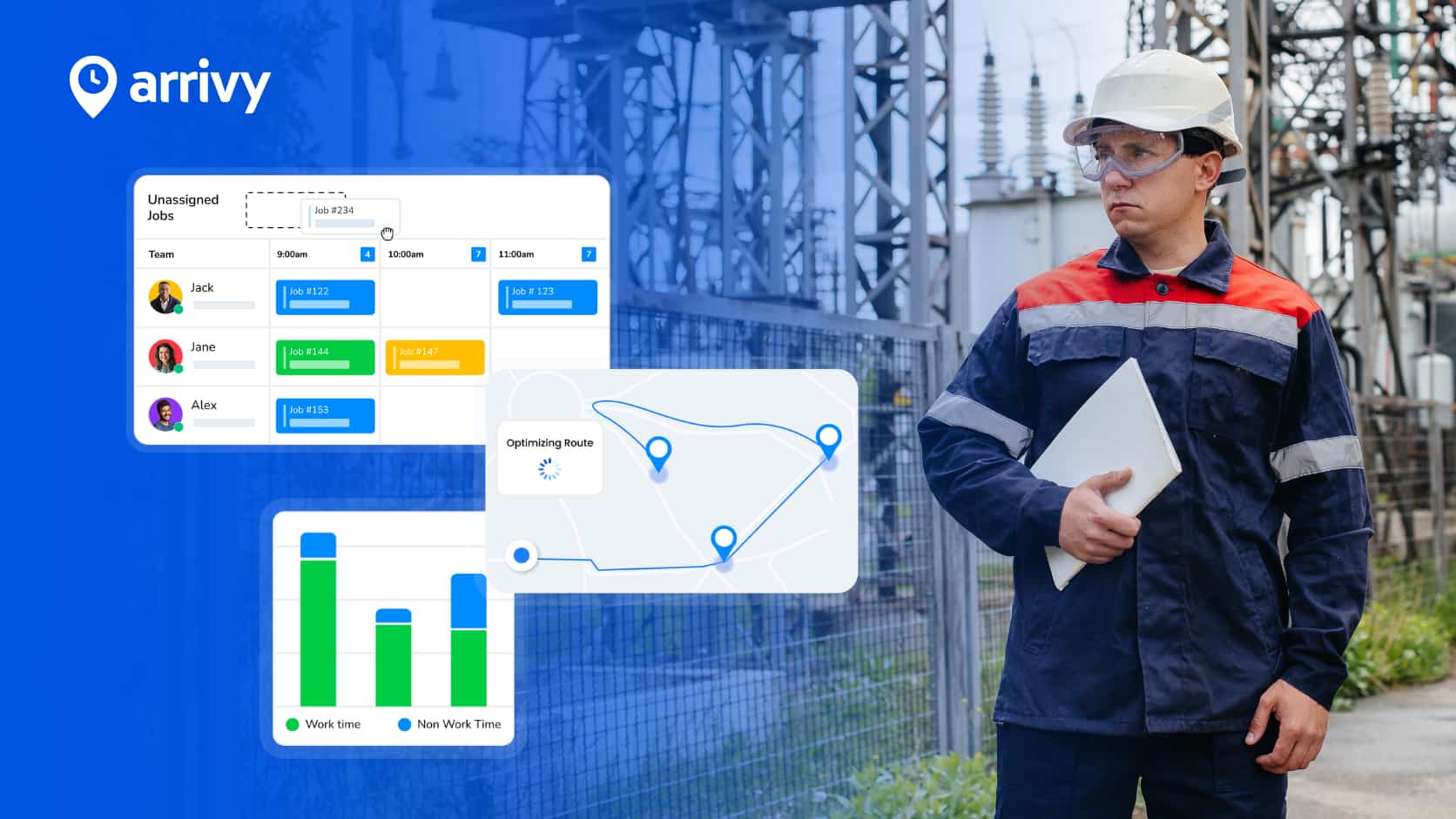
Arrivy connects mobile field service with the wider operational workflow rather than treating it as a separate engineer utility.
From the mobile app, crews can work with job information, update job status, clock in and out, and capture notes, photos, signatures and task information through job journals. Arrivy also supports field visibility including job progress, navigation using job-site coordinates and optional GPS location sharing.
For structured field data, Arrivy Digital Forms supports service reports, checklists, images, notes, signatures and other form elements. Forms can be completed in offline environments and synchronise when connectivity is restored.
Arrivy can also record travel and work time directly against tasks through its time-tracking functionality.
The important part is how those capabilities connect.
A field engineer is working with a job that the office is also scheduling, dispatching and monitoring. Notes, photographs, forms and status changes become part of the operational record rather than a separate set of field files.
That creates a continuous workflow:
For businesses assessing field service management software, this connection is worth examining as closely as the individual features available on the phone.
Connect your field teams with the rest of your operation