Login
Login






















AI Summary
There is no single best job management software for every UK service business. The right platform depends on how work moves from customer request and quotation through scheduling, assignment, completion, documentation, and invoicing.
For this comparison, we evaluated eight platforms against the job-management needs of service businesses and trades.
Our top picks by operational need:
- Arrivy – Growing UK service businesses that need stronger coordination between office teams, field crews, customers, and job records as work moves toward completion.
- Powered Now – UK trades looking for job management alongside quoting, invoicing, trade paperwork, and business administration.
- Joblogic – Maintenance businesses managing customer sites, assets, recurring jobs, and planned service work.
- Tradify – Small trade businesses wanting a straightforward workflow from quote and scheduling through job completion and invoicing.
- ServiceM8 – Small service businesses that prefer pricing based mainly on monthly job volume rather than the number of users.
- Commusoft – Established service contractors managing contracts, assets, planned maintenance, and more complex customer relationships.
- OutOnSite – Small UK teams that want to replace paper job sheets and improve basic job visibility without unnecessary complexity.
- Workever – Small and midsize service businesses wanting jobs, scheduling, field activity, forms, quoting, and invoicing in one system.
Job management software helps service businesses organise and track work from job creation through scheduling, completion, documentation, and invoicing. The best platform depends on how your business operates, whether that means simple trade administration, recurring maintenance, or coordinating multiple teams in the field.
For this guide, we compared eight job management software platforms for UK service businesses: Arrivy, Powered Now, Joblogic, Tradify, ServiceM8, Commusoft, OutOnSite, and Workever. We looked at pricing, job workflows, mobile access, integrations, recurring work, and the types of businesses each platform suits best.
Recommended Reads
What Is Job Management Software?
Job management software helps businesses organise customer work from the point a job is created until it is completed and handed off to invoicing or another downstream process.
Depending on the platform, that workflow may include customer records, quotes and estimates, scheduling, employee or crew assignment, job sheets, status updates, photographs, forms, signatures, labour and material costs, invoices, payments, recurring work, and reporting.
A typical workflow might look like:
Not every business requires every stage inside one system. Some companies use job management software alongside an existing CRM or accounting platform, while others prefer a more all-in-one approach.
The important requirement is that information moves reliably with the job instead of being repeatedly recreated as work passes between the office, the field, and back-office systems.
Disclosure:
Arrivy publishes this comparison and is one of the platforms reviewed. To keep the comparison useful, each product was evaluated against the same job-management criteria using current vendor documentation and publicly available product and pricing information.
| Company | Best for | Starting pricing* | Pricing model | Free trial | Free plan |
|---|---|---|---|---|---|
| Arrivy | Connected job execution across office, field, and customer | $25/full-access user/mo | Full + limited-access users/plan based | ✓ | — |
| Powered Now | UK trades and business administration | From £28/mo | User/plan based | ✓ | — |
| Joblogic | Maintenance, assets, and recurring work | From £45/user/mo | Per user | — | — |
| Tradify | Small trade businesses | £34/user/mo | Per user | ✓ | — |
| ServiceM8 | Teams suited to job-volume pricing | £0; paid from £25/mo | Primarily job volume | ✓ | ✓ |
| Commusoft | Contracts, assets, and PPM | Custom | Licence/plan based | ✓ | — |
| OutOnSite | Small teams replacing paper job sheets | £29 + VAT/user/mo | Per user | ✓ | — |
| Workever | Growing UK service teams | £29/user/mo | Per user | ✓ | — |
Pricing checked on 28 August 2026. Verify business-critical requirements with the vendor before purchasing.
How We Evaluated Job Management Software
We evaluated each platform around the operating cycle of a service job rather than using the total number of features as a proxy for quality.
The comparison considered whether each system can keep the people, information, and records associated with a job connected as work progresses.
Evaluation criteria
8 Best Job Management Software Platforms in the UK
1. Arrivy – Best for Connected Job Execution Across Office, Field, and Customer
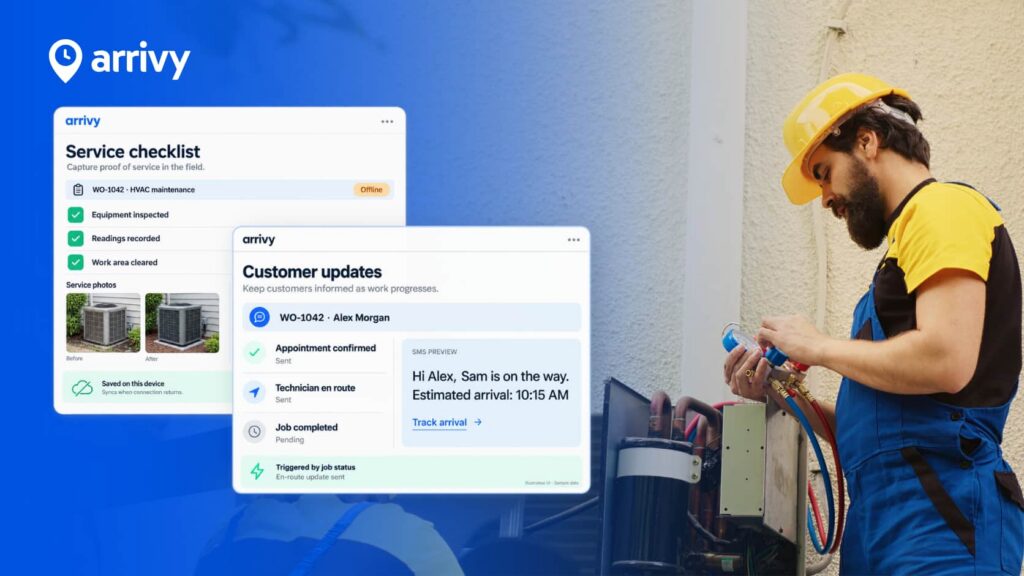
Arrivy is a field operations platform for service businesses that need to coordinate work across office teams, field crews, and customers. It connects scheduling and assignment with job progress, field documentation, customer communication, and completion, making it particularly useful for businesses managing multiple workers, crews, or appointments.
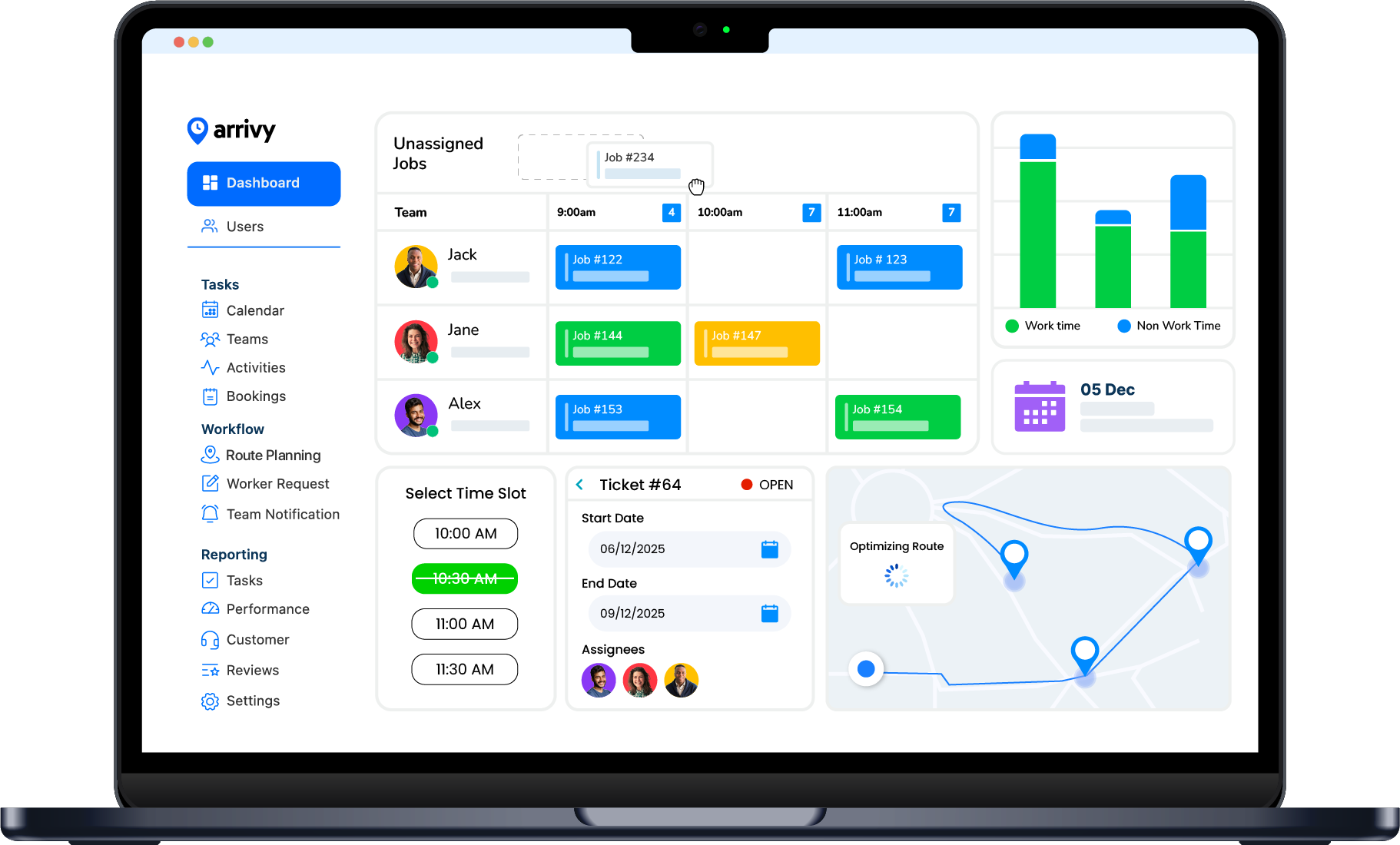
Why we included it: Arrivy stands out for the execution stage of job management. Instead of stopping at job creation and scheduling, it helps teams maintain visibility as work moves into the field, capture job records such as forms, photos, and signatures, and keep customers informed while the job is being completed.
Pros
- Strong job-execution visibility:
Useful when office teams need to know what is happening after work leaves the schedule. - Connects customer communication with operational activity:
Customer updates can form part of the job workflow instead of remaining a separate manual process. - Flexible field documentation:
Forms and job records can support different service and operational requirements. - Works alongside existing business systems:
Suitable for organisations that already have CRM, accounting, or other upstream applications they do not want to replace.
Cons
- Pricing is published in USD:
UK companies need to account for currency when comparing costs. - Not primarily a UK trade-accounting platform:
Businesses whose main requirement is native UK bookkeeping, MTD, invoicing, and trade certificates may find a UK trade-specific product closer to their needs.
Pricing
Arrivy’s Standard plan is currently $25 per full-access user per month and starts with a minimum of three full-access users. Each full-access user includes two limited-access users.
Premium is listed at $50 per full-access user per month and adds capabilities including digital forms, route planning, advanced reporting, and additional integration functionality.
A 14-day free trial is available without a credit card.
Best For
Growing service businesses where jobs already move between office and field teams, and the bigger challenge is maintaining coordination, customer communication, and a reliable record from scheduling through completion.
Connect Jobs from Schedule to Completion
Book a Demo
2. Powered Now – Best for UK Trades and Business Administration
Powered Now is a job management platform built around the day-to-day needs of UK trade businesses. It combines customer and job management with quoting, invoicing, job sheets, expenses, supplier records, and business administration, with higher plans adding forms, certificates, Xero integration, staff tools, and scheduling capabilities.
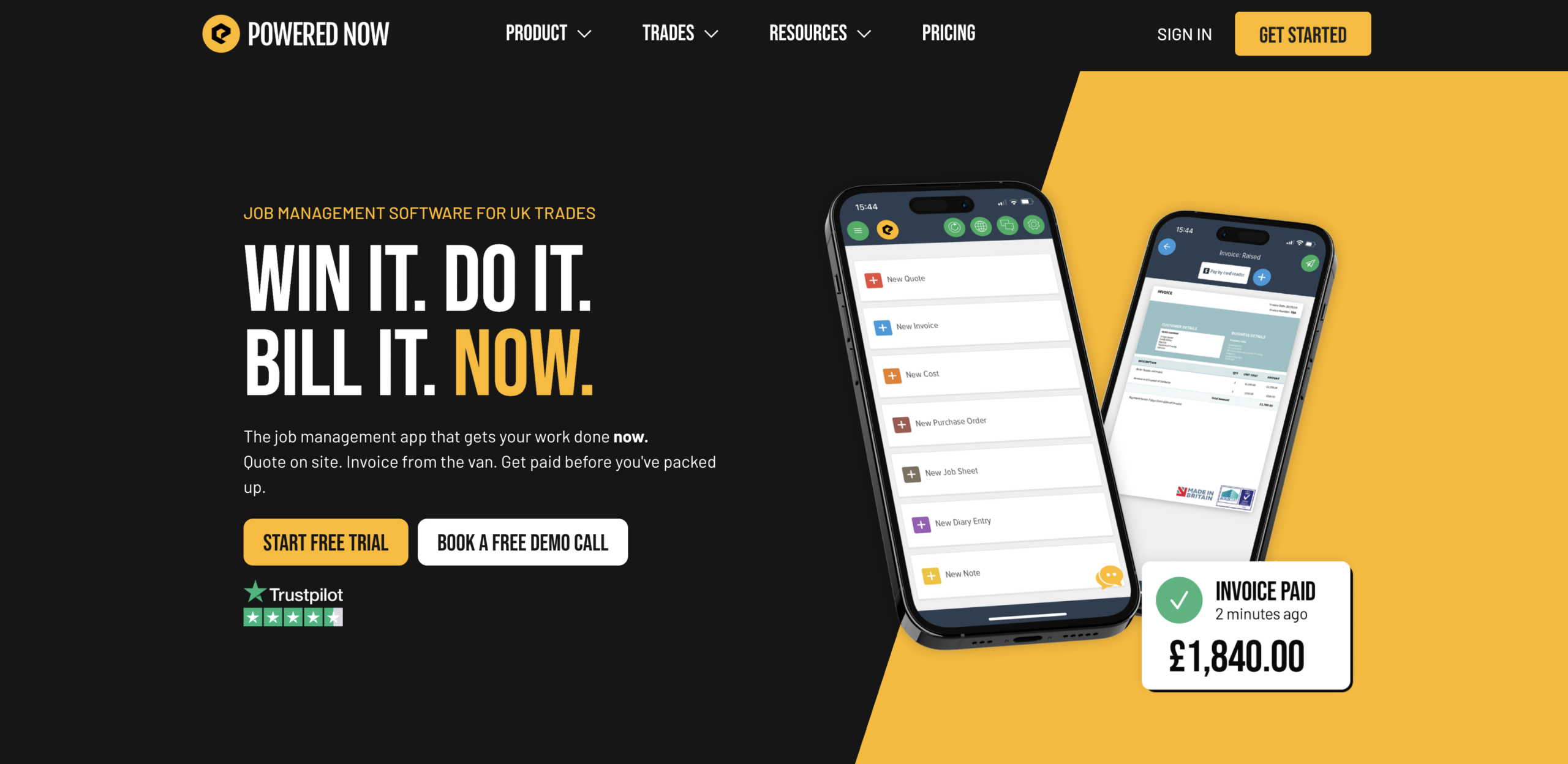
Why we included it: Powered Now brings the operational and administrative sides of trade work into the same workflow. It is particularly relevant for businesses such as electricians, plumbers, heating engineers, and builders that need jobs to stay connected with quotes, paperwork, invoicing, and trade-specific documentation.
Pros
- Strong UK trade orientation:
The product is designed around the operational and administrative requirements of trade businesses rather than generic task management. - Jobs stay connected with business administration:
Quotes, expenses, supplier information, invoices, and related records can be managed alongside customer work. - Trade forms and certificates are available:
This is useful where formal documentation forms part of completing a job. - Higher plans expand into team management:
Businesses can add more staff, scheduling, and workflow capabilities as their requirements grow.
Cons
- Some useful team features require higher plans:
Businesses should compare the plan they actually need rather than judging cost from the entry price alone. - Less focused on complex multi-team execution:
Companies whose primary challenge is coordinating sophisticated field operations may place less value on its accounting and administrative orientation.
Pricing
Powered Now currently lists:
- Business: £28 per user/month
- Professional: £32 per user/month
- Premium: £40 per user/month
Annual billing provides two months free. Pricing is per user and excludes VAT. A 14-day free trial is available.
Best For
UK trade businesses that want jobs, quotations, invoices, job sheets, trade documentation, and day-to-day business administration closely connected.
3. Joblogic – Best for Maintenance, Assets, and Recurring Work
Joblogic is a job management platform designed for service and maintenance businesses that need to manage more than individual appointments. It connects jobs with customer sites, assets, job costing, recurring work, electronic forms, engineer activity, and service history, making it particularly suitable for businesses delivering ongoing maintenance.
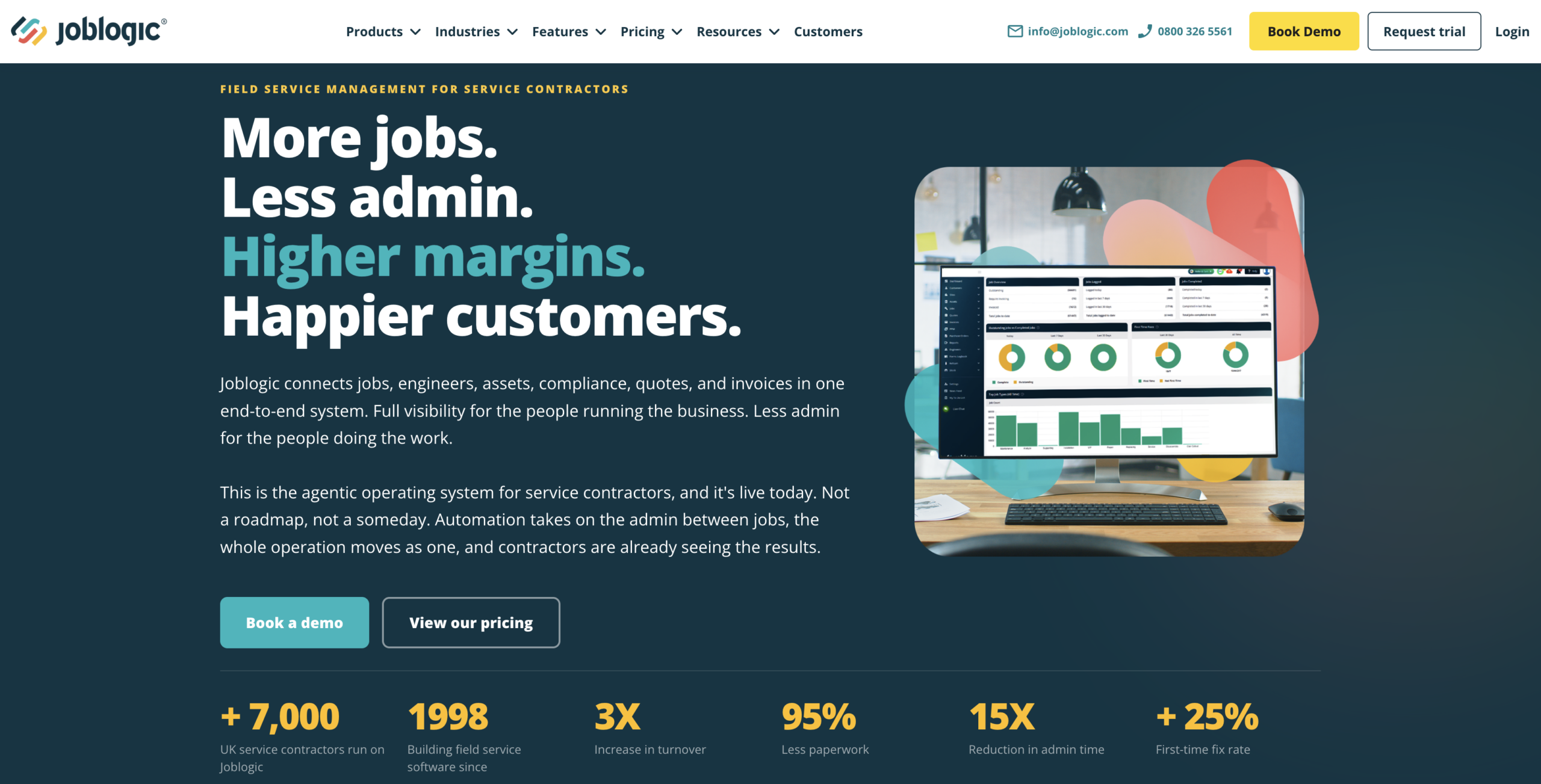
Why we included it: Joblogic gives each job a wider operational context. Instead of treating work as a standalone visit, it helps businesses connect jobs with the site, asset, previous service activity, future maintenance requirements, and associated costs.
Pros
- Strong relationship between jobs, sites, and assets:
Service history can stay associated with the equipment and location involved rather than being stored only against individual appointments. - Recurring work is part of the workflow:
This makes Joblogic particularly relevant to maintenance businesses built around repeat visits. - Job costing is available in the Standard plan:
Businesses can connect operational work with its financial performance.
Cons
- May be more system than a small trade business needs:
A sole trader mainly looking for a diary, quotes, job sheets, and invoices may not require its asset and maintenance depth. - Per-user pricing can increase quickly:
Larger businesses should calculate cost using the number of employees who genuinely require licences.
Pricing
Joblogic Standard starts at £45 per user per month when billed annually.
The Standard plan is positioned around reactive maintenance and smaller teams, while higher plans extend into more advanced planned maintenance, contracts, and operational requirements.
Best For
Maintenance and service contractors that need jobs connected with customer sites, assets, service history, recurring visits, and planned maintenance.
4. Tradify – Best for Small Trade Businesses
Tradify is a job management platform aimed at small trade businesses that want a straightforward way to manage work from scheduling and quoting through to invoicing and payment. It combines job tracking, calendars, quotes, invoices, pricing, payments, and accounting integrations without introducing the complexity of a larger service-management system.
Why we included it: Tradify keeps the core commercial stages of a trade job closely connected. It is a strong option for smaller businesses that want to reduce administrative work while keeping jobs, schedules, quotes, costs, invoices, and accounting within a relatively simple workflow.
Pros
- Straightforward quote-to-invoice workflow:
The main commercial stages of a job are available without moving immediately into a more complex service platform. - Good accounting connectivity:
Tradify supports several accounting systems commonly used by UK businesses. - Easy-to-understand per-user pricing:
Businesses can estimate team costs without calculating job credits or more complicated licence structures.
Cons
- Cost rises with every user:
Subscription costs can increase significantly as the workforce grows. - More complex service requirements may need another platform:
Businesses needing deep asset management, PPM, contracts, or highly configurable operational workflows should compare more specialised alternatives.
Pricing
Tradify currently lists:
- Lite: £34 per user/month
- Pro: £37 per user/month
A 14-day free trial is available. Optional add-ons may create additional costs depending on the required setup.
Best For
Small trade businesses wanting a simple path between jobs, schedules, quotes, costs, invoices, payments, and accounting.
5. ServiceM8 – Best for Teams Suited to Job-Volume Pricing
ServiceM8 is a job management platform for small service businesses covering scheduling, job cards, customer history, quoting, recurring work, field documentation, invoicing, payments, and accounting integrations. Unlike most products in this comparison, its paid UK plans include unlimited users and primarily scale according to the number of new jobs created each month.
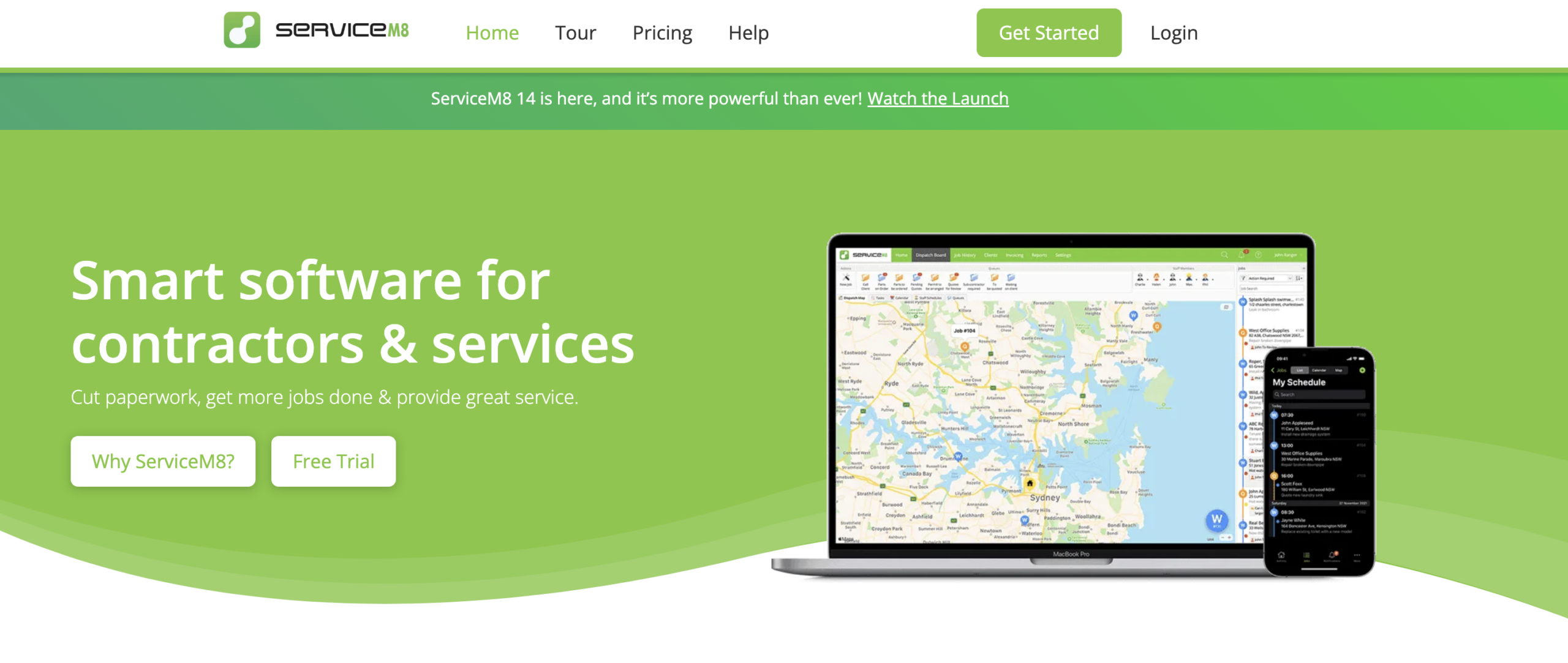
Why we included it: ServiceM8 offers a notably different pricing model. For businesses with several employees but a moderate and predictable number of jobs, paying primarily by job volume rather than by user can change the economics of adopting job management software.
Pros
- Unlimited users on paid plans:
The pricing structure can be particularly attractive when many employees need access to the software. - Broad job lifecycle coverage:
Scheduling, customer history, documentation, billing, and recurring work can remain within the same workflow. - Detailed customer and job history:
Notes, photographs, communications, and other records can remain attached to previous work.
Cons
- Monthly job limits require forecasting:
Businesses need to understand how many new jobs they create each month rather than looking only at employee numbers. - Some capabilities require higher tiers:
Features such as more advanced forms, asset management, or costing may require moving beyond the lower-priced plans.
Pricing
ServiceM8 currently lists:
- Free: £0/month — 1 user, 30 jobs
- Starter: £25/month — unlimited users, 50 jobs
- Growing: £59/month — unlimited users, 150 jobs
- Premium: £119/month — unlimited users, 500 jobs
- Premium Plus: £269/month — unlimited users, 1,500+ jobs
UK pricing is listed in GBP and excludes VAT.
Best For
Small service businesses where several employees need system access but monthly new-job volume remains relatively predictable.
6. Commusoft – Best for Complex Service Contracts and PPM
Commusoft is a service and job management platform designed for established contractors managing more complex customer relationships. It supports jobs alongside contracts, planned maintenance, job costing, engineer workflows, forms, scheduling, and different workforce licence types, making it particularly relevant for businesses managing recurring or contract-based service work.
Why we included it: Commusoft is built for situations where a job is part of a longer service relationship rather than a one-off appointment. Its depth around contracts, PPM, engineer workflows, and flexible workforce licensing gives it a clear role for more established service operations.
Pros
- Strong contract and maintenance capabilities:
The platform is well suited to ongoing service relationships rather than only one-off jobs. - Flexible workforce licensing:
Monthly and daily licence options can support temporary staff, seasonal workers, and subcontractors. - Offline engineer workflows:
Field employees can continue working in locations where dependable connectivity cannot be assumed. - Can support more complex operations:
The platform offers room for businesses to add deeper operational functionality as requirements increase.
Cons
- No simple public starting price:
Buyers need to contact Commusoft to establish the cost of the configuration they require. - Contracted licences involve a 12-month commitment:
This creates a larger commitment than a straightforward month-to-month subscription. - May be excessive for simple one-off jobs:
Small teams without contracts, PPM, asset complexity, or advanced service requirements may not need its depth.
Pricing
Commusoft does not currently publish one standard starting price for its UK plans.
Its core offering uses tiered plans with contracted licences committed for 12 months. Monthly rolling licences can be added for temporary or seasonal employees, while daily licences are available for subcontractor-type requirements.
Best For
Established service businesses managing contracts, planned maintenance, recurring work, and more complex engineer or workforce requirements.
7. OutOnSite – Best for Small Teams Replacing Paper Job Sheets
OutOnSite is a straightforward job management platform for small contractors and trade businesses looking to digitise field paperwork. Office teams can create and assign jobs, while field workers can access job information, upload photographs, collect signatures, complete checklists, and update progress through its mobile apps.
Why we included it: OutOnSite focuses on a very practical transition: moving jobs, job sheets, photographs, signatures, and checklists out of paper folders and scattered messages. It is a useful option for businesses that need better job visibility without adopting a much larger operational platform.
Pros
- Simple pricing structure:
There is one core user price rather than several feature tiers. - Clear paper-to-digital use case:
Businesses can address basic job-sheet and documentation problems without implementing an extensive service-management platform. - Monthly rolling subscription:
Users are not required to enter a long annual contract.
Cons
- Every admin and engineer is a paid user:
Subscription cost grows directly with workforce size. - Less suitable for complex service operations:
Businesses requiring sophisticated contracts, asset management, accounting workflows, or extensive automation may need a more comprehensive system.
Pricing
OutOnSite charges £29 + VAT per user per month.
Every admin and engineer counts as a paid user. There are no setup costs listed, and subscriptions run month to month rather than requiring a long-term commitment.
Best For
Small contractors and trade businesses that primarily want to replace paper job sheets, reduce time spent chasing field information, and give workers a straightforward mobile workflow.
8. Workever – Best for Growing UK Service Teams
Workever is a job and field-service management platform for small and midsize service businesses that want to bring several operational processes into one system. It combines job creation, scheduling, recurring work, field apps, forms, timesheets, quotes, invoices, customer records, assets, and service contracts.

Why we included it: Workever sits between basic job-sheet software and more complex enterprise platforms. It gives growing service businesses room to consolidate jobs, field activity, financial workflows, customer records, recurring work, and assets without immediately moving into a heavier service-management system.
Pros
- Broad functionality for growing service businesses:
Several job-related processes can be consolidated within the same platform. - Supports both office and field workflows:
The desktop and mobile experiences serve different users while keeping information attached to the same job. - Supports recurring jobs and assets:
Businesses have room to move beyond basic one-off work as their service model becomes more complex. - Common accounting integrations:
Xero and QuickBooks connections can reduce duplicate financial entry.
Cons
- Per-user pricing increases with headcount:
Businesses should calculate software costs using their expected future workforce rather than only current employee numbers. - Broader functionality can require more setup:
A very small team with straightforward requirements may prefer a narrower job-sheet product.
Pricing
For businesses with 2–10 staff, Workever currently lists:
- Monthly billing: £29 per user/month
- Annual billing equivalent: £25 per user/month
The published package includes desktop access and its iOS and Android field app. Larger businesses can request tailored pricing.
Best For
Small and midsize UK service businesses that have outgrown spreadsheets or basic scheduling and want jobs, field activity, forms, customer records, quotes, invoices, recurring work, and assets more closely connected.
Which Job Management Software Should You Choose?
The best choice depends on the operational problem you are trying to solve.
| If your priority is | Then choose | Why |
|---|---|---|
| Keeping office teams, field crews, customers, and job execution connected | Arrivy | Stronger emphasis on the operational stages between scheduling and verified completion. |
| Running a UK trade business with jobs and administration in one place | Powered Now | Combines jobs with quotes, invoices, job sheets, MTD functionality, and trade paperwork. |
| Managing assets, sites, and recurring maintenance | Joblogic | Jobs sit within a deeper structure of customer sites, equipment, history, and planned work. |
| Keeping the quote-to-invoice process simple for a small trade business | Tradify | Straightforward workflow around jobs, schedules, quotes, costs, invoices, and accounting. |
| Giving many staff access without paying for every seat | ServiceM8 | Paid plans allow unlimited users and primarily scale according to monthly job volume. |
| Managing complex contracts and planned maintenance | Commusoft | Better suited to established contractors with PPM, contracts, engineers, and more complex service relationships. |
| Replacing paper job sheets without adopting a large system | OutOnSite | Focused digital workflow for creating, assigning, recording, and closing field jobs. |
| Bringing a growing service business into one broader system | Workever | Covers jobs, schedules, field apps, quotes, invoicing, forms, assets, and recurring work. |
This also shows why choosing software from a feature count alone is rarely useful.
Two products may both offer scheduling, job records, and invoicing while being designed for very different operating models. The better test is whether the system matches how work actually moves through your business.
Before choosing, take one representative job and ask each shortlisted vendor to show you how it would move through the platform:
Customer request
→
Quote or approved work
→
Job creation
→
Schedule
→
Assignment
→
Field activity
→
Documentation
→
Completion
→
Invoice or accounting handoff
The number of workarounds required during that demonstration will often tell you more than a feature checklist.
Connect Job Operations from Schedule to Completion