Login
Login






















Field sales software helps companies coordinate the work that happens when sales reps leave the office and meet prospects or customers in person. Depending on the sales model, that can mean assigning territories, planning routes, scheduling appointments, tracking visits, managing leads, creating proposals, or syncing field activity back to a CRM.
The best field sales software therefore depends less on which platform has the longest feature list and more on how your team actually sells. Arrivy is particularly well suited to businesses (such as solar, roofing, home services, etc.) that turn qualified leads into scheduled onsite consultations, inspections, surveys, estimates, and quotes. SPOTIO and SalesRabbit are stronger fits for territory-heavy and canvassing-led sales motions, while platforms such as Outfield, RepMove, and Salesforce lean further toward CRM and account management.
For this guide, we compared eight leading field sales platforms across scheduling, routing, territory management, CRM connectivity, mobile usability, field activity visibility, onsite quoting, customer communication, automation, reporting, and the type of selling motion each platform handles best.
Best field sales software at a glance
| Platform | Best For | Core Strength | CRM Relationship | Routing / Territory | Onsite Quoting | Main Trade-off |
|---|---|---|---|---|---|---|
| Arrivy | Scheduled onsite sales operations | Lead-to-visit-to-proposal workflow | Works alongside your existing CRM | Strong scheduling, assignment and routing | Strong | Not intended to replace your CRM or specialize in mass canvassing |
| SPOTIO | Territory-driven outside sales | Territory execution and rep activity | Integrates with major CRMs | Very strong | Not its primary focus | Less centered on estimate/quote-heavy onsite sales workflows |
| SalesRabbit | Door-to-door and setter/closer teams | Canvassing, territory and lead workflows | Integrates with CRMs and other sales tools | Strong | Proposals and digital contracts available | Strong D2D orientation may be more than account-based teams need |
| RepMove | Route-oriented outside sales | Mobile CRM plus route planning | Standalone CRM or connected to other systems | Strong | Limited compared with quote-centric platforms | More focused on visits, relationships and routes than structured onsite estimating |
| Outfield | Field-sales CRM and activity management | Mobile CRM, rep activity and performance | Standalone or layers onto an existing CRM | Strong | Not a core differentiator | CRM-centric approach may overlap with systems you already use |
| Badger Maps | Mapping and route-centric teams | Mapping, route planning and territory intelligence | Functions as a CRM front end or integrates with CRMs | Excellent | Not a core capability | Not an end-to-end sales workflow platform |
| SimplyDepo | CPG brands and distributors | Orders, routes and retail execution | Includes field-first CRM capabilities and integrations | Strong | Oriented toward orders rather than project estimates | Highly specialized for distribution and retail execution |
| Salesforce / Agentforce Sales | Enterprise CRM-centric organizations | CRM, pipeline, automation and ecosystem | Serves as the CRM/system of record | Available through Salesforce sales-planning/maps capabilities | Quoting available | Field-specific capabilities can require additional products or configuration |
How we evaluated the best field sales software
A field sales app that works brilliantly for a door-to-door roofing team may be a poor choice for a manufacturer whose reps visit distributor accounts. Likewise, a company scheduling solar consultations at customers’ homes needs different capabilities from a national enterprise focused on pipeline management and territory planning.
That is why we evaluated each platform against the operational requirements behind field selling rather than simply counting features.
| Evaluation Criterion | Why It Matters |
|---|---|
| CRM and lead integration | Field activity should stay connected to customer and opportunity data |
| Sales appointment scheduling | Critical when qualified leads become scheduled onsite visits |
| Rep assignment | Helps send the right person based on territory, availability or expertise |
| Territory capabilities | Important for ownership, coverage and geographic selling |
| Route optimization | Reduces unnecessary travel between prospects and customers |
| Mobile rep experience | Field reps need usable information without returning to a desktop |
| Lead/customer context | Reps should arrive knowing who they are meeting and why |
| Visit and activity tracking | Gives managers visibility into what is happening in the field |
| Onsite estimating and quoting | Essential for businesses expected to price work during the visit |
| Digital proposals and signatures | Helps move a field visit directly toward a close |
| Customer communication | Confirmations, reminders and arrival updates improve the onsite experience |
| Workflow automation | Reduces repetitive scheduling, follow-up and data-entry work |
| Manager visibility and reporting | Leaders need visibility across reps, territories, visits and outcomes |
| Post-sale handoff | Matters when a successful sale turns into work another team must execute |
| Best-fit sales model | The platform should match how the company actually generates and closes revenue |
We also looked at an important distinction that many comparisons miss: whether a product is built primarily for canvassing, account-based outside sales, CRM management, or scheduled onsite selling.
What is field sales software?
Field sales software is technology designed to manage sales activity that occurs away from a traditional office. It typically combines some mix of mobile lead and account access, sales rep tracking, territory management, route planning, visit logging, scheduling, CRM integration, reporting, and sales automation.
The category overlaps with both field sales CRM and field sales management software, but the terms are not always interchangeable.
A CRM primarily serves as a system of record for leads, contacts, accounts, opportunities, and pipeline stages. Field sales software focuses more directly on what representatives need to do in the field: determine where to go, prepare for a visit, record what happened, manage territory coverage, and move the opportunity forward.
Some products combine both approaches. Others deliberately work alongside an existing CRM.
Field sales software is also different from field service management software. Field sales tools primarily support the process of winning business, whereas field service management software coordinates the operational work that happens after a service or job has been sold.
The 8 best field sales software platforms in 2026
1. Arrivy – Best for Scheduled Onsite Sales Operations
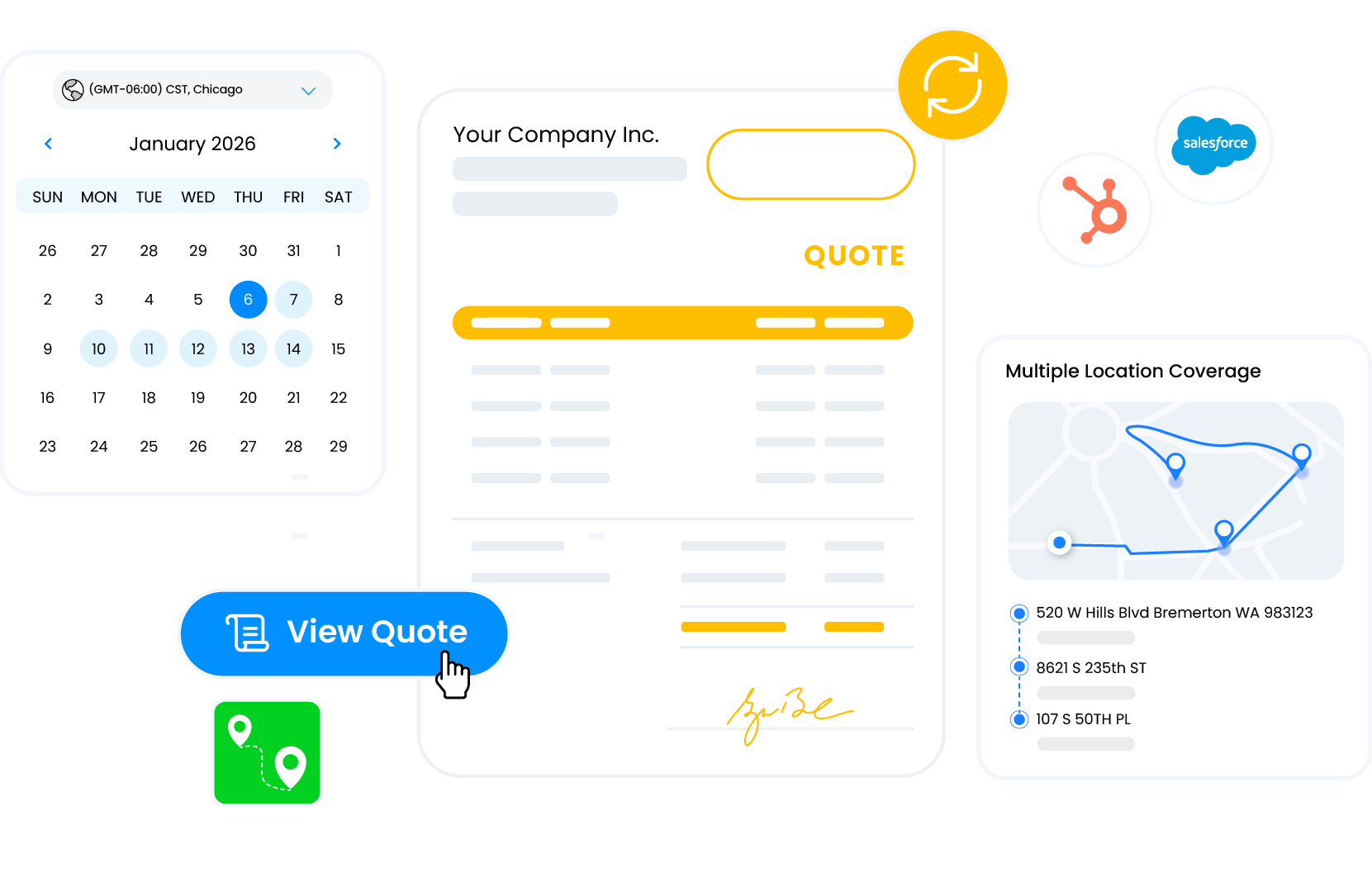
Arrivy Sales Ops Management is designed for a specific field-sales challenge: what happens after a lead becomes qualified and someone needs to physically visit the customer or property to move the deal forward.
Rather than replacing the company’s CRM, Arrivy acts as the operational layer between the CRM pipeline and the sales rep in the field.
A qualified lead can trigger a site visit, after which Arrivy can help assign the appropriate rep based on territory, availability, and expertise. Reps receive schedules and customer context through a mobile-first workflow, routes can account for travel time, and the rep can generate a proposal and capture customer sign-off during the visit. Arrivy can then synchronize the outcome back to the CRM.
That makes the platform particularly relevant for businesses in which selling involves inspections, surveys, consultations, estimates, site assessments, or onsite quotes.
Customer communication is another differentiator. Arrivy can support booking confirmations, reminders, and arrival visibility while managers monitor active leads, scheduled visits, open quotes, territories, and deal progress.
Pros
- Purpose-built for scheduled onsite sales: Strong fit when qualified leads need to become inspections, consultations, surveys, estimates, or site visits.
- Works with an existing CRM: Companies do not need to replace Salesforce, HubSpot, Zoho, or another CRM just to improve field-sales execution.
- Connects scheduling, routing, and selling: Rep assignment, appointment scheduling, travel optimization, field context, quoting, and sign-off can operate as part of one workflow.
- Strong customer-appointment experience: Communications such as confirmations, reminders, and arrival updates help manage the customer side of the sales visit.
- Optional post-sale expansion: Businesses can use Sales Ops independently or combine it with Arrivy FSM when they also want to coordinate execution of the work after the sale.
Cons
- Not a replacement CRM: Companies looking for a new system to manage their entire pipeline, contacts, marketing automation, and opportunity database will still need a CRM.
- Not primarily a canvassing platform: Teams centered on high-volume door knocking and cold territory prospecting may prefer platforms built specifically around canvassing.
- Most differentiated for appointment-led sales: Organizations whose reps mainly perform recurring account visits rather than scheduled consultations may not need the full workflow.
Pricing
Custom pricing for Sales Ops Management. A 14-day free trial is available; contact Arrivy for a quote.
Best Fit
Businesses where qualified opportunities become scheduled physical sales visits and reps are expected to leave the appointment with a quote, proposal, or signature.
Sales Ops works as a standalone product. Companies that also use Arrivy FSM can optionally continue a won sale into job scheduling, dispatch, field execution, documentation, and completion.
2. SPOTIO – Best for Territory-Driven Outside Sales
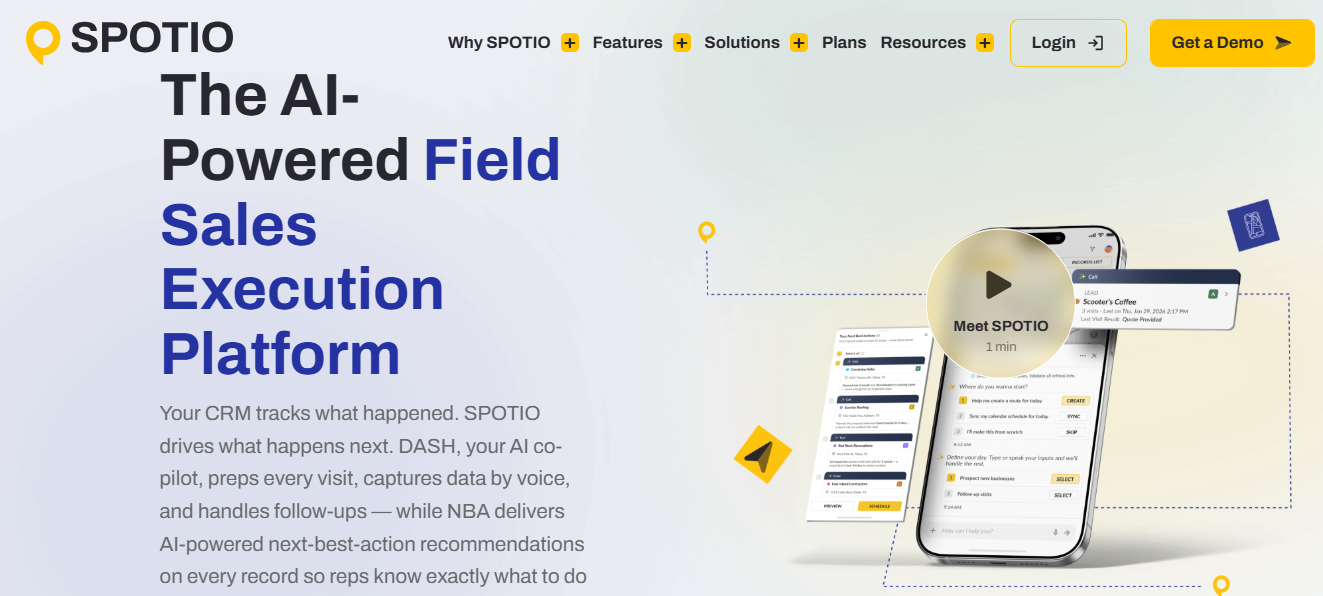
SPOTIO is one of the most field-specific platforms in this comparison and has developed well beyond a simple door-knocking app.
Its platform centers on field sales execution, with territory management, route optimization, activity tracking, lead and pipeline management, mobile workflows, sales analytics, task automation, and CRM synchronization.
Territory management is an especially strong part of the product. Managers can create geographic boundaries, assign territories to reps, visualize ownership and activity, and connect territory planning with route optimization.
Pros
- Strong territory management: Well suited to organizations that need geographic ownership, territory visibility, and structured coverage.
- Built for field reps: Mobile workflows, visit activity, prospecting, and rep productivity sit at the center of the product.
- Strong routing capabilities: Useful for teams with many field stops and geographically distributed prospects.
- Good manager visibility: Provides visibility into activity, territories, routes, leads, and sales performance.
- CRM connectivity: Can complement major CRM systems rather than forcing all sales data into a separate silo.
Cons
- Less specialized for appointment-to-estimate workflows: Businesses whose main challenge is taking scheduled consultations through detailed onsite quoting may find other platforms more aligned.
- Can be more than simple account-based teams need: Organizations primarily maintaining recurring customer relationships may not require the full prospecting and territory stack.
- Strong canvassing heritage: Some capabilities and workflows are particularly optimized for prospecting-heavy outside-sales teams.
Pricing
Custom, user-based pricing for teams of five or more. Implementation costs vary by setup, integrations, and training.
Best Fit
Outside-sales organizations that need to control territories, prospect geographically, route reps efficiently, and understand what is happening across a distributed sales team.
3. SalesRabbit – Best for Door-to-Door Sales Teams
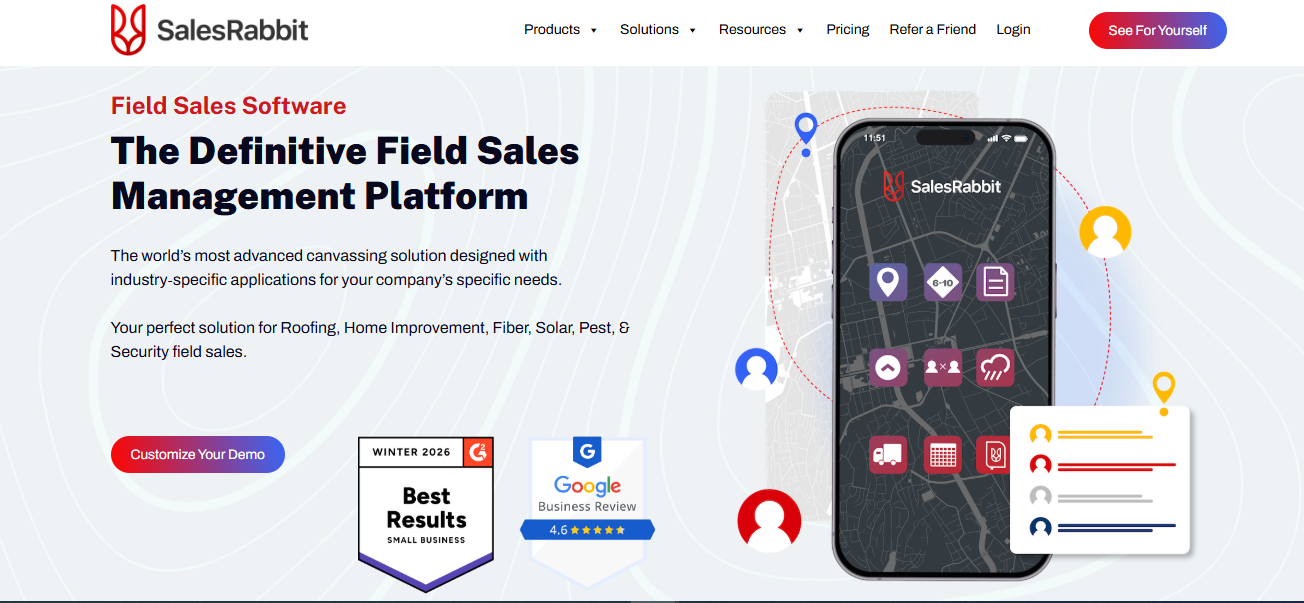
SalesRabbit has deep roots in canvassing, and that remains one of its clearest strengths. Its platform includes lead management, custom sales areas, territory mapping, route planning, appointment scheduling, field analytics, integrations, and canvassing-oriented workflows.
SalesRabbit also supports setter/closer sales models, making it particularly relevant to roofing, solar, home improvement, and other businesses where one rep may create the opportunity and another closes it.
The platform extends into closing workflows through digital proposals, contracts, forms, and electronic signatures.
Pros
- Strong territory management: Well suited to organizations that need geographic ownership, territory visibility, and structured coverage.
- Built for field reps: Mobile workflows, visit activity, prospecting, and rep productivity sit at the center of the product.
- Strong routing capabilities: Useful for teams with many field stops and geographically distributed prospects.
- Good manager visibility: Provides visibility into activity, territories, routes, leads, and sales performance.
- CRM connectivity: Can complement major CRM systems rather than forcing all sales data into a separate silo.
Cons
- Less specialized for appointment-to-estimate workflows: Businesses whose main challenge is taking scheduled consultations through detailed onsite quoting may find other platforms more aligned.
- Can be more than simple account-based teams need: Organizations primarily maintaining recurring customer relationships may not require the full prospecting and territory stack.
- Strong canvassing heritage: Some capabilities and workflows are particularly optimized for prospecting-heavy outside-sales teams.
Pricing
Custom, user-based pricing for teams of five or more. Implementation costs vary by setup, integrations, and training.
Best Fit
Door-to-door organizations, canvassing teams, and setter/closer sales operations that want territory tools, lead management, appointments, routes, and mobile closing capabilities in one environment.
4. RepMove – Best for Route-Oriented Outside Sales Teams
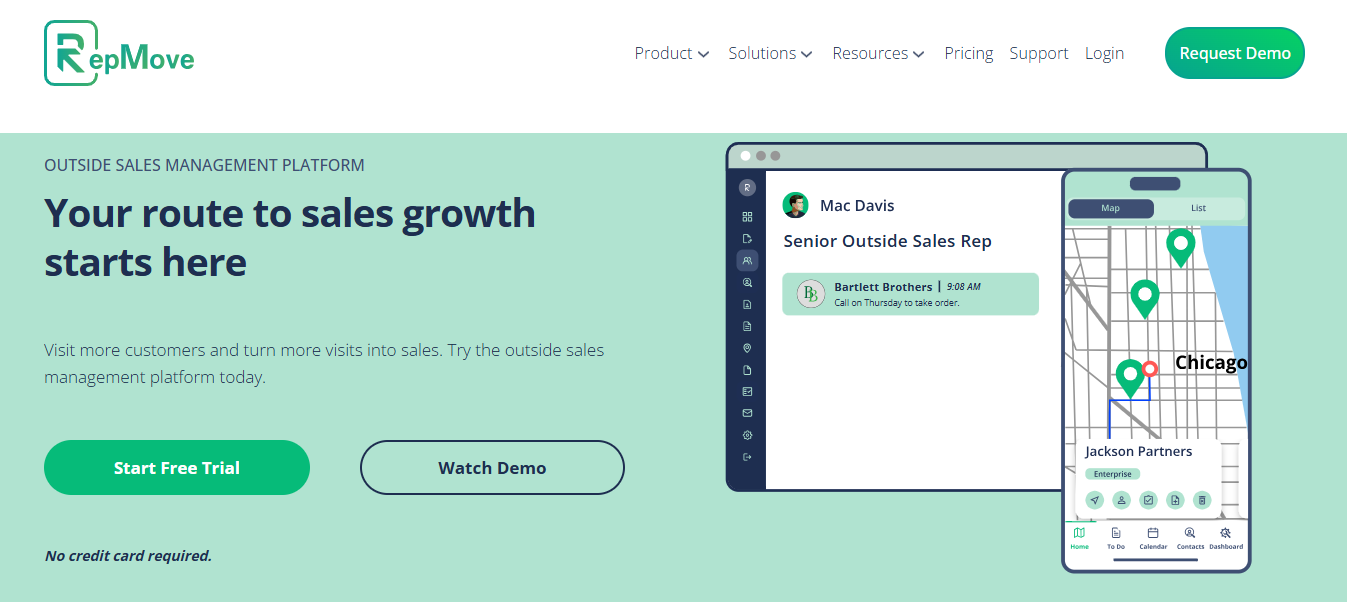
RepMove combines an outside-sales CRM with route planning and a mobile workflow designed for reps who spend much of their day traveling between accounts. Its platform includes account and contact management, deal and pipeline management, route optimization, territory management, notes, follow-up tasks, calendars, team visibility, mobile account creation, and integrations.
Reps can build multi-stop routes, optimize them, add stops during the day, and re-optimize as plans change.
Pros
- Strong route-planning experience: Particularly useful for reps visiting many accounts across a territory.
- Field-first CRM capabilities: Accounts, contacts, opportunities, notes, tasks, and field activity can live in one mobile-oriented system.
- Good fit for relationship selling: Supports recurring customer visits and territory-based account management.
- Flexible mobile workflows: Reps can manage routes and customer information while away from the office.
- Can connect sales activity with existing systems: Useful for organizations that want field functionality without completely isolating data.
Cons
- Less centered on structured onsite estimating: Businesses that expect every visit to produce a detailed project estimate or proposal may need more specialized functionality.
- Customer appointment communication is not its primary differentiation: Companies prioritizing reminders, arrival communications, and appointment experience should evaluate this area carefully.
- CRM capabilities may overlap with an existing CRM: Businesses already heavily invested in another CRM should assess whether they need RepMove’s CRM layer or mainly its routing capabilities.
Pricing
Flex starts at $16.67/user/month, Sales Pro at $54/user/month, and Accelerate at $80/user/month when billed annually. A free trial is available.
Best Fit
Outside reps who need to organize accounts, plan routes, record visits, maintain follow-ups, and keep a pipeline moving from the road.
5. Outfield – Best for Field-Sales CRM and Activity Management
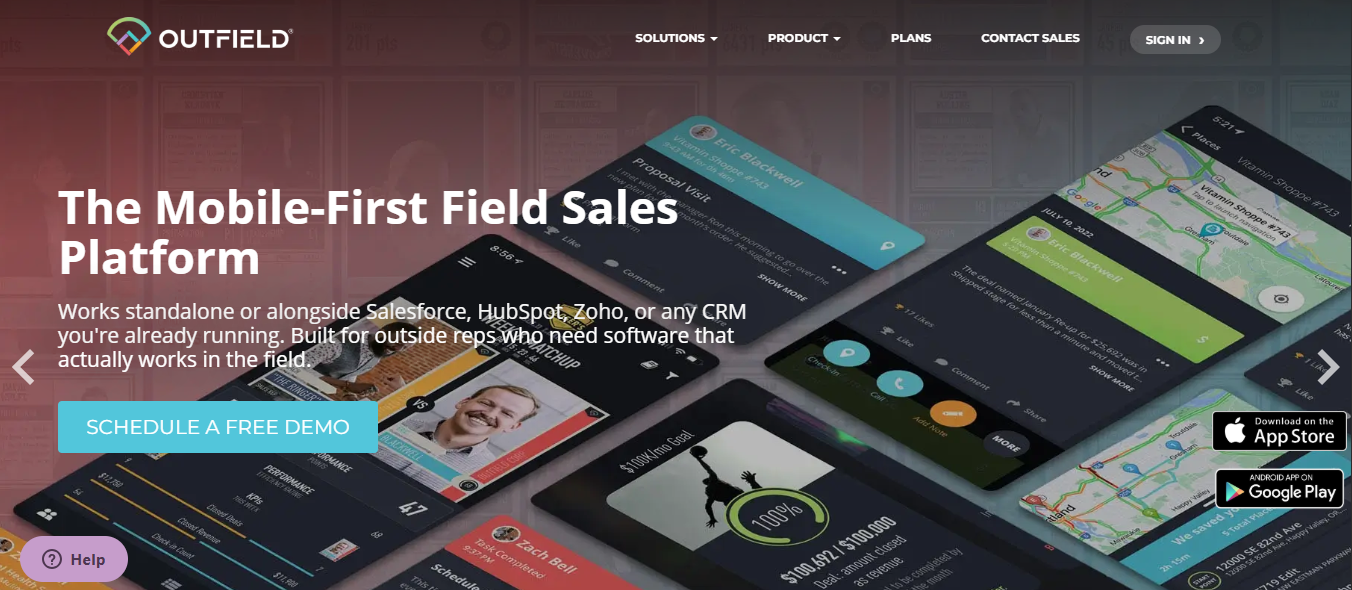
Outfield is a mobile-first CRM built specifically for reps who work face-to-face with customers. It combines account and deal management with field-specific capabilities such as visit check-ins, activity logging, route planning, account mapping, performance management, goals, leaderboards, and mobile access.
Outfield can operate as a standalone CRM or serve as a field layer on top of platforms such as Salesforce, HubSpot, Microsoft Dynamics, Zoho, and NetSuite.
Pros
- Strong field-first CRM experience: Designed around reps who spend significant time away from a desk.
- Good activity visibility: Managers can monitor field visits, account activity, goals, and rep performance.
- Useful for recurring account coverage: Well suited to reps maintaining ongoing relationships across geographic territories.
- Flexible CRM positioning: Can function as a standalone CRM or connect with an existing system.
- Mobile-oriented account management: Reps can access customer information, notes, routes, deals, and activities in the field.
Cons
- CRM functionality can create overlap: Companies satisfied with their existing CRM may not need another CRM-centric layer.
- Onsite estimating is not the core workflow: Businesses selling project-based work through inspections and detailed quotes may need additional tools.
- Less centered on scheduled customer appointments: Appointment orchestration and customer arrival communication are not its principal differentiators.
Pricing
Custom pricing across its Upstart, Champion, and Dynasty plans. A 30-day free trial is available.
Best Fit
Organizations wanting a field-first CRM or mobile activity layer, particularly for account-based outside sales.
6. Badger Maps – Best for Mapping and Route-Centric Field Sales
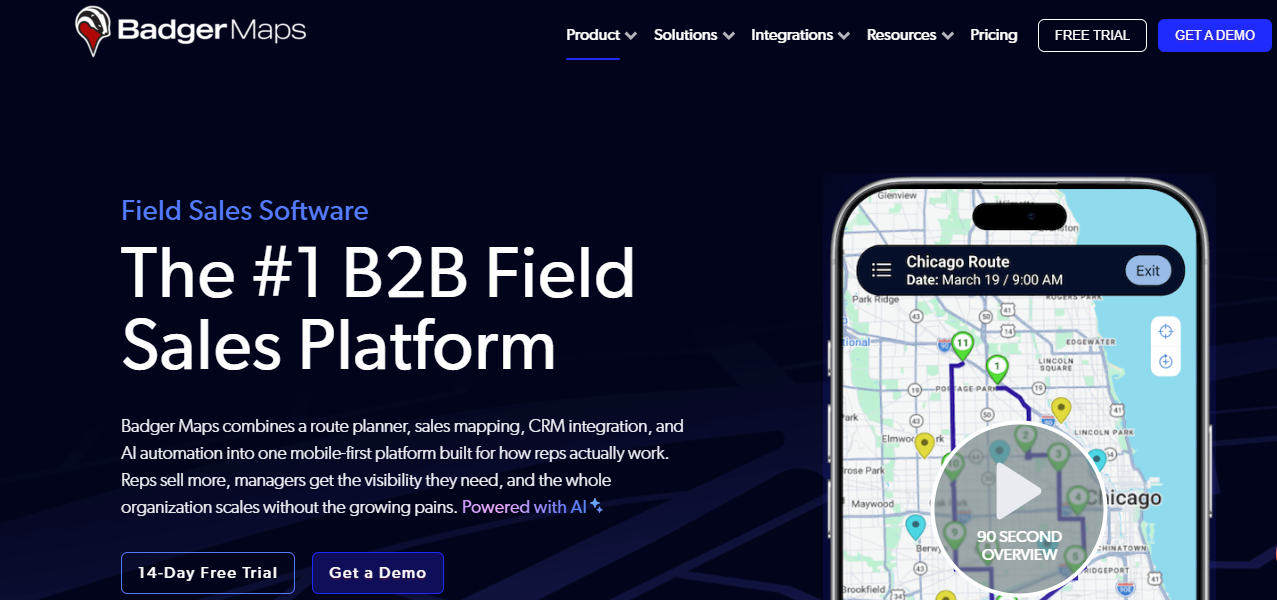
Badger Maps has one of the clearest specializations in this comparison: turning CRM and customer data into something outside sales reps can act on geographically. The platform includes route planning, sales mapping, territory mapping and alignment, lead routing, data collection, mileage tracking, reporting, lead generation, and CRM connectivity.
Customer and prospect data can be displayed geographically, filtered according to CRM attributes, converted into optimized routes, and updated from the field.
Pros
- Excellent sales mapping: Strong choice when geographic visualization is one of the team’s most important requirements.
- Powerful route optimization: Helps outside reps organize multi-stop days and reduce inefficient travel.
- Strong territory capabilities: Useful for territory alignment, coverage, and geographic account planning.
- Works well alongside CRM systems: Can provide a map-based field interface to existing customer data.
- Good fit for recurring territory sales: Particularly useful for reps managing many accounts across large geographic areas.
Cons
- Not an end-to-end field sales operations platform: Mapping and routing remain the core strength.
- Limited emphasis on onsite quoting: Teams producing project estimates or complex proposals during visits may require other software.
- Does not replace broader appointment or workflow management: Scheduling, customer communications, and post-visit orchestration may require additional systems.
Pricing
Business starts at $58/user/month and Enterprise at $95/user/month when billed annually. A 14-day free trial is available.
Best Fit
Territory and account-based outside-sales teams for whom mapping and daily route optimization are the primary operational challenge.
7. SimplyDepo – Best for CPG and Distribution Field Sales
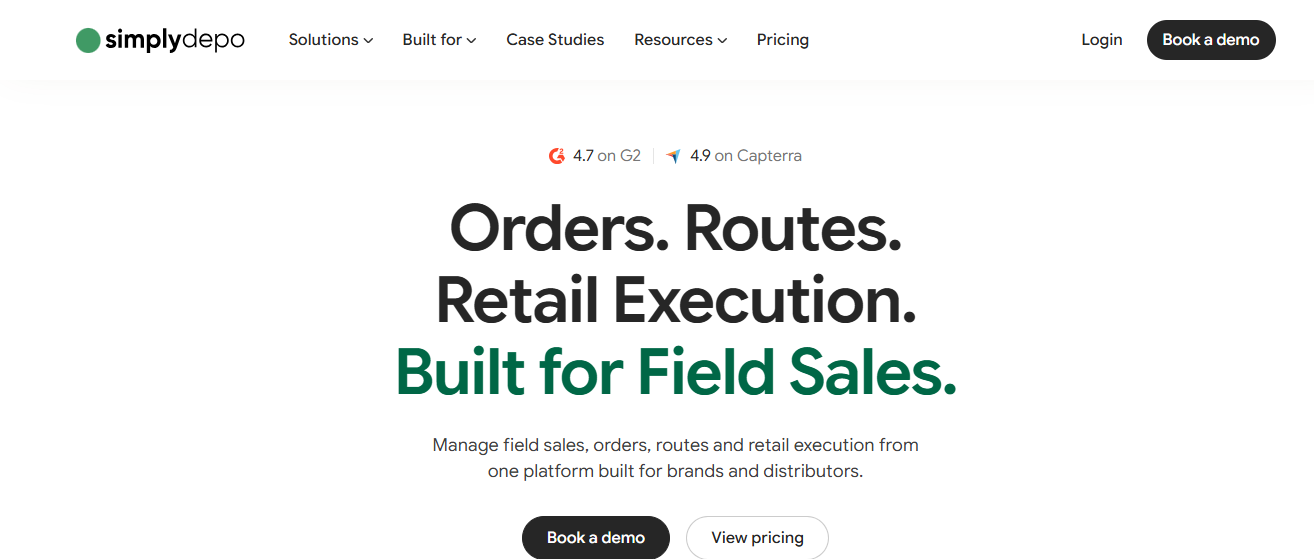
SimplyDepo is more specialized than most platforms in this comparison. It is designed primarily for CPG brands, wholesale distributors, direct-store-delivery operations, and merchandising teams.
The platform brings together route sales, mobile order taking, account management, customer records, retail execution, shelf audits, pricing, payments, visit data, analytics, and back-office workflows.
Pros
- Highly specialized for CPG and distribution: Built around the workflows these sales organizations actually use.
- Strong mobile order taking: Helps field reps convert account visits directly into wholesale orders.
- Combines sales and retail execution: Useful for teams responsible for both selling and merchandising.
- Supports route-based field work: Well aligned with reps making recurring store and distributor visits.
- Offline-friendly field workflows: Valuable for reps working in locations with inconsistent connectivity.
Cons
- Industry specialization narrows its applicability: Many service, construction, solar, or project-based sales teams will not need CPG-specific capabilities.
- Order-centric rather than estimate-centric: Its sales workflow is more naturally aligned with products and recurring orders than onsite service/project estimates.
- Less appropriate for one-time property consultations: Companies selling through inspections, surveys, and project proposals may find other platforms more suitable.
Pricing
Starts at $69/rep/month billed annually or $89/rep/month billed monthly. Includes a 30-day free trial.
Best Fit
CPG companies, food and beverage brands, wholesale distributors, DSD operations, and merchandising teams.
8. Salesforce / Agentforce Sales – Best for Enterprise CRM-Centric Organizations
Salesforce is the broadest platform in this comparison. Agentforce Sales / Sales Cloud covers lead, account, contact, opportunity, pipeline, activity, forecasting, workflow automation, quoting, analytics, mobile CRM, and a large ecosystem of additional sales capabilities.
Salesforce also offers additional sales-planning and mapping capabilities for organizations that need territory planning, account coverage, geographic visualization, routing, and field productivity.
For large enterprises, the biggest advantage is that customer, opportunity, workflow, reporting, automation, and sales-management data can remain on one extensible CRM foundation.
Pros
- Extremely broad CRM capabilities: Strong across leads, opportunities, accounts, forecasting, reporting, automation, and analytics.
- Highly extensible: Large enterprises can configure Salesforce around complex processes and industry requirements.
- Large integration ecosystem: Connects with an extensive range of business applications.
- Strong enterprise reporting and governance: Suitable for organizations requiring centralized sales data and management control.
- Additional territory and mapping capabilities available: Organizations can extend the platform beyond traditional CRM workflows.
Cons
- Not purpose-built solely for field sales execution: Many capabilities serve broader sales organizations rather than specifically reps in the field.
- Can require additional products or configuration: Advanced territory, mapping, routing, and related workflows may extend beyond the base CRM setup.
- Potentially more complex than smaller teams need: Implementation and administration can be significant compared with specialized field-sales applications.
- Specialized onsite workflows may require customization or complementary software: Scheduling inspections, managing customer arrival communications, or orchestrating quote-heavy site visits may not be as turnkey as with purpose-built platforms.
Pricing
Salesforce Sales plans start at $25/user/month, with higher editions ranging up to $550/user/month. Salesforce Maps starts at an additional $75/user/month unless included with the selected plan.
Best Fit
Large or complex organizations that want field activity to remain deeply connected to an enterprise CRM, analytics, automation, forecasting, and the broader Salesforce ecosystem.
How to choose field sales software
Choosing field sales management software should start with your sales motion.
A team running hundreds of neighborhood canvassing interactions every day has fundamentally different needs from a solar company receiving qualified leads from a CRM and scheduling property assessments.
Start by identifying where the biggest operational friction occurs.
If reps are spending too much time deciding where to go next, prioritize territory mapping and route optimization.
If managers have no idea what reps are doing after they leave the office, prioritize visit tracking, activity capture, reporting, and mobile adoption.
If appointments are already being generated but the handoff from CRM to the person making the visit is manual, prioritize scheduling, assignment, customer communication, CRM synchronization, and field workflow automation.
If the salesperson is expected to provide a price while standing at the customer’s property, onsite estimating and quoting should carry much more weight than generic pipeline management.
And if the business already has Salesforce, HubSpot, Zoho, Pipedrive, or another CRM that the organization wants to keep, determine whether the new field sales platform can extend that system instead of creating another disconnected database.
Field sales software vs. field sales CRM
The distinction between field sales software and a field sales CRM can be confusing because many products now offer capabilities from both categories.
A CRM is primarily a system of record. It stores customer and prospect information, manages opportunities and pipeline stages, records interactions, and provides sales reporting.
Field sales software is primarily concerned with field execution. It helps answer questions such as:
Some vendors, including RepMove and Outfield, combine the two into a field-first CRM. Others, such as Arrivy, deliberately sit alongside the CRM and operationalize the physical sales visit without becoming the company’s customer database.
That second architecture can be useful for businesses that are happy with their existing CRM but need to solve what happens after an opportunity is qualified and before the sale is closed.
Field sales software vs. field service management software
Field sales and field service happen in many of the same places, but they solve different stages of the customer lifecycle.
Field sales software helps win the work.
It can coordinate leads, appointments, territory, routes, sales visits, estimates, proposals, signatures, and CRM updates.
Field service management software helps execute the work after it has been sold.
FSM systems typically manage jobs, technicians or crews, work orders, dispatch, service routing, onsite documentation, forms, labor, job completion, invoicing handoffs, and customer service communication.
A roofing company illustrates the difference well.
Before the sale, a representative may need to visit a property, inspect the roof, produce an estimate, discuss options, and capture customer approval. That is a field sales workflow.
After the customer buys, the business must schedule the installation crew, coordinate materials and resources, document the work, update the customer, and complete the job. That is a field service or operations workflow.
Arrivy supports both approaches as separate applications. Sales Ops Management can be used on its own to move opportunities from qualified lead to signed proposal and update the CRM. Businesses that also want Arrivy to manage the sold work can combine Sales Ops with Arrivy FSM, which extends the process into scheduling, dispatch, field execution, documentation, and completion.
Which field sales software is right for your sales model?
| Your Sales Model | Priorities | Platforms Worth Evaluating |
|---|---|---|
| Scheduled onsite consultations, inspections and estimates | Scheduling, rep assignment, routing, customer reminders, quoting, signatures, CRM updates | Arrivy, SalesRabbit |
| Door-to-door canvassing | Territory maps, door history, lead capture, setter/closer workflows, appointment setting | SalesRabbit, SPOTIO |
| High-volume territory-based outside sales | Territory ownership, routing, activity tracking, account coverage | SPOTIO, Badger Maps, RepMove |
| Relationship-based account visits | Mobile CRM, notes, routes, recurring visits, pipeline and follow-up | RepMove, Outfield, Badger Maps |
| CPG and wholesale distribution | Route sales, orders, account pricing, retail execution, offline access | SimplyDepo |
| Enterprise CRM-led selling | Pipeline, CRM data, forecasting, automation, analytics, extensibility | Salesforce |
| A field sale that becomes field work | Lead-to-close workflow plus optional operational handoff after the sale | Arrivy Sales Ops + optional Arrivy FSM |
No single platform wins every category. The useful question is therefore, “Which platform most closely matches the way our company generates, executes, and closes in-person sales opportunities?”