Login
Login





















A technically successful service call can still leave a customer dissatisfied.
The repair may be correct, but if booking took several calls, the appointment window was vague, the technician arrived late without an update, and the customer had to contact the office to find out what was happening, the overall experience was poor.
That is why field service customer experience includes much more than the work performed on site. Customers judge the complete service process. Including how easy it is to schedule, how well the business communicates, whether the technician arrives as expected, what happens during the visit, and how the company handles completion and follow-up.
For field service businesses, improving those interactions can increase customer satisfaction while also reducing avoidable calls, missed appointments, and manual coordination.
Quick answer: Field service customer experience is the overall impression a customer forms through every interaction with a field service business before, during, and after an appointment. It includes scheduling, communication, technician arrival, on-site service, job completion, and follow-up.
What Is Field Service Customer Experience?
Field service customer experience refers to how customers perceive all the interactions involved in receiving an on-site service.
To understand why it matters, it helps to first answer a broader question: what is field service?
Field service is work performed away from a company’s main premises, usually at a customer or project location. It can include installation, maintenance, repair, inspection, delivery, site visits, and other work completed by technicians or mobile crews.
The customer experience surrounding that work includes:
- Finding and booking an appointment
- Receiving confirmation
- Preparing for the visit
- Getting updates if plans change
- Knowing when the technician or crew will arrive
- Interacting with the field team
- Understanding when the work is complete
- Providing feedback or arranging future service
These interactions carry more weight in field service because the customer often has to organize part of their day around the appointment.
A customer may need to remain at home, provide property access, coordinate with another person, move things around, or make time during business hours. That makes certainty and communication especially important, and good field service experience design embodies that.
Customer service vs. customer experience in field service
Customer service usually describes a specific interaction in which the company helps a customer.
For example, a dispatcher helping someone change an appointment is providing customer service.
Customer experience is the customer’s broader perception of the business across all of those interactions.
A company might provide excellent support when a customer calls about a late technician. But if customers routinely need to call because they receive no arrival updates, there is still a customer experience problem.
Customer service therefore helps customers when they need assistance. Customer experience also asks whether the process could have prevented unnecessary effort in the first place.
Examples of field service experiences
The principles apply across many types of field service businesses, including:
- HVAC repair and maintenance
- Plumbing
- Electrical services
- Roofing
- Solar installation and maintenance
- Appliance installation and repair
- Moving services
- Equipment installation
- Property and facilities maintenance
- Telecom and utility services
- Commercial inspection and maintenance
- Delivery and installation
The work differs by industry, but many customer expectations are similar: convenient scheduling, accurate information, useful updates, dependable arrival communication, professional service, and an easy way to manage future appointments.
Why Field Service Customer Satisfaction Depends on More Than the Work
Technical quality remains essential. But field service customer satisfaction is also shaped by how much effort the customer has to put into receiving that service.
Several business outcomes are affected by the experience surrounding the job.
Customer retention and repeat work
A customer who finds a provider dependable and easy to work with has less reason to search for another company the next time service is needed.
That is particularly important for businesses that depend on maintenance visits, recurring service, additional projects, or long-term commercial relationships.
Reviews and referrals
Customers often mention punctuality, communication, convenience, and professionalism when describing service businesses to other people.
The quality of the work may determine whether the customer is satisfied with the result. The way the business manages the appointment often determines how the customer remembers the experience.
Fewer routine status calls
A significant share of customer calls can come from simple information gaps:
- Is my appointment confirmed?
- What time will the technician arrive?
- Is the technician running late?
- Can I change my appointment?
- Is the crew on the way?
Giving customers timely information can reduce these routine field service support requests and allow office teams to spend more time on issues that actually need individual attention.
Fewer missed appointments
Customers are more likely to prepare for an appointment when they receive useful confirmations and reminders.
Giving them an easy way to confirm or change the appointment also helps the business identify schedule changes earlier rather than discovering them after a technician has already been dispatched.
Better operations
Some customer experience problems are symptoms of operational problems.
An unreliable arrival window may point to scheduling or routing issues. Or, poor delay communication may indicate that field status and customer messaging are disconnected.
Improving customer experience can therefore reveal where internal processes need attention as well.
7 Field Service Best Practices for a Better Customer Experience
The best way to improve field service customer experience is to look at the service journey from the customer’s point of view. Businesses can examine what customers need at each stage of an appointment.
| Stage | What the customer needs | Common source of friction | Better approach |
|---|---|---|---|
| Booking | A suitable appointment without unnecessary back-and-forth | Phone tag or unrealistic availability | Convenient booking based on real capacity |
| Confirmation | Confidence that the appointment is scheduled | Unclear date, time, or next steps | Immediate confirmation and clear expectations |
| Pre-appointment | A reminder and notice of changes | Forgotten appointments or last-minute surprises | Timely reminders and proactive updates |
| Technician en route | Useful arrival information | Broad windows and repeated ETA calls | En-route alerts and live arrival visibility |
| On-site service | Professional, informed service | Repeating information or unclear progress | Prepared teams and clear communication |
| Completion | Clear status and next steps | Uncertainty about whether work is finished | Completion notice and relevant documentation |
| Follow-up | A simple way to respond or return | No feedback process or difficult rebooking | Feedback request and convenient future booking |
1. Make booking convenient without offering unrealistic appointments
Customer experience starts with the first scheduling interaction.
If customers have to exchange several calls or emails just to find a suitable time, they are already doing administrative work that the business could reduce.
Online booking can help, but convenience should not come at the expense of operational accuracy.
A booking system should ideally show appointments the company can actually serve based on factors such as team availability, location, travel requirements, or the type of work being requested.
With Arrivy Self Scheduling, businesses can make appointment availability accessible to customers while applying scheduling rules behind the scenes. Customers select from relevant options rather than having to understand how crews, territories, capacity, and travel constraints are managed. Businesses can also collect information during booking so the team knows more about the request before the visit.
For a deeper look at implementation, see Arrivy’s guide to self-scheduling for an improved customer experience.
The customer-facing principle is simple: booking should be easy for the customer without creating an appointment that becomes difficult for the business to fulfill.
2. Confirm the appointment and set expectations immediately
After scheduling, customers should know that the appointment has been successfully recorded.
A useful confirmation should establish:
- The scheduled date
- The time or service window
- The type of visit
- Any preparation required
- How future updates will be sent
- What options are available if the customer’s plans change
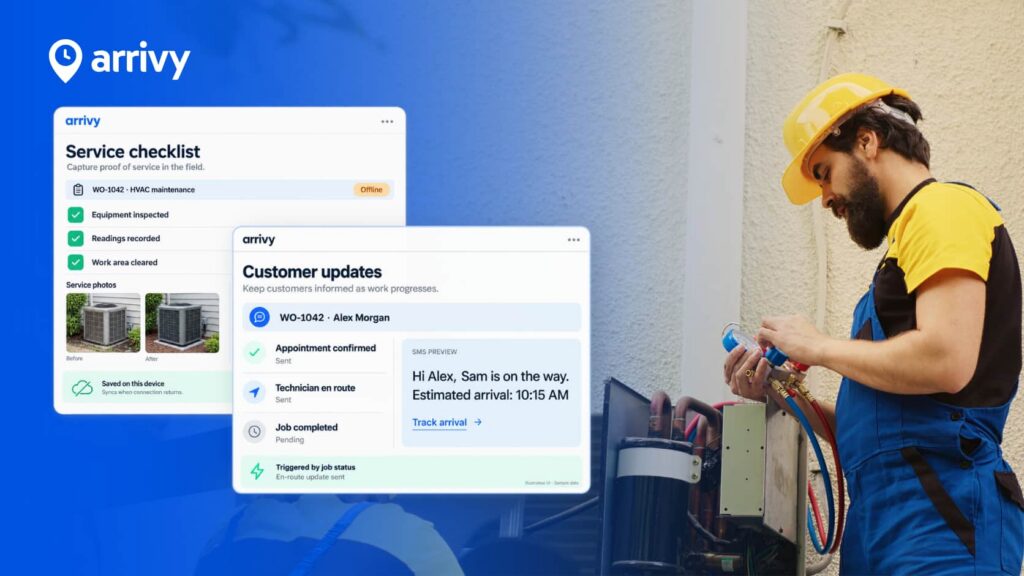
Arrivy can send appointment communications through email, SMS, or both. Depending on the business’s configuration, customers can also be given options to confirm, cancel, decline, or reschedule appointments.
This gives customers more control while reducing routine scheduling exchanges for office staff.
3. Send useful reminders before the service date
A booking confirmation can become easy to forget when an appointment was made several days or weeks earlier. Pre-appointment reminders help both the customer and the service business prepare.
Useful reminders can:
- Confirm that the visit is still scheduled
- Restate the expected time
- Remind customers of anything they need to prepare
- Give customers time to report a scheduling conflict
- Reduce forgotten appointments
Arrivy can automate notifications when a job is scheduled or rescheduled and can send a reminder before the scheduled visit.
4. Give customers meaningful arrival visibility
Waiting for a field technician is different from waiting for a package.
The customer may need to stay at the property, interrupt work, arrange access, or coordinate with someone else. This is where dispatch information and customer communication should work together.
Customers can benefit from:
With Arrivy, when a crew marks that it is on the way, the customer can receive an update with access to a Live Track page. The customer can follow the crew’s progress and can receive another notification as the team approaches the service location.
That gives customers useful information without requiring them to call the dispatcher.
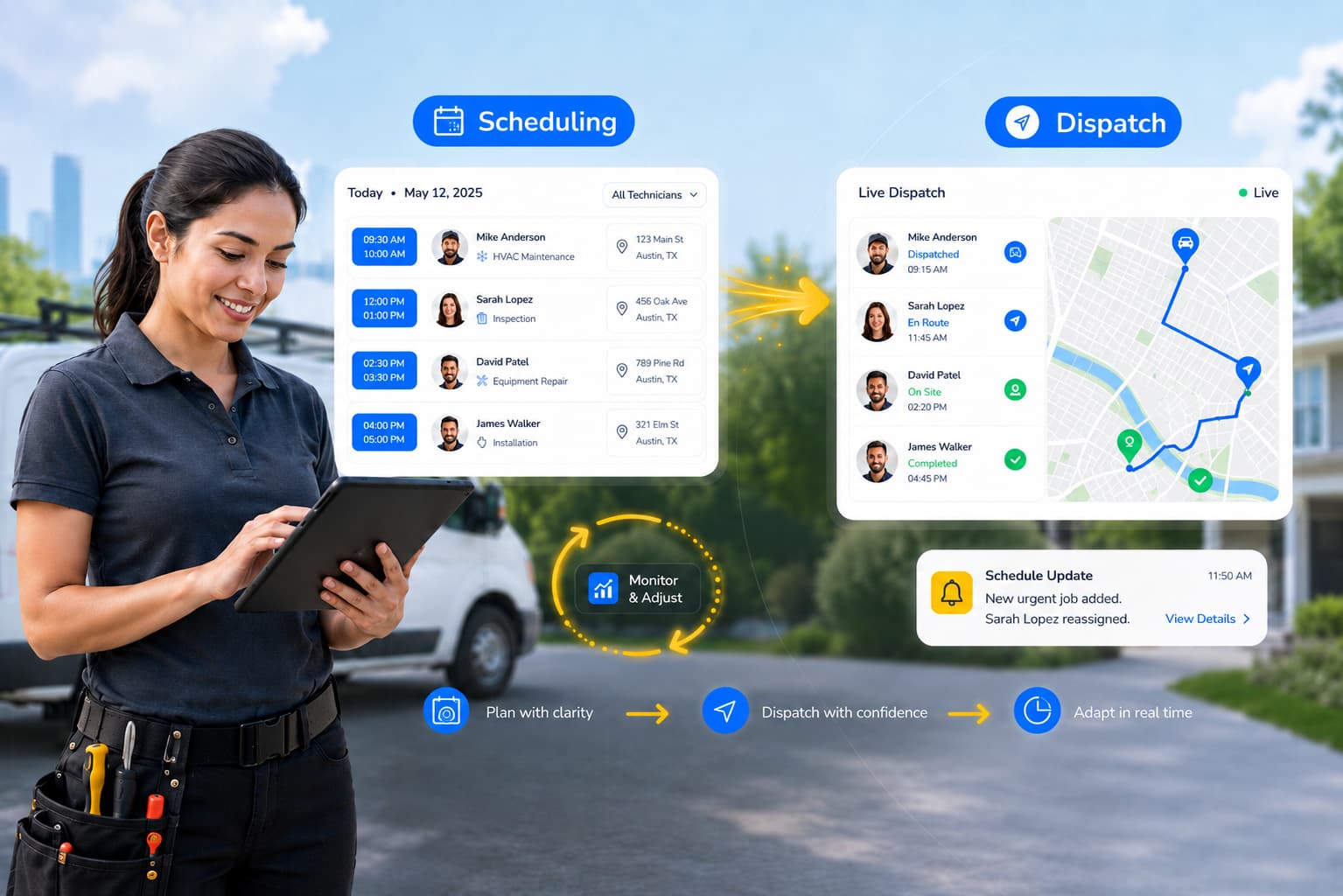
For businesses reviewing the operational side of this process, Arrivy’s field service scheduling and dispatch guide explains how scheduling, dispatching, field updates, and customer communication fit together.
Want customers to get useful updates without calling your office for an ETA?
5. Make the on-site experience informed and transparent
Once the technician arrives, customer experience depends more heavily on the quality of the human interaction.
Customers generally expect field teams to:
Software should support this work without making the customer interact with unnecessary systems. For longer jobs or repeat service relationships, giving customers appropriate access to appointment and project information can also reduce questions.
Arrivy’s Customer Portal can give customers access to upcoming and past appointments, project or task information, relevant updates, and booking options. Customers can also provide notes or files when needed.
6. Make completion unambiguous
A technician leaving the property does not always tell everyone involved that the job is complete.
This matters when:
A clear completion update gives the appointment a defined endpoint and can explain what happens next.
Arrivy can send a customer notification when a job is marked complete. Depending on the workflow, customers can also access relevant job or project information through the Customer Portal.
For more complex field operations, clear completion status also gives office teams better information for the next operational or administrative step.
7. Ask for feedback and make future service easier
Feedback is most useful when it is requested soon after the service experience.
A simple post-job rating can help businesses identify:
Arrivy can automatically prompt customers for feedback when work is completed, allowing the business to see customer sentiment while the appointment is still recent.
Repeat customers should also have an easier path back to the business.
Through Arrivy’s Customer Portal, customers can review upcoming and past appointments and, where enabled, schedule additional service without starting over through phone or email.
This is where customer experience begins to affect retention. A customer who already trusts the provider has a simpler way to work with that provider again.
How to Measure Field Service Customer Experience
Customer experience is partly subjective, but it can still be measured.
The most useful approach combines direct customer feedback with operational metrics that affect the experience.
| Metric | What it tells you | What to investigate when it declines |
|---|---|---|
| Customer Satisfaction Score (CSAT) | Satisfaction with a particular service interaction | Service quality, communication, punctuality |
| Net Promoter Score (NPS) | Willingness to recommend the business | Overall loyalty and repeated experience issues |
| Customer Effort Score (CES) | How easy it was to complete an interaction | Booking, rescheduling, access to information |
| On-time arrival rate | How reliably crews meet promised windows | Scheduling, routing, dispatch accuracy |
| First-time fix/completion rate | How often work is resolved without another visit | Technician preparation, skills, parts or job information |
| Response time | How quickly customer needs are addressed | Staffing, communication workflow, escalation |
| Cancellation/no-show rate | How often scheduled appointments fail to happen | Reminders, confirmations, booking quality |
| Repeat service/retention | Whether customers continue using the business | Long-term satisfaction and convenience |
| Customer ratings and reviews | Direct customer sentiment and common themes | Communication, punctuality, professionalism, service quality |
The numbers become more useful when they are reviewed together.
For example, falling CSAT alongside a lower on-time arrival rate may indicate that punctuality is affecting satisfaction. Similarly, a rise in no-shows after reminders are changed may point to a communication issue. This connects the customer’s comments with the operational causes behind them.
Arrivy’s guide to field service management metrics covers additional KPIs for teams that want to measure field performance beyond customer experience.
What to Look for in Field Service Customer Experience Software
Once a business knows what it wants customers to experience, the next question is whether its systems can deliver that consistently as job volume grows.
Field service customer experience software should not simply add another communication channel. It should use information already generated by scheduling, dispatching, and field activity to give customers timely, accurate updates.
Here are the capabilities worth evaluating:
Look for connected workflows, not isolated features
A business can have online booking, texting, GPS tracking, and customer surveys and still create a fragmented experience if each tool operates independently.
For example, an automated message is only useful when it reflects what is actually happening with the job.
If dispatch changes an appointment but the customer communication system does not know about the change, automation can send the wrong information faster.
This is why modern field service management software connects customer communication with the operational workflow rather than treating it as a separate marketing function.
The same principle applies to automation. The best use of field service automation is not simply replacing manual actions. It is triggering useful actions from real job events. For example, sending an en-route notification because the crew has actually started traveling to the customer.
Evaluating software for a growing field service team? See how Arrivy combines scheduling, dispatch, field visibility, customer communication, and job execution in its Field Service Management platform.
How Arrivy Supports the Field Service Customer Experience
Arrivy connects customer-facing communication with the job activity that produces it.
Instead of asking office teams to manually recreate information for the customer, the platform can use booking, scheduling, status, and field progress to keep customers informed. Here’s how:
Booking that reflects operational availability
Arrivy’s booking tools allow businesses to offer online appointment options while applying rules for factors such as availability, location, capacity, and team assignment.
Customers do not need to understand those constraints. They see suitable appointment choices and provide the information required for the booking.
Automated communication tied to job activity
Arrivy can send email and SMS messages at relevant stages of the appointment, including scheduling, rescheduling, reminders, crew travel, approach, and completion.
This reduces the need to manually send the same status updates for every job.
Live arrival information
When a crew is on the way, customers can receive a link to a Live Track page where they can monitor progress toward the service location.
The benefit is practical: customers can make better use of their time because they have more information about the expected arrival.
Self-service for regular customers
The Customer Portal gives customers a central place to see appointments and relevant service information.
Depending on how the business configures it, customers can review past and future work, access project or task details, communicate information, and book additional services.
Feedback after completion
Arrivy can request customer ratings when jobs are completed. This gives businesses a timely view of customer sentiment and makes it easier to identify an experience that requires follow-up.
Together, these capabilities support the stages discussed earlier without requiring the customer to understand the operational systems behind them.
The customer simply gets easier booking, clearer appointment communication, better arrival visibility, access to useful information, and a straightforward way to respond after the service.
Explore all Arrivy features
and discover how the platform can support your field operations from booking to completion.
Put Arrivy through the 30-minute test
Show us how a job moves through your business today, from booking and scheduling to completion. Then see how that same workflow could operate in Arrivy.