
 Login
Login



















Free Work Order Template
Professional Work Order Template
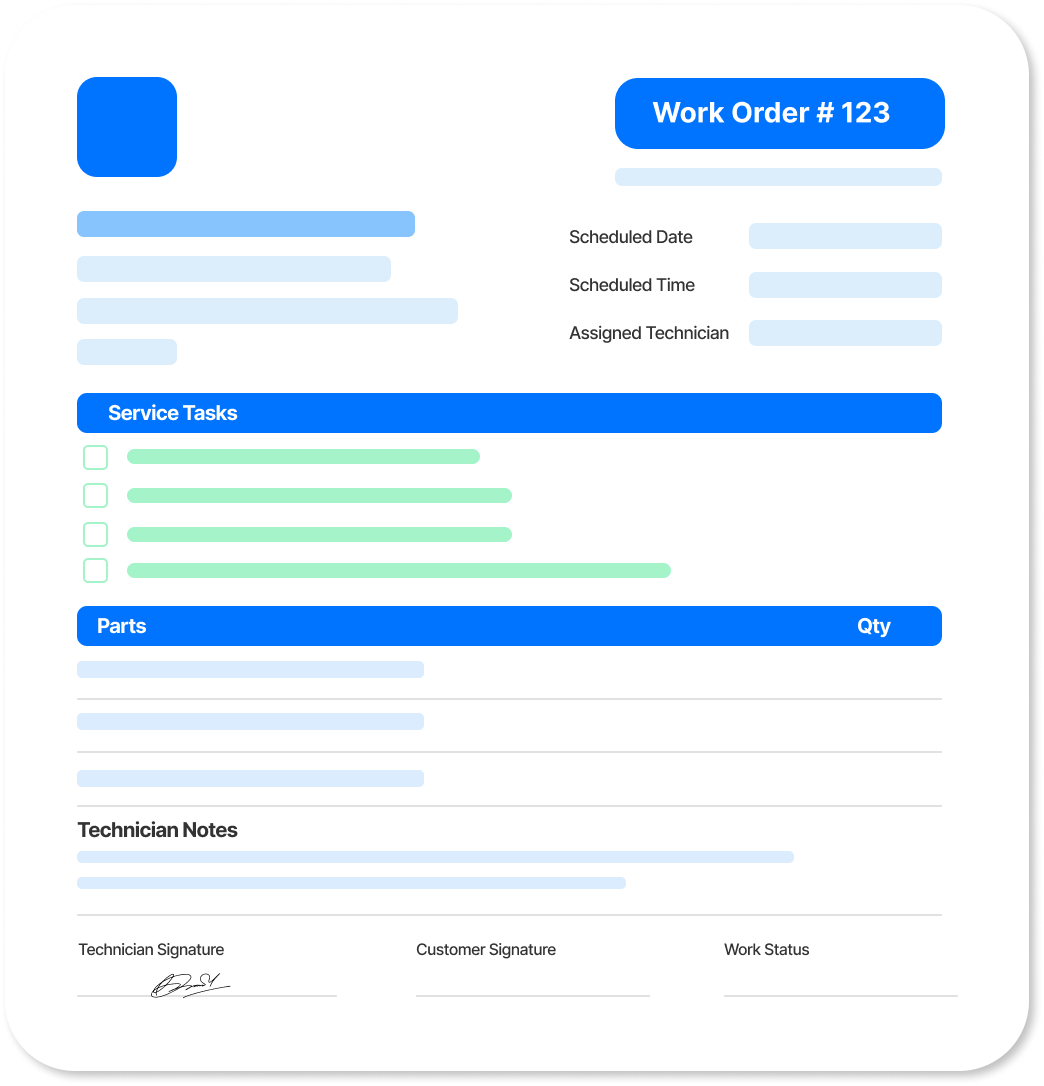
Create a clear, professional free work order template that outlines the job, services, parts, pricing, and other important work details.
Built by Arrivy for trade and service businesses, Arrivy connects work orders with the full job workflow, from scheduling and crew assignments to job completion and billing.
Create Your Free Work Order with Arrivy
Add the job details, customer information, services, parts, and pricing. Your work order updates in real time as you go. Review the details and download it when you're ready.
| Service | Qty | Unit | Total |
|---|
Tip: in the print dialog, choose “Save as PDF” to download.
Get new free templates straight in your inbox.
Arrivy keeps releasing new helpful templates and tools every week. We’ll send you updates every week. No spam
Save Your Custom Work Order Template
Want to use the same work order format for future jobs? Use the exportable PDF for each job.
Keep a blank copy, then update the customer, job details, services, parts, pricing, and instructions for each new work order.
Try Arrivy Free for Work Orders
With Arrivy, work orders stay connected to the job from scheduling through completion. Keep job details, assigned work, and field updates together so your office and crews have the information they need as the work moves forward.
See how Arrivy fits into your service workflow. Book a demo.
Explore Arrivy Operations Cloud™ Capabilities in Full
Arrivy empowers diverse industries with streamlined workflows, real-time coordination, and customer engagement tools that boost productivity, reduce errors, and drive growth.

Scheduling Software
Empower customers to book appointments online at their convenience, without back-and-forth calls.

Digital Forms
Capture field data with customizable, offline-ready forms that sync across workflows.

Route Planning
Plan the fastest, most efficient routes to reduce travel time, fuel costs, and scheduling delays.

Work Order Management
Create, assign, and manage work orders with complete visibility across every job and team.

Dispatch Dashboard
Manage daily dispatch from a unified dashboard. Track jobs, update crews in real time, and keep work on schedule with full team visibility.

All Features
Explore all our features in detail to see what fits your needs
How to Create a Work Order
Use the free work order template above or follow these nine steps to create your own. A clear work order gives your team the job details, scope, schedule, and instructions they need to complete the work.
- 1. Pick your format. Choose PDF, Word, Google Docs, Excel, or another format based on how you plan to create, update, and share the work order.
- 2. Define the scope of work. Clearly describe the service, repair, maintenance, or other work that needs to be completed.
- 3. Add the work order details. Assign a unique work order number and include the scheduled date, priority, and job status.
- 4. Add business and customer details. Include your business information along with the customer name, service address, and contact details.
- 5. List the services and pricing. Itemize the work with clear descriptions, quantities, rates, or unit prices where applicable.
- 6. Add materials and parts. Record the parts, materials, or equipment required for the job and their associated costs where applicable.
- 7. Calculate the totals. Add the line items and any applicable discounts or taxes to show the total cost.
- 8. Add notes and instructions. Include access details, safety requirements, customer requests, or other information the crew needs to complete the job.
- 9. Review and send. Check the work order for accuracy, then download and share it with the appropriate crew, customer, or other relevant parties. Once the work order is ready, assign the job to the appropriate crew and keep it updated as the work progresses. When the job is complete, use the final work details to confirm the completed services, parts, and charges before preparing the invoice.
Common Elements of a Work Order Template
Work order formats vary, but a complete work order typically includes:
Work order number
A unique number used to identify and track the job.
Dates
The creation date, scheduled start date, and expected completion date.
Business details
Your business name, logo, phone number, and email.
Customer details
The customer name, service address, and contact information.
Scope of work
A clear description of the work to be completed.
Services, parts, and pricing
Itemized services, materials, or parts with relevant quantities, rates, and prices.
Totals
The subtotal, applicable discounts or taxes, and total cost.
Priority and status
The urgency of the work and its current status.
Notes and instructions
Access information, safety requirements, customer requests, or other job-specific instructions.
Signature and approval
Space for the relevant approval, signature, and date when needed
Frequently Asked Questions
Win more jobs, and get paid faster.
Arrivy keeps releasing new helpful templates and tools every week. We’ll send you updates every week. No spam
More Free Templates
Explore more free templates built to streamline your business operations:
Cleaning Work Order
Build and download a free work order template for cleaning jobs. Assign crews, add checklists, note site access, and print a custom PDF.
WORK ORDERConstruction Work Order
Create a free work order template for construction. Download a custom print-ready PDF in seconds.
WORK ORDERElectrical Work Order
Create and download free electrical work order templates. Track circuits, materials, technician assignments, and safety requirements.


