




















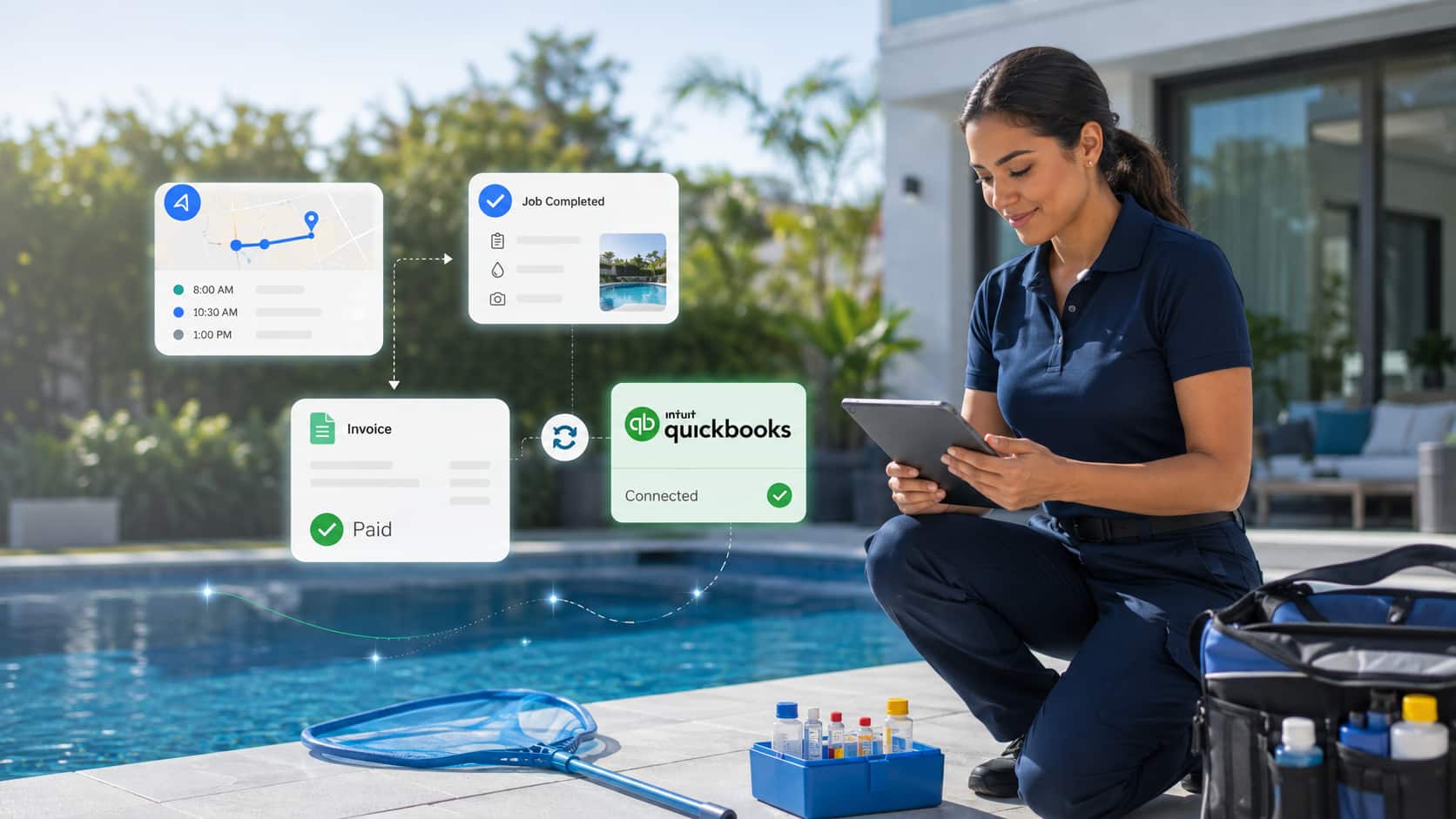


A technician finishes a weekly pool visit, records the chemicals used, completes a filter cleaning, and identifies a pump that may need repair. The fieldwork is complete, but the billing process may only be getting started.
Someone in the office may still need to review the technician’s notes, confirm the extra charges, and recreate the invoice in QuickBooks. If information is missing or entered incorrectly, the invoice will likely go out late or the office will have to fix it afterward.
Pool service software with QuickBooks integration helps reduce that extra work. The pool service platform facilitates the job execution in the field, while QuickBooks manages the financial record of the job. When the two systems are connected properly, information captured during a service visit can move into the billing process without someone having to type everything in again.
That doesn’t mean invoices should go out without review. It simply gives the office a more complete and reliable starting point.
How Does Pool Service Software Work with QuickBooks?
Pool service software records what happened during a customer visit. That includes the services completed, chemicals used, labor performed, replacement parts added, customer details, and any additional work approved during the appointment.
The information needed for billing can then be used to generate an invoice in QuickBooks.
With Arrivy, for example, customer information, addresses, task line items, quantities, prices, taxes, discounts, shipping charges, and due dates can be passed from an Arrivy task into a QuickBooks invoice. Invoice creation can also be linked to a specific point in the workflow, such as when a task is marked “complete”.
In practice, this means the technician logs and completes the work inside Arrivy, while the office continues to manage invoices, payments, and accounting inside QuickBooks. The two systems have different jobs, but the integration helps them work from the same information.
This results in a more direct path from completed service to billing.
Why Pool Service Companies Use Both Systems?
QuickBooks is built for the financial side of the business. It can be used to create invoices, track customer payments, record expenses, reconcile accounts, and produce financial reports.
What it doesn’t do particularly well is manage the day-to-day work of a pool service team.
QuickBooks isn’t designed to organize recurring pool routes, assign technicians, track job status, record water readings, store chemical logs, or manage service forms and field photos. A business may be able to force some of that information into QuickBooks, but it will usually become difficult to manage as the operation grows.
That is where pool service or field service software comes in.
The service platform keeps track of the work that eventually leads to the invoice. It tells the business which property was visited, what the technician completed, what materials were used, whether additional work was approved, and whether the job is actually ready to bill.
QuickBooks records the financial outcome of that work.
| Business function | Primary system |
|---|---|
| Routes and technician schedules | Pool service software |
| Service records and field forms | Pool service software |
| Materials and completed work | Pool service software |
| Invoice and payment records | QuickBooks |
| Reconciliation and financial reporting | QuickBooks |
| Payment-status visibility | May appear in both systems |
For pool companies, this division makes sense. The service platform manages the operational record, while QuickBooks remains the main system for invoices, payments, reconciliation, and financial reporting.
A good integration between the two systems creates a clear connection between the service visit and the invoice that follows.
With an integrated workflow, the job information stays attached to the service task. The office can review what happened and use the same details for billing instead of trying to piece the job together afterward.
This also helps when a customer has a question about an invoice. The office can look back at the visit that produced the charge rather than searching through several different systems or asking the technician to remember what happened days earlier.
Comparing options? See our guide to the Best Field Service Management Software in the UK.
Read here
Benefits of Connecting Pool Service Software to QuickBooks
Less Duplicate Data Entry
Without an integration, office staff may need to copy customer information, labor, parts, chemicals, prices, and notes from one system into another.
That creates extra work and increases the risk of missing or incorrectly entering a charge.
An integration allows billing information captured during the service workflow to be used in QuickBooks without rebuilding the invoice from the beginning.
Faster Movement from Completed Work to Invoice
Billing often slows down when the office must wait for paper notes, text messages, or incomplete technician updates.
When service information is captured inside the task, the office has a clearer record of what should be billed. This can shorten the gap between completing the work and sending the invoice.
More Accurate Invoices
A strong field-to-invoice process helps ensure that the invoice reflects:
The correct customer
The correct service
Labor performed
Parts and materials used
Additional approved work
Discounts
Taxes
Payment terms
Due dates
The integration does not replace review and approval. It gives the office a more complete and consistent starting point.
Better Visibility for Operations Teams
Payment information is primarily an accounting record, but operations teams may also need to know whether an invoice is paid, open, or overdue.
Making payment status visible inside the service platform can help office and operations teams coordinate without requiring every employee to work directly in QuickBooks.
A Clearer Connection Between the Visit and the Invoice
The invoice should not exist as an isolated accounting document. It should be connected to the service visit that produced it.
That connection helps the team answer questions such as:
What work was completed?
Who completed it?
Which materials were used?
Was extra work approved?
Which invoice belongs to the task?
Has the customer paid?
What Information Should Move to QuickBooks?
Not everything recorded during a pool visit needs to appear in QuickBooks.
A useful integration sends the accounting information to QuickBooks and leaves the operational detail inside the pool service platform.
QuickBooks will usually need the customer name, billing address, invoice line items, quantities, prices, labor charges, parts, chemicals, taxes, discounts, payment terms, and due date. Those details are needed to create and manage the financial transaction.
Other information is more useful to the operations team. Route order, technician location, water readings, chemical logs, checklists, photos, signatures, internal notes, and task history will normally stay in the service platform.
The goal is to send what the accounting team actually needs while keeping the full service history connected to the task.
Pool Service Billing Workflows the Integration Should Support
Not every pool company bills customers in the same way, so the integration needs to fit the company’s actual billing process.
Fixed Monthly Maintenance
Some businesses charge a fixed monthly fee for routine maintenance. In that case, the service platform records each completed visit, while the customer receives the agreed monthly invoice.
Per-Visit Billing
Other companies bill per visit. Each completed appointment may create a separate charge, which makes it important for technicians to record everything before closing the task.
Monthly Service with Separate Chemical Charges
A company may also charge a monthly maintenance fee while billing chemicals separately. That model can work well, but only if technicians record chemical use consistently. If quantities are missing or entered differently from one technician to another, the office will likely have to review and correct the invoice.
Repairs with Labor and Parts
Repair work tends to be more complicated. An invoice may include diagnostic fees, technician labor, replacement parts, equipment, taxes, discounts, and additional work approved by the customer.
In those cases, creating the invoice as soon as the technician arrives, or even as soon as the job is marked complete, may be too early. The business may want a manager or office employee to confirm the final charges first.
Seasonal Openings and Closings
Seasonal openings and closings may need another process altogether. These visits can include a base service fee, chemicals, equipment, replacement parts, deposits, and unexpected repairs.
The software should be flexible enough to support these differences instead of forcing every type of job through the same billing workflow.
What to Look for in a QuickBooks Integration?
A useful integration should fit the way the business already works. Here are the key features essential for a QuickBooks integration to have:
Customer and Property Accuracy
Customer and property information needs to remain accurate, especially when one customer has several service locations or when the billing address is different from the pool address. If those records aren’t handled carefully, the company may end up with duplicate customers or invoices connected to the wrong property.
Clear Service and Material Line Items
Line items also need to be clear.
Weekly maintenance, filter cleaning, chemical additions, repair labor, replacement parts, and emergency visits should appear as understandable charges. Vague descriptions may be easier to enter, but they will often create more questions later from customers, office staff, and accountants.
Controlled Invoice Creation
The company should also decide exactly when an invoice is ready to be created.
For one business, that may be when the technician completes the task. For another, it may be after a manager reviews the work or after the customer approves a repair. There is no single rule that works for every company.
The right point is when the billing information is complete enough that the office is unlikely to have to rebuild the invoice later.
Payment-Status Visibility
It should also be easy to identify which QuickBooks invoice belongs to a specific service task. That link becomes especially useful when the office needs to answer a customer question, correct a charge, or review the work behind an invoice.
How Arrivy Connects Pool Operations with QuickBooks
Arrivy manages the operational workflow surrounding the invoice.
Pool service companies can use Arrivy to manage:
Recurring schedules
Routes
Dispatch
Technician assignments
Digital forms
Task updates
Customer information
Photos
Signatures
Items and materials
When Arrivy is connected to QuickBooks, information from the task can be used to generate a QuickBooks invoice.
The integration can support:
Customer and address information
Task line items
Prices and quantities
Taxes
Discounts
Shipping charges
Due dates
Billable expenses
Invoice and payment tracking
Recurring invoice workflows
Invoices in multiple languages
For example, a technician may add chemicals, labor, or replacement parts to an Arrivy Digital Form. Once the work is completed and the company’s billing condition is met, those line items can be used to generate the invoice in QuickBooks.
The broader service record remains in Arrivy, while QuickBooks manages the accounting transaction.
See Arrivy’s Pool Service Management capabilities in full.
Explore Features
Common Problems to Watch For
Duplicate Customers
Small differences in names or addresses can create separate customer records.
Review customer data before connecting the systems.
Missing Charges
A service, chemical, part, or labor charge may be omitted if it was not recorded correctly during the task.
Technicians should know which billable information they are expected to capture.
Incorrect Taxes or Discounts
Tax and discount rules should be reviewed during testing.
Do not assume the result is correct simply because the invoice was created successfully.
Duplicate Invoices
Use one controlled invoice process.
The company should define exactly when an invoice is created and check whether one already exists before repeating a billing action.
Payment Mismatches
A customer payment, bank payout, processing fee, deposit, refund, and credit are different financial records.
These should be handled according to the company’s approved accounting process.
Questions to Ask Before Using the Integration
Before moving forward, business owners and operations managers should think about whether the integration will actually improve the way their team works.
Will it reduce the amount of information the office has to re-enter? Can technicians capture labor, chemicals, parts, and extra work without slowing down the visit? Can the office review the information before the invoice goes out?
It is also worth asking how customer properties will be handled, how taxes and discounts will be applied, and what happens when information is incomplete.
The business should understand how duplicate invoices are prevented and whether the QuickBooks invoice can be traced back to the original task.
Finally, the company should confirm who will help with setup and testing.
The important question is not simply whether the software has a QuickBooks integration. Many platforms can make that claim.
The real question is whether the integration fits the way the company moves from completed work to an accurate invoice.
Final Takeaway
Pool service software with QuickBooks integration connects the work completed in the field with the financial record created in the office.
When the workflow is set up well, the business will likely spend less time re-entering information, invoices can go out sooner, and the charges should be easier to verify.
The integration becomes useful when technicians capture the right details, the office knows when a task is ready to bill, and the final invoice can be traced back to the work that produced it.
Want to see the Arrivy-QuickBooks connection live?