 Login
Login





















Your schedule is full when an emergency repair request comes in. The nearest technician is already behind schedule. Dispatchers are left adjusting appointments, updating customers, and reassigning jobs.
Managing these situations becomes harder as your HVAC business grows. More service requests, larger service areas, and additional technicians increase the number of moving parts involved in daily scheduling. At the same time, customers expect accurate arrival times, faster responses, and clear communication throughout the service process.
This is where HVAC scheduling software becomes valuable. It gives teams better visibility into technician availability, routes, customer appointments, and last-minute schedule changes, helping them stay organized as workloads increase.
In this guide, you’ll learn what HVAC scheduling software is, how it works, the features to look for, and how it helps growing HVAC businesses manage more jobs efficiently.
Quick Answer
HVAC scheduling software is a tool that helps HVAC businesses schedule appointments, assign technicians, dispatch service calls, manage recurring maintenance, and coordinate field operations from a centralized platform. It improves scheduling efficiency, reduces travel time, and helps growing HVAC businesses manage higher service volumes.
Key Takeaways
- HVAC scheduling software helps manage appointments, technicians, and service calls from one platform.
- Growing HVAC businesses use it to improve dispatching, reduce travel time, and increase productivity.
- Features such as route optimization, customer notifications, and recurring maintenance scheduling help teams manage more jobs efficiently.
What Is HVAC Scheduling Software?
HVAC scheduling software is a tool that helps HVAC businesses schedule appointments, assign technicians, dispatch service calls, and manage daily workloads from a centralized platform. It gives dispatchers and managers a clear view of upcoming work while helping teams coordinate field operations more effectively.
Dispatchers can assign jobs, adjust schedules, and coordinate technicians without relying on manual scheduling methods.
Many HVAC scheduling apps are part of a broader field service management platform that also includes work order management, route optimization, customer communication, and reporting.
Why Scheduling Becomes Difficult as HVAC Businesses Grow
More Service Requests
As businesses take on more AC repairs, furnace installations, preventive maintenance visits, and emergency breakdowns, schedules become increasingly crowded.
Larger Service Areas:
Growth often means serving customers across a wider geographic area. More time spent on the road makes it harder to coordinate appointments and maintain efficient schedules.
More Technicians
A larger workforce creates more scheduling variables. According to the U.S. Bureau of Labor Statistics, employment of HVAC mechanics and installers is projected to grow 8% from 2024 to 2034. As teams expand workforce coordination becomes more complex. Managers must coordinate technician availability, workloads, shift schedules, and job assignments across the team.
Emergency Calls
Emergency repairs rarely fit neatly into an existing schedule. Accommodating urgent requests often requires adjustments to appointments that have already been planned.
Seasonal Demand
Demand for HVAC services can change quickly during periods of extreme weather. According to the U.S. Energy Information Administration, 88% of U.S. households use air conditioning, and cooling demand in residential buildings is expected to grow significantly in the coming decades. Sudden increases in service requests place additional pressure on scheduling teams and field operations.
Customer Expectations
Customers expect prompt service, accurate arrival windows, and regular updates. As appointment volumes grow, meeting those expectations becomes more challenging.
What Does HVAC Scheduling Software Actually Do?
HVAC scheduling software helps businesses organize and coordinate the activities involved in delivering HVAC services. Instead of managing appointments, technicians, and service requests through separate systems, teams can manage day-to-day scheduling from one place.
Organize Appointments: HVAC scheduling software keeps HVAC service calls, installations, maintenance visits, and emergency repairs organized in one schedule.
Coordinate Technician Assignments: Dispatchers can assign work based on technician availability, location, workload, and required skills, certifications, and equipment expertise. This helps ensure jobs are assigned appropriately across the workforce.
Support Dispatch Operations: Service requests, job details, and schedule updates can be shared with technicians in the field. This keeps office staff and field teams aligned throughout the workday
Manage Schedule Changes: Schedules often change due to delays, cancellations, or urgent service requests. HVAC scheduling software allows teams to update appointments and assignments as changes occur.
Schedule Recurring Maintenance: Recurring maintenance activities such as seasonal tune-ups, preventive inspections, and maintenance agreement visits can be scheduled and tracked from the same system.
Facilitate Customer Communication: Appointment confirmations, arrival updates, and scheduling notifications keep customers informed throughout the service process.
How HVAC Scheduling Software Helps Growing Businesses Manage More Jobs
As appointment volumes increase, HVAC businesses need more than a way to organize schedules. They need a system that helps teams coordinate work efficiently, respond to changes quickly, and make better use of available resources.
Centralized Scheduling
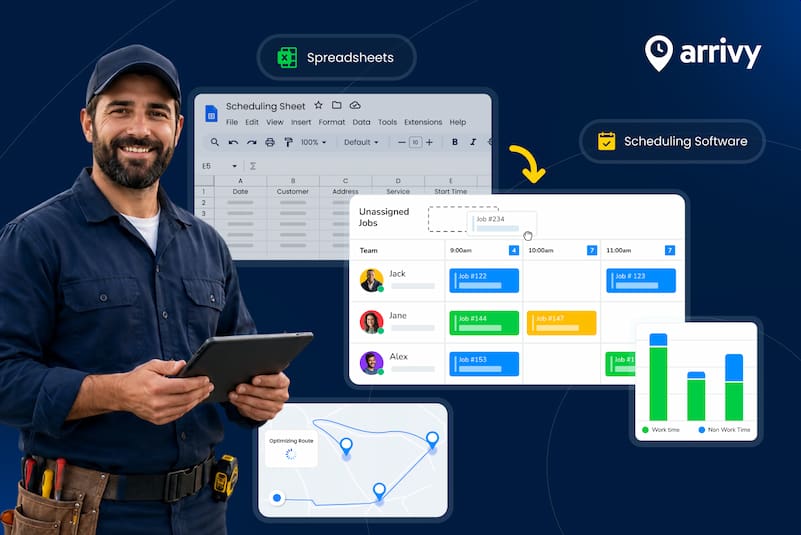
Managing schedules from a single system gives dispatchers and managers a complete view of daily operations. Instead of switching between calendars, spreadsheets, and phone calls, teams can monitor appointments, technician schedules, and job status from one place.
Smart Dispatching
As workloads increase, assigning the right technician to the right job becomes more important. For example, a technician experienced in commercial rooftop units may be assigned to a different type of job than a technician who primarily handles residential maintenance calls.
Route Optimization
Travel delays have a measurable impact on field operations. Data from the Federal Highway Administration shows that peak-period trips can take 10% to 39% longer because of congestion, making efficient routing increasingly important for service businesses. Route optimization helps technicians spend less time on the road by creating more efficient travel routes between appointments.
Real-Time Schedule Changes
Emergency repairs, technician delays, and customer cancellations often require immediate action. Real-time scheduling tools help teams adjust plans quickly while maintaining visibility across the rest of the day’s workload.
Automated Customer Notifications
Automated notifications help reduce that workload by sending appointment reminders, ETA updates, and schedule notifications automatically.
Better Technician Utilization
A balanced schedule helps ensure work is distributed effectively across the team. Managers can identify available capacity and balance workloads more effectively. This reduces idle time and supports higher productivity across the workforce.
Improved Customer Experience
Customers value reliable service and clear communication. Accurate arrival windows, faster response times, and regular updates create a smoother service experience.
Key Features to Look for in HVAC Scheduling Software
When evaluating software, look for features that support scheduling, dispatching, technician management, and customer communication as your business grows.
| Feature | Importance |
|---|---|
| Scheduling Calendar | Provides a centralized view of appointments, technician schedules, and job assignments. |
| Dispatching | Helps assign jobs quickly and coordinate technicians throughout the day |
| Route Optimization | Reduces travel time and helps technicians complete more jobs. |
| Mobile App | Gives technicians access to schedules, job details, and updates while in the field |
| Customer Notifications | Keeps customers informed through appointment reminders, arrival updates, and schedule changes. |
| Digital Forms | Allows technicians to collect job information, service details, and customer signatures electronically. |
| Work Orders | Helps organize service requests, job details, and task completion records. |
| Reporting | Provides insights into technician productivity, scheduling performance, and operational trends. |
| Integrations | Connects scheduling data with other business systems such as CRM, invoicing, and accounting software. |
| Recurring Service Scheduling | Helps manage preventive maintenance agreements and recurring service visits. |
Benefits of HVAC Scheduling Software
HVAC scheduling software helps improve coordination across daily operations. Businesses can increase efficiency, serve more customers, and improve service delivery. The most significant benefits include:
Increase Jobs Per Day: Technicians spend less time waiting for assignments, searching for job details, or driving between appointments. More efficient scheduling creates additional capacity within the workday.
Reduce Scheduling Errors: Manual scheduling methods increase the risk of double bookings, missed appointments, and assignment mistakes. Scheduling software helps keep schedules organized and up to date, reducing avoidable disruptions.
Improve Technician Productivity: Clear schedules, accurate job information, and better coordination help technicians focus on service work instead of administrative tasks. This allows teams to complete more work without increasing staffing levels.
Improve Customer Satisfaction: Accurate arrival windows, appointment reminders, and service updates help create a smoother customer experience. For example, customers waiting for an AC repair during a heat wave are more likely to value accurate arrival updates and shorter response times.
Reduce Drive Time: Long travel times reduce the number of jobs technicians can complete each day. Route optimization and smarter scheduling help reduce unnecessary driving and improve field efficiency.
Increase Revenue Opportunities: Better scheduling helps businesses manage more appointments while reducing inefficiencies. Completing more jobs and minimizing missed opportunities can contribute to higher revenue over time.
How to Choose HVAC Scheduling Software
The right HVAC scheduling software depends on how your business operates today and where you plan to grow. Before evaluating different options, consider these 8 factors bellow:
Company Size: A small HVAC business may need basic scheduling and dispatching tools, while larger organizations often require advanced workforce management, reporting, and customer communication capabilities.
Number of Technicians: Your scheduling needs change as your workforce grows. Look for software that makes it easy to manage technician schedules, workloads, and assignments across the entire team.
Service Area: Businesses serving multiple cities or large territories often benefit from features such as route optimization, GPS tracking, and location-based scheduling.
Ease of Use: Scheduling software should simplify daily operations, not create additional work. A system that is easy for dispatchers, managers, and technicians to use is more likely to gain adoption across the organization.
Mobile Capabilities: Field teams need access to schedules, job details, and updates while on the move. A mobile app helps technicians stay connected without relying on phone calls or paper documents.
Reporting Needs: Reporting tools provide visibility into scheduling performance, technician productivity, job completion trends, and operational efficiency. Choose a platform that provides the level of insight your business requires.
Integrations: Scheduling software often works alongside CRM systems, invoicing tools, accounting platforms, and other business applications. Strong integrations help reduce manual data entry and keep information consistent across systems.
Growth Plans: The software you choose today should support your business as it grows. Consider whether the platform can handle additional technicians, higher appointment volumes, and expanding service areas without creating new operational challenges.
How Arrivy Helps Growing HVAC Businesses Schedule More Jobs Efficiently
For HVAC businesses looking to improve scheduling and field operations, Arrivy provides a connected platform for managing day-to-day work. Arrivy brings scheduling, dispatching, route planning, customer communication, and work order management into a single platform.
The following capabilities help HVAC teams coordinate work more efficiently across the office and the field:
Scheduling and Dispatch
Arrivy gives teams a centralized view of appointments, technician schedules, and job assignments. Dispatchers can match jobs based on technician availability, location, and skill set while managing bookings from a single system. Teams can also offer self-scheduling options while managing bookings from a centralized scheduling system.
Route Optimization
Travel time affects how many jobs technicians can complete each day. Arrivy helps teams build more efficient routes, reduce unnecessary driving, and improve on-time arrivals across multiple service calls.
Customer Communication
Arrivy helps businesses keep customers informed through appointment reminders, ETA updates, technician tracking, and service notifications. Customers stay informed throughout the service process without requiring constant phone calls to the office.
Mobile Workforce Management
Arrivy helps teams manage their mobile workforce more effectively. Technicians can access schedules, job details, and work updates directly from the field. This gives teams the information they need before arriving on-site and helps maintain communication between technicians and office staff.
Digital Forms and Work Orders
Arrivy helps teams capture photos, notes, service details, customer signatures, equipment information, and other job records directly in the field. Work orders and service documentation remain connected to each job, creating a clear record for future visits.
Integrations
Arrivy integrates with more than 50 business applications, including CRM, accounting, payment, and field service tools. By connecting systems such as Salesforce, HubSpot, QuickBooks, Xero, and CompanyCam, teams can reduce manual data entry and keep operational data synchronized across workflows.
Reporting and Operational Visibility
Managers can monitor technician productivity, job completion trends, arrival performance, and customer feedback from a single platform. These insights help HVAC businesses identify opportunities to improve efficiency as operations grow. By bringing scheduling, dispatching, route planning, customer communication, work order management, and field documentation together, Arrivy helps HVAC businesses manage more jobs without losing visibility across daily operations.
Final Verdict
As HVAC businesses grow, managing schedules becomes more complex. More service requests, expanding service areas, and larger field teams make manual scheduling harder to sustain.
HVAC scheduling software helps businesses organize appointments, dispatch technicians, manage schedule changes, and coordinate daily operations more effectively. With better visibility and control, teams can handle more jobs while maintaining service quality as they grow.
Platforms like Arrivy help HVAC businesses reduce scheduling complexity, improve workforce coordination, and maintain service quality as appointment volumes continue to grow.
See how Arrivy helps HVAC teams win more jobs and improve productivity.