Login
Login





















The best moving software is not necessarily the platform with the longest CRM feature list. It is the software that keeps a booked move running smoothly when schedules change, crews are reassigned, paperwork must be completed, customers want an ETA, and dispatchers need to know what is happening in the field.
For that reason, we evaluate in this guide five products primarily on what happens after the move is booked:
Arrivy
SmartMoving
Supermove
MoveitPro+
MoversSuite
Some of these products are complete moving business platforms. Others provide a specialized operational execution layer that connects with an existing CRM, ERP, accounting system, or moving management platform.
There is therefore no universally best product. The right choice depends on whether your main problem is replacing disconnected business software, improving complex moving workflows, or gaining better control over move-day execution.
Disclosure:
Arrivy publishes this comparison. To make the ranking useful rather than self-serving, products were evaluated against a defined operations-first methodology using publicly available product documentation, help-center content, integrations, and published pricing. Buyers should confirm implementation requirements and final costs during product demonstrations.
Quick Answer: The Best Moving Software by Operational Need
Our top picks by operational need:
- Arrivy – Best for move-day operations and real-time execution: Best for movers that need stronger scheduling, crew and truck coordination, live customer visibility, routing, offline documentation, and field execution without necessarily replacing their existing business systems.
- SmartMoving – Best for all-in-one moving business management: Best for growing residential movers that want sales, estimates, dispatch, crews, storage, payments, accounting, and reporting in one moving-specific platform.
- Supermove – Best for configurable automation and complex moving operations: Best for multi-branch, commercial, interstate, or operationally complex movers that need customizable workflows, documents, pricing, dispatch, storage, and automation.
- MoveitPro+ – Best for connecting sales, dispatch, and AI call visibility: Best for movers that want a mover-built CRM combined with dispatch, estimating, reporting, AI call intelligence, and mobile field tools.
- MoversSuite – Best for established moving and storage organizations: Best for established movers that need deep order management, local dispatch, accounting, document management, warehouse operations, and industry-specific financial workflows.
What Is Moving Operations Software?
“Moving operations software coordinates the people, vehicles, schedules, documents, customer communications, and field activities required to complete a move after it has been booked.”
Its core responsibilities typically include:
Scheduling moves and managing capacity
Assigning crews, drivers, trucks, and equipment
Dispatching teams and communicating job details
Planning routes and tracking progress
Capturing bills of lading, photos, signatures, inventory, and exceptions
Sending customer reminders, ETAs, and status updates
Tracking labor time and move completion
Returning completed documents and job data to billing or accounting systems
This is narrower than the complete moving company management software category. A full moving business platform may also include lead management, marketing, sales pipelines, estimating, accounting, payroll, claims, and storage billing.
The distinction matters. A mover with a reliable CRM and accounting system may not need a full replacement. It may need better operational execution between booking and final sign-off.
Best Moving Software: Quick Comparison
| Software | Best for | Product type | Key operational strengths | Published pricing position |
|---|---|---|---|---|
| Arrivy | Move-day execution and real-time visibility | Operations and field execution platform | Scheduling, dispatch, crews, trucks, routes, GPS, customer updates, offline forms and digital BOLs | Starts at $25 per user per month with a three-user minimum; 14-day trial available |
| SmartMoving | Growing movers wanting one platform | All-in-one moving business software | Capacity management, drag-and-drop dispatch, crew app, trip planning, customer portal, payments and reporting | Plan-based quote; monthly, quarterly and annual options |
| Supermove | Configurable and complex operations | AI-enabled moving operating platform | Custom workflows, capacity, dispatch, digital documents, multi-day commercial moves, crew tools and automation | Custom quote |
| MoveitPro+ | Sales-to-dispatch coordination and call visibility | All-in-one mover-built CRM and operations platform | CRM, estimates, dispatch, crew and truck scheduling, AI call intelligence, BOLs, GPS and reporting | From $449 per month on a 12-month term; lower advertised monthly rates on longer terms |
| MoversSuite | Established moving and storage organizations | Moving ERP and order-management suite | Order management, local dispatch, documents, resource planning, accounting, warehouse and commercial workflows | Custom, tiered pricing |
Pricing and features can change. Confirm modules, user limits, messaging charges, mobile-app costs, integrations, onboarding, and contract terms directly with each vendor.
How We Evaluated Moving Operations Software?
This ranking prioritizes operational execution rather than treating every product as an interchangeable moving CRM.
Scheduling and capacity management
We looked for the ability to schedule moves, prevent resource conflicts, assess daily capacity, and coordinate work across dates, branches, locations, and move types.
Dispatch, crew, and truck coordination
Strong moving dispatch software should make it easy to assign the right crew members, drivers, trucks, equipment, and job instructions without relying on spreadsheets or repeated phone calls.
Field execution
We evaluated the tools available to crews once they leave the office, including mobile job information, status updates, time tracking, signatures, payments, photos, inventory, work orders, and exception documentation.
Documents and offline reliability
Moving crews frequently work in warehouses, elevators, basements, loading docks, and other locations with unreliable connectivity. Products received stronger consideration when they explicitly supported offline data capture or dependable digital documentation.
Customer visibility
We considered automated reminders, arrival windows, live GPS links, ETAs, status notifications, portals, documents, payments, and other tools that reduce uncertainty for customers.
Routing and real-time control
We looked at whether office teams can see the current state of active jobs, respond to delays, reduce travel time, and keep customers updated as operating conditions change.
Move completion and system handoff
A move is not operationally complete until paperwork, labor time, customer approval, photos, exceptions, payments, and other records are captured and made available to the appropriate back-office systems.
Fit with the existing technology stack
Some movers need an all-in-one platform. Others need an operational layer that integrates with an established CRM, accounting product, or moving ERP. Products were evaluated according to their intended role rather than penalized simply because they belonged to different software categories.
Top 5 Moving Software Platforms for Operations
Below, we compare five leading platforms to see how they stack up on features, usability, and overall value. Choosing the right moving software can make day-to-day operations faster, smoother, and easier to manage.
1. Arrivy – Best for Move-Day Operations and Real-Time Execution
Arrivy ranks first for operations because it focuses directly on the execution gap between a booked job and a completed move.
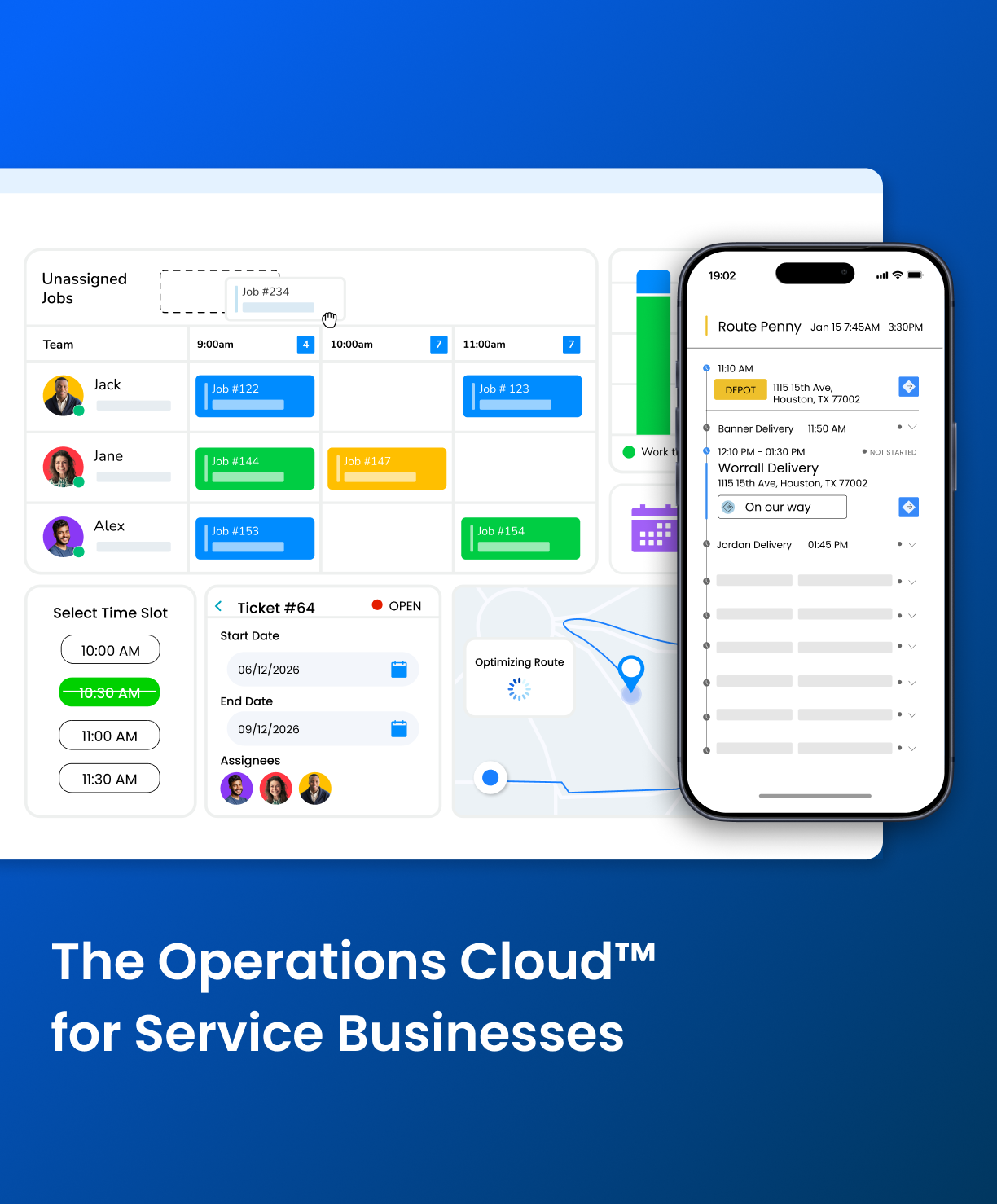
It brings scheduling, dispatch, crews, trucks, routing, customer communication, digital documentation, and field activity into one operational environment. Movers can use it as their primary execution platform or connect it with systems that already manage customer acquisition, accounting, or enterprise order records.
Arrivy’s moving solution supports crew scheduling, real-time GPS visibility, digital bills of lading, automated customer updates, routing, and offline form collection. Its Service Ops product is designed for multi-step jobs involving multiple crews, trucks, locations, or days rather than only single-visit service calls.
Pros
- Strong move-day visibility: Dispatchers can see job progress while customers receive proactive arrival and status information.
- Detailed field documentation: Crews can capture photos, signatures, forms, notes and supporting evidence at the job site.
- Offline forms: This is particularly valuable for warehouse work, basements, commercial facilities and remote locations where crews cannot depend on a stable connection.
- Works with an existing technology stack: Arrivy’s robust two-way sync integrations allow you to connect it with your existing sales CRM, accounting system or moving ERP instead of having to replace these systems.
- Suitable for complex execution: Multi-day, multi-stage and multi-location jobs can be coordinated as connected operational workflows.
Cons
- Not a traditional all-in-one moving ERP: Companies seeking one native system for lead management, full accounting, payroll and comprehensive storage administration will need integrations or a broader platform.
- Some requirements may need a higher plan or configuration: Advanced integrations, specialized deployment needs and enterprise workflows should be confirmed during a demo.
Pricing
Arrivy’s Premium plan starts at $50 per user per month, with a minimum of three users. Its main pricing page offers a 14-day free trial without a credit card, while higher-tier and specialized deployments require custom pricing.
Best For
- Movers with an existing CRM or ERP but weak field visibility
- Companies replacing spreadsheets, texts and dispatcher phone calls
- Movers prioritizing live customer tracking
- Operations that require offline forms and digital BOLs
- Commercial, multi-location or multi-stage moving projects
- MoversSuite users that want a more connected field-execution layer
- Organizations that want best-of-breed operations software instead of a full system replacement
Bottom line: Choose Arrivy when the primary problem is not generating a lead or producing an estimate. Choose it when the problem is reliably turning a booked move into an on-time, visible, documented and completed operation.
See how Arrivy can simplify move-day operations
Book a personalized demo to explore scheduling, dispatch, crew coordination, live tracking, and digital documentation.
Book a Demo
2. SmartMoving – Best All-in-One Moving Business Platform
SmartMoving is the strongest option in this comparison for growing moving companies that want to consolidate most of their business into one moving-specific platform.
It combines sales, pricing, estimates, scheduling, dispatch, crew management, storage, accounting, payments and reporting. This makes it particularly attractive for residential movers currently operating with several disconnected tools.
Pros
- Broad all-in-one coverage: Sales, dispatch, field execution, storage, payments and reporting live in the same moving-specific product.
- Strong capacity planning: Dispatchers can assess crew and truck availability before filling the calendar.
- Native storage management: Storage accounts, invoices, move-ins and operational performance can be managed in the same platform.
- Moving-specific crew workflows: Crew roles, driver capabilities, certifications and assignments can be reflected in the dispatch schedule.
- Customer self-service: Customers can access documents and make deposits through a portal.
Cons
- Requires a broader platform commitment: Companies that already have a successful CRM, accounting stack or enterprise system may not need to replace as much software as SmartMoving covers.
- Public pricing is limited: A sales conversation is required to determine the actual subscription, onboarding and add-on costs.
- Best-of-breed execution should still be compared: Companies with unusually demanding real-time, offline or multi-system field workflows should compare SmartMoving’s execution tools with a specialized operations platform.
Pricing
SmartMoving uses plan-based pricing and offers monthly, quarterly and annual subscription options, but exact plan prices are not displayed publicly on its pricing page.
Best For
- Growing residential moving businesses
- Companies consolidating several systems
- Movers needing CRM, estimates, dispatch and storage together
- Operators that want strong crew and truck capacity planning
- Businesses prepared to standardize their processes around one moving platform
Bottom line: Choose SmartMoving when you want one moving-specific platform to manage most of the customer and operational lifecycle, and replacing disconnected tools is a feature rather than a disruption.
3. Supermove – Best for Automation and Complex Workflows
Supermove is a configurable, AI-enabled moving platform built for companies whose pricing, documents, dispatch rules and operational processes do not fit a simple standardized workflow.
Its operating platform covers sales, pricing, dispatch, crew management, digital documents, storage, payments, claims, reporting and customer communication. Supermove also emphasizes configurable templates, layouts, playbooks and automations.
Pros
- Highly configurable: Companies can tailor job templates, pricing, documents, communications and dispatcher views.
- Strong fit for complex moves: Multi-day commercial work, varied billing rules and project-based execution are explicit product use cases.
- Complete moving and storage coverage: Supermove can manage warehouse inventory, containers, storage projects, recurring invoices and payments within the same system.
- Operational automation: Triggers can notify office staff or customers when GPS tracking begins, a crew leaves the warehouse, the crew arrives, or the team returns after the job.
- Crew-focused tools: The Crew App supports job information, status updates, payments, time tracking, payroll-related workflows and tipping.
Cons
- No standard public pricing: Buyers need a custom quote to understand licensing, implementation and module costs.
- Configurability creates implementation decisions: Businesses must define workflows, templates, billing logic and operating standards to get the most value from the platform.
- May be more platform than a simple operation needs: Smaller movers with straightforward local jobs may not require its full configurability.
Pricing
Supermove does not publish standard subscription amounts on its principal product pages. Pricing is provided through a custom sales process and may depend on users, trucks, modules, operating complexity, implementation and contract structure.
Best For
- Commercial and office-and-industrial movers
- Multi-day or project-based moving operations
- Movers with complex tariffs, billing rules or document requirements
- Multi-location and enterprise household-goods businesses
- Moving and storage companies that value configurable automation
- Teams that want to standardize sophisticated processes within one platform
Bottom line: Choose Supermove when your company needs a configurable operating system that can model complex moving workflows rather than forcing every job into the same process.
4. MoveitPro+ – Best for Sales-to-Dispatch Coordination
MoveitPro+ connects lead management and sales activity with estimates, dispatch, field execution, reporting and AI call intelligence.
That positioning makes it especially relevant to movers whose operational problems begin before dispatch, such as missed calls, incomplete lead information, weak handoffs between sales and operations, or limited visibility into what customers said on the phone.
Pros
- Connected sales and operations: Information gathered during lead and estimate stages can remain available to dispatchers and crews.
- AI call visibility: The platform emphasizes call capture and intelligence alongside CRM and dispatch rather than treating phone activity as a separate system.
- Transparent starting prices: MoveitPro+ publishes starting subscription amounts for several contract terms.
- Offline mobile option: Its optional mobile application advertises offline mode, GPS, digital BOLs and signatures for foremen and drivers.
- Migration and training support: This can help movers transitioning from legacy software or disconnected tools.
Cons
- Mobile field costs may be additional: The published pricing calculator lists the Pro Mobile App as an optional per-user charge, so buyers should model the complete field-team cost.
- Potential overlap with an existing CRM: Companies that are satisfied with their sales and lead-management platform may not need the full MoveitPro+ stack.
Pricing
MoveitPro+ advertises starting prices of:
$449 per month with a 12-month term
$404 per month with a 24-month term
$365 per month with a 36-month term
Its pricing page lists the Pro Mobile App at $20 per field user, although final costs can vary according to configuration, onboarding, AI features and other options.
Best For
- Moving companies prioritizing AI-assisted call handling
- Businesses losing information between sales and dispatch
- Movers wanting CRM, estimates and operations in one system
- Companies migrating from older moving software
- Operators that value published starting prices
- Teams willing to license mobile field capabilities as needed
Bottom line: Choose MoveitPro+ when you want stronger continuity from the first customer phone call through estimating, booking, dispatch and move completion.
5. MoversSuite – Best for Established Moving and Storage Companies
MoversSuite is a deep moving-industry management suite designed for established organizations that need order management, resource planning, dispatch, documentation, accounting, warehouse operations and industry-specific administrative controls.
It is available in multiple editions. MoversSuite Premier focuses on managing move information, planning resources and billing the correct customer, while MoversSuite Ultimate adds an integrated accounting system customized for the moving industry.
Pros
- Deep moving-industry workflows: The platform is built around moving orders, dispatch, billing, authorities, branches, documents and financial controls.
- Strong storage and warehouse support: Dedicated warehouse capabilities make it suitable for established moving and storage organizations.
- Accounting options: Movers can select an integrated accounting edition or a QuickBooks-connected product.
- Supports varied move categories: Product editions cover domestic, military, international, special-services and commercial requirements.
- Can be paired with an execution platform: MoversSuite orders can be converted into Arrivy operational tasks, while field documents and updates can flow back into the MoversSuite environment.
Cons
- Pricing requires consultation: Public pages describe tiered editions but do not list standard subscription prices.
- Broad systems require careful implementation: Established movers should map order types, branches, financial processes, documents, roles and integrations before deployment.
Pricing
MoversSuite uses custom, tiered pricing. The vendor states that companies can select among scalable editions and pay according to the functionality and number of users they require, but it does not publish standard dollar amounts.
Best For
- Established moving and storage companies
- Movers with sophisticated order and billing requirements
- Van-line, military, international or special-services operations
- Companies requiring dedicated warehouse management
- Organizations needing integrated moving-industry accounting
- Existing MoversSuite customers seeking incremental operational improvements rather than ERP replacement
Bottom line: Choose MoversSuite when order control, storage, billing, accounting and established moving-industry processes are more important than adopting a lightweight operational tool.
Which Moving Software Is Best for Your Company?
The right shortlist depends on the operational problem you are actually trying to solve.
| Business scenario | Recommended shortlist | Reason |
|---|---|---|
| Existing CRM but weak dispatch and move-day visibility | Arrivy | Adds operations-first execution and integrations without requiring an automatic CRM replacement |
| Existing MoversSuite environment | Arrivy + MoversSuite | Retains moving ERP and order workflows while strengthening field execution, customer communication and documentation |
| Growing residential mover wanting one platform | SmartMoving or MoveitPro+ | Both connect moving-specific sales and operational workflows in a broader platform |
| Commercial or multi-day move specialist | Supermove or Arrivy | Both support configurable, multi-stage execution; Supermove offers broad platform coverage while Arrivy can act as a specialized execution layer |
| Established moving and storage organization | MoversSuite | Provides deep order, dispatch, storage, billing and financial workflows |
| Business prioritizing AI call handling | MoveitPro+ or Supermove | Both emphasize AI-assisted phone, sales or workflow automation |
| Business prioritizing real-time customer tracking | Arrivy | Live crew visibility, automated ETAs and operational customer updates are central to the product |
| Company prioritizing storage operations | MoversSuite, SmartMoving or Supermove | Storage and warehouse management are core product areas |
| Company requiring offline field documentation | Arrivy | Offline digital forms and later synchronization are explicitly supported |
| Company replacing several disconnected business tools | SmartMoving, Supermove or MoveitPro+ | These products provide broad sales-to-operations coverage |
| Company that wants to preserve existing | Arrivy | Designed to connect operational execution with other business systems |
Where Arrivy Stands Out?
Arrivy’s strongest use case begins after a job enters the operational schedule.
It focuses on execution rather than only recordkeeping
A booked move becomes a coordinated set of crews, trucks, routes, forms, customer messages and status events. Arrivy is designed to manage that transition and keep the move visible until completion.
It supports the systems a mover already uses
Companies do not always need to discard years of CRM, ERP or accounting configuration to improve operations. Arrivy can connect field execution with products such as MoversSuite, HubSpot and QuickBooks.
It makes move-day activity visible to customers
Live tracking, arrival information and automated status updates reduce the need for customers to call the office simply to ask where the crew is.
It connects dispatchers and crews in real time
Dispatchers can coordinate assignments and monitor progress while crews update jobs, complete documentation and capture field evidence.
It explicitly supports offline documentation
Crews can continue capturing forms, signatures, photos and other job data in low-connectivity environments, then synchronize the information when they reconnect.
It complements MoversSuite
The Arrivy–MoversSuite integration can turn MoversSuite orders into execution-ready Arrivy tasks. Crews complete field activities in Arrivy, and generated documents can be returned to MoversSuite’s document environment. This allows an established mover to retain its back-office system while modernizing field operations.
Turn every booked move into a smoother operation
Start your free Arrivy trial and give dispatchers, crews, and customers real-time visibility from arrival to completion.
Start Your Free Trial
Questions to Ask During a Moving Software Demo
A polished demonstration can make almost every platform look capable. Ask vendors to perform realistic operational scenarios instead of presenting only a standard slide deck.
Scheduling and dispatch
How does the system prevent a dispatcher from assigning the same crew member or truck to two moves?
Can it recommend crews based on availability, skills, certifications, location or drive time?
Can one move be divided across multiple days, stages, trucks, crews or locations?
How are last-minute crew absences and truck changes handled?
Field operations
What can crews do when there is no internet connection?
Can they capture BOLs, signatures, photos, inventory, damage notes and exceptions?
Does the mobile application run on crew-owned devices, company devices or both?
How are labor time, breaks, travel and job completion recorded?
Customer visibility
Can customers receive an automatic tracking link?
Are ETAs recalculated when schedules or travel conditions change?
Which updates are sent automatically, and which require dispatcher action?
Can the company control branding, wording and notification timing?
Completion and documentation
What prevents a crew from closing a move before required forms are complete?
Where are completed documents stored?
Can completed documents be automatically returned to the CRM, ERP or accounting system?
How are claims, damage evidence, unpaid balances and follow-up work handled?
Cost and implementation
Are mobile users, office users, trucks, branches or messages billed separately?
Which integrations require additional fees?
Is implementation, configuration, migration and training included?
What is the total first-year cost, including required add-ons?
Can you export all customer, job and document data if you leave?
Ready with Your Questions? Put Arrivy to the Test
See how Arrivy handles real-world moving operations from crew and truck scheduling to offline BOLs, live customer tracking, and completed job documentation.