Login
Login























Most field operations are running on a work of fiction when it comes to time tracking.
I’m not saying your technicians are dishonest. I’m saying that when you ask a guy to reconstruct his entire Tuesday from memory on a Friday afternoon, you are going to get a guess instead of exact data. In my experience, those “guesses” almost always favor a rounded number that kills your margins. If everyone in your crew rounds up by just 15 minutes a day, you’re looking at over 60 hours of unearned “ghost labor” every single month for a team of ten.
That’s a leak most business owners just accept as the “cost of doing business”. I don’t buy that.
The reason time tracking usually fails is because the system being used is not meant to cater the needs of a field service staff. Here is my take on how to stop the leakage and actually get data you can trust.
What is Field Service Time Tracking?
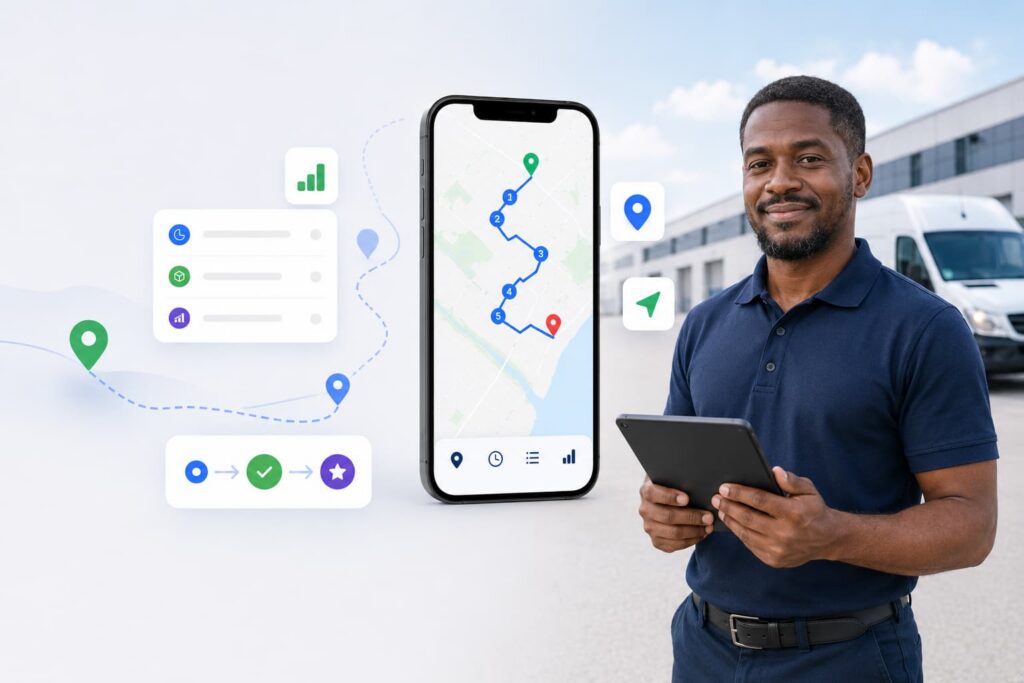
Field service time tracking is the process of recording when and where technicians start, work, and complete jobs in the field. It captures travel time, on-site hours, and task-level activity in real time, replacing paper logs and end-of-day guesswork with accurate, verifiable data.
For field service businesses, whether in HVAC, construction, moving, roofing, or delivery, accurate time tracking directly impacts payroll accuracy, client billing, labor cost control, and operational efficiency.
What Does Field Service Time Tracking Software Do?
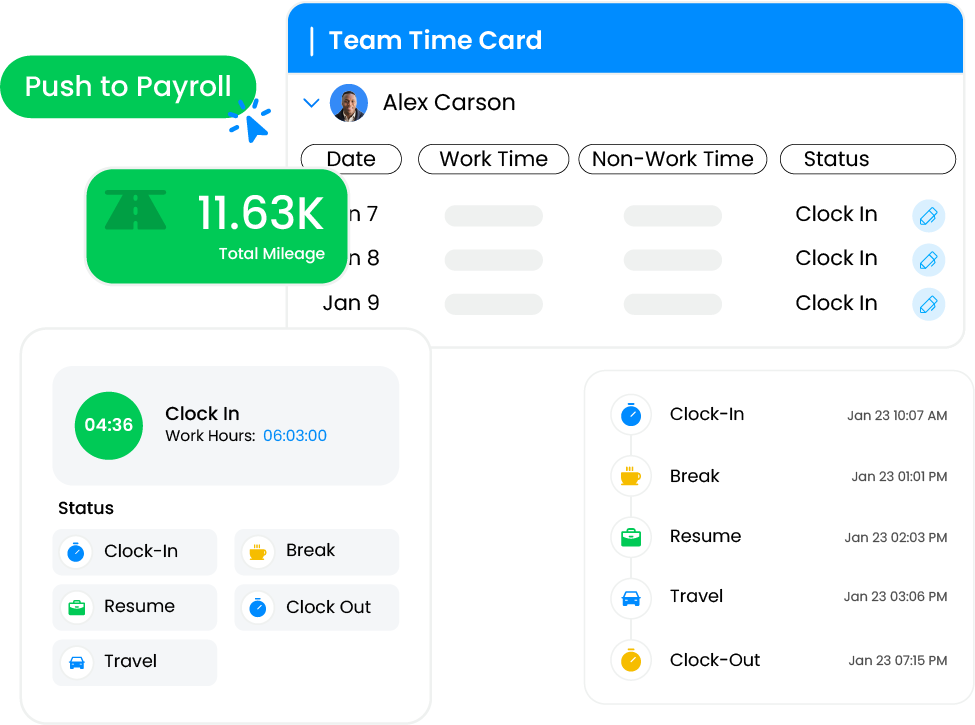
Field service time tracking software automatically records when technicians clock in, travel to job sites, begin work, and complete tasks. It uses GPS, geofencing, and automated timestamps to create an accurate, verifiable audit trail for every job.
Key capabilities include:
Real-time clock-in and clock-out from mobile devices
GPS-verified location stamps at every status change
Crew-level bulk clock-in for multi-person teams
Multi-day job tracking with daily breakdowns
Direct payroll system integration to eliminate manual data entry
Automated alerts for anomalies like off-site clock-ins or overtime thresholds
Best Practices for Time Tracking in Field Operations
Let’s look at some best practices to time track your crews:
1. Stop Buying “Too Many Buttons”
I’ve noticed a trend where business owners buy a “Full Project Management System” when all they really need is accurate time and location. These apps are loaded with safety forms, RFIs, and complex scheduling.
On paper, it looks great. But it turns out to be a disaster in the field. Your techs open the app, see 15 menus, and immediately back out. They are not data entry clerks. They’re technicians who have work to get done. So if the app feels like “extra work,” they won’t use it until they’re sitting in their truck at the end of the day. And that’s where the “8:00 to 4:30” fiction starts.
How I’d fix it: I’m a big believer in the “Two-Tap Rule.” If a tech can’t clock in or switch a task in two taps, the system is too complex. This is why I like how Arrivy uses status-driven tracking. One tap for “Travel,” one tap for “On-Site.” It’s designed for the guy with grease on his hands who wants to throw his phone back in his pocket and get back to the job.
2. Why I Trust Timestamps Over “Check-ins”
Most “free” or office-centric apps use GPS snapshots. They ping the location when a guy hits “Start” and “Stop.”
I’ve found that snapshots are mostly useless for real field ops. They don’t catch the moments where someone clocks in from the Starbucks drive-thru and doesn’t actually hit the site for another twenty minutes. They also don’t help you when a client claims your tech never showed up.
The Fix: You need Geofenced Timestamps. I want to see the pull-up time, the time spent inside the geofence, and the drive time to the next location. Now this isn’t about being a micromanager but about being a business owner who values accuracy. When you have a timestamped, geofenced audit trail, the “arguments” about start times vanish. You have the proof, the GPS coordinate, and the duration. End of discussion.
3. Stop Over-complicating the Team Time Tracking
I’ve seen this happen a hundred times. A crew of six jumps out of the truck and starts hauling gear. The last thing on their minds is pulling out a phone to individually clock in. If your software requires every single person to manage their own digital log at the exact moment work starts, it’s going to fail.
My Solution: Use a Crew Clock-In model. I think the foreman or supervisor should be the “gatekeeper” of time. They arrive at the site, verify the crew is there, and clock everyone in with one action. It takes five seconds, the data is 100% accurate, and the crew stays focused on the work. Arrivy handles this natively, and honestly, it’s the only way I’ve seen work consistently for teams that move as a unit.
4. The Problem with Multi-Day Jobs
I’ve noticed that most tracking software treats a “job” and a “shift” as the same thing. But in the real world, a job might take five days. If your system can’t handle shift-level time tracking for a multi-day job, techs start lumping their time together or making vague notes that the office has to manually stitch together later.
The Fix: You need a “One Job, Multiple Days” architecture. You track the “main job” and the system allows you to split multi-day tasks into accurate daily entries. In Arrivy, I can see the total job progress on one screen, but I still have the granular daily data I need for payroll. You get the big-picture history for the client and the daily detail for yourself without any manual math.
5. Audit the “Red Flags,” Ignore the Rest
I think one of the biggest wastes of human potential is a manager reviewing fifty “clean” timesheets. It’s a boring, low-value task.
My Strategy: Handle red flags only. I want my dashboard to stay quiet unless something is wrong. I only want to review entries flagged for things like:
- Someone clocked in 10 miles away from the site.
- Someone is about to hit double-time.
- A manual edit was made to a timestamp after the fact.
If it’s not a red flag, I don’t want it on my desk. This is how you cut your payroll approval time from hours to minutes.
6. Connecting the Dots from Field to Payroll
If you’re still downloading files and manually uploading them to your accounting software, you’re asking for trouble. It’s too easy to hit the wrong key and create a payroll error. To protect your margins, the data needs to move from the field to the paycheck without anyone having to re-type a single number.
You need an unbroken straight path. When the tech taps a “Job Complete” status in the field, the data pushes directly to the payroll system.
You need an unbroken straight path. When the tech taps a “Job Complete” status in the field, the data pushes directly to the payroll system. Arrivy’s payroll sync is built to keep that thread intact from the moment of clock-in to the moment the paycheck is cut.
Field Service Time Tracking: Manual vs. Automated Comparison
| Factor | Manual / Paper-Based | Automated (Arrivy) |
|---|---|---|
| Clock-in method | Paper log or end-of-day recall | One-tap GPS-verified timestamp |
| Accuracy | Estimate-based, prone to rounding | Real-time, verified data |
| Crew tracking | Individual logs required | Bulk crew clock-in by foreman |
| Multi-day jobs | Manual stitching of daily notes | Shift-level tracking per job |
| Payroll integration | Manual file export/import | Automatic direct sync |
| Dispute resolution | No proof trail | GPS + timestamp audit trail |
| Manager review time | Hours per week | Minutes (exception-based) |
The Bottom Line
In my experience, most time tracking problems are systems problems. If your software doesn’t mirror the chaos and reality of a job site, your data will always be unreliable.
I’ve seen Arrivy fix this for a lot of diverse teams because it doesn’t try to be a “feature salad.” It’s built to be the Operations Cloud, the bridge between the grit of the field and the precision of the office.
If you’re tired of playing detective with your own payroll, I’d suggest you take a look at how we handle it.