 Login
Login





















Dock scheduling is one of the easiest warehouse problems to underestimate until it starts costing time, capacity, and money.
When appointments are handled through emails, calls, spreadsheets, or shared calendars, it becomes harder to control when trucks arrive, which dock doors are available, how long each load should take, and whether carriers have the right documents before they reach the facility.
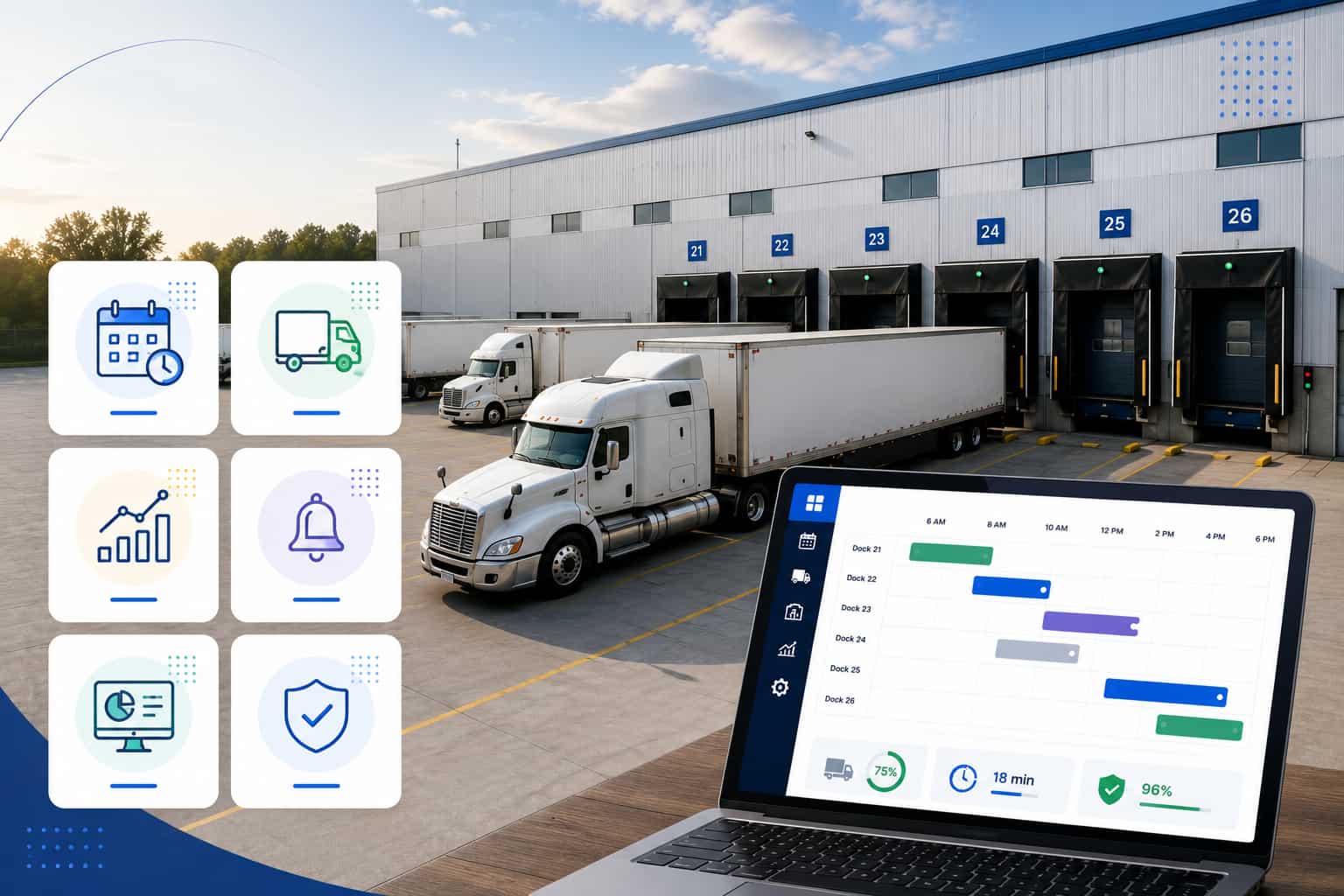
Dock scheduling software solves that by giving warehouses a structured way to manage inbound and outbound appointments, carrier self-booking, dock availability, time slots, documentation, and real-time appointment visibility.
In this guide, we compare the best dock scheduling software for warehouses in 2026, including Arrivy, Opendock, C3 Reservations, GoRamp, DataDocks, and LoadingCalendar, so you can choose the platform that fits your dock volume, carrier workflow, facility rules, and operational complexity.
Quick Answer: Best Dock Scheduling Software in 2026
Dock scheduling software helps warehouses manage inbound and outbound truck appointments, assign time slots, control dock capacity, reduce carrier wait times, and improve visibility across loading and unloading operations.
The best dock scheduling software in 2026 depends on warehouse size and workflow. Arrivy is strong for real-time dock visibility, carrier and shipper self-booking, documentation, reporting, resource-based dock scheduling, and multi-location scheduling control. Opendock is useful for carrier self-service scheduling and dock-to-yard visibility. C3 Reservations fits large distribution centers with configurable dock rules. GoRamp connects dock scheduling with yard visibility and time slot management. DataDocks supports carrier portals, check-ins, and dock/yard visibility. LoadingCalendar works well for small and mid-sized warehouses that need simple appointment scheduling.
What Is Dock Scheduling Software?
Dock scheduling software is a digital appointment system that helps warehouses schedule, manage, and track truck arrivals and departures at loading docks.
A dock scheduling platform usually helps with:
Inbound appointment scheduling
Outbound appointment scheduling
Carrier self-booking
Shipper and customer booking workflows
Dock door assignment
Time slot management
Appointment confirmations
Delay, cancellation, and no-show visibility
BOL, PO, photo, and form capture
Dock utilization tracking
Multi-location scheduling
Reporting and analytics
In practical terms, dock scheduling software gives warehouse teams a controlled appointment calendar. Carriers, shippers, or customers can request or book available appointment slots, while the warehouse controls the rules behind those slots. Those rules may include operating hours, dock door availability, equipment needs, load type, number of pallets, number of POs, expected loading or unloading duration, and maximum appointment volume.
The goal is to reduce dock congestion, prevent overbooking, improve labor planning, capture documentation earlier, and give every stakeholder a clearer view of what is happening before the truck reaches the facility.
Dock Scheduling vs. Yard Management vs. WMS
Dock scheduling, yard management, and warehouse management systems often overlap, but they solve different operational problems.
Dock Scheduling Software
Dock scheduling focuses on appointment planning. It helps teams decide who arrives, when they arrive, which dock or resource they use, how long the appointment should take, and what information must be captured before or during the appointment.
Dock scheduling is most useful when the warehouse wants to control arrivals, reduce email-based booking, prevent double-booking, and give carriers a self-service way to reserve available time slots.
Yard Management Software
Yard management focuses on what happens after trucks and trailers are on site. A YMS may include gate check-in, trailer tracking, parking zone visibility, yard jockey moves, trailer dwell time, dock-to-yard execution, and yard inventory.
A warehouse with high trailer volume, complex parking areas, or frequent drop-and-hook activity may need yard management in addition to dock scheduling.
Warehouse Management System
A WMS focuses on warehouse execution: receiving, inventory, putaway, picking, packing, shipping, labor workflows, and order fulfillment. A WMS may include some dock or receiving functions, but many warehouse teams still need dedicated appointment scheduling because carrier coordination starts before inventory hits the system.
Quick Comparison: Best Dock Scheduling Software for Warehouses
| Software | Best For | Main Strength | Pricing |
|---|---|---|---|
| Arrivy | Warehouses needing real-time dock scheduling, carrier/shipper self-booking, documentation, reporting, and multi-location control | Capacity-aware scheduling, dynamic calendars, dock/equipment resources, contact portals, real-time visibility, digital documentation | Contact vendor for custom pricing; 14-day free trial |
| Opendock | Warehouses wanting carrier self-service scheduling and dock-to-yard visibility | Large carrier scheduling network, self-service portal, dock scheduling, driver check-in, yard management, SmartGate | Contact vendor for pricing |
| C3 Reservations | Large distribution centers needing configurable appointment rules | Custom dock rules, carrier/supplier portal, rule-based durations, multi-site support, reporting, integrations | Contact vendor for pricing |
| GoRamp | Warehouses needing dock scheduling plus yard visibility | Time slot management, carrier booking, real-time dock/yard visibility, capacity planning | Third-party listings show starting prices from about $175/month |
| DataDocks | Dock and yard teams needing carrier portals, check-ins, and visibility | Self-service carrier portal, real-time dock dashboard, notifications, WMS/TMS integrations, yard visibility | Third-party listing shows $249/month starting price |
| Loading Calendar | Small and mid-sized warehouses needing simple dock appointment scheduling | Simple setup, carrier self-booking, branded booking links, unlimited docks/warehouses in published plan | €99/month; 14-day free trial |
What to Look for in Dock Scheduling Software
1. Carrier & Shipper Self-Booking
Carrier & shipper self-booking is one of the most important features in dock scheduling software. Instead of calling, emailing, or waiting for manual confirmation, carriers and shippers should be able to view available appointment slots and book directly from their portals.
This reduces administrative work for warehouse teams and gives customers a clearer process. The best platforms still let the warehouse control booking rules, appointment limits, required fields, and approval workflows.
2. Dock Door and Time Slot Rules
A strong dock scheduling platform should support rules such as:
Dock-specific availability
Loading and unloading duration
Inbound vs. outbound workflows
Buffer times between appointments
Carrier, shipper, or customer restrictions
Appointment limits by dock or time window
Load type requirements
Pallet, PO, or trailer-based duration logic
Equipment requirements, such as forklifts or special docks
Rules are what separate true dock scheduling software from a basic calendar.
3. Real-Time Dock Visibility
Warehouse teams should be able to see what is scheduled, arriving, delayed, in progress, completed, canceled, rescheduled, or missed. Real-time visibility helps dock supervisors react before delays cascade into the next appointment window.
4. Digital Documentation
Dock scheduling software should make it easy to capture and store documents such as:
Bills of lading
Purchase orders
Photos
Forms
Appointment notes
Check-in documents
Exception notes
Proof of delivery or pickup
Document capture matters because dock delays are not always caused by truck timing. They are also caused by missing information.
5. Multi-Warehouse Scheduling
Companies with multiple facilities need location-based appointment visibility, facility-specific rules, user permissions, reporting by site, and the ability to manage schedules without switching between disconnected tools.
6. Automated Notifications
A good dock scheduling system should notify carriers, shippers, customers, and internal teams about confirmations, changes, delays, no-shows, rescheduling, status updates, and completions. SMS and email notifications are especially useful for keeping carriers and customers aligned without manual follow-up.
7. Reporting and Dock Utilization
Reporting should help teams track:
Appointment volume
Wait time
No-shows
Carrier performance
Dock utilization
Dwell time
Peak appointment windows
Completion timing
Customer or shipper performance
Team time and operational performance
Reports are useful for improving staffing, proving ROI, reducing detention risk, and identifying bottlenecks.
8. Integrations
Useful integrations include WMS, TMS, ERP, email/calendar systems, carrier systems, APIs, yard management, billing, and compliance workflows. Integration needs vary by warehouse size, so smaller teams should avoid overbuying complexity they do not need.
How We Choose the Best Dock Scheduling Software
We evaluated each platform based on:
Dock appointment scheduling
Carrier self-booking
Inbound and outbound scheduling
Dock door rules
Capacity controls
Real-time appointment visibility
Digital documentation
Notifications
Reporting
Multi-location support
Yard management capabilities
Ease of use
Scalability
Best-fit warehouse type
Public pricing clarity
We separated dock scheduling from yard management because these are related but distinct needs. We focused on dock scheduling platforms most relevant to warehouse appointment scheduling, carrier self-booking, dock visibility, documentation, yard-adjacent workflows, and multi-location operations. We excluded general appointment schedulers and tools where dock scheduling is not a core warehouse workflow.
Best Dock Scheduling Software for Warehouses
1. Arrivy – Best for Real-Time Dock Scheduling, Carrier/Shipper Self-Booking, Documentation, and Multi-Location Control
Arrivy Dock Scheduling helps warehouses control inbound and outbound dock traffic by letting carriers, shippers, and customers book and reschedule time slots while warehouse teams manage availability, resources, communication, documentation, and appointment status in one system.
Arrivy is a strong fit for teams that need more than a basic dock calendar. It combines appointment scheduling, carrier and shipper self-booking, dock/resource availability, automated communication, forms, documentation, reporting, and live operational visibility in one system.
A major advantage is Arrivy’s dynamic calendar capability. Static calendars use predefined slot durations, start times, and end times. But dynamic calendars can calculate slot duration based on factors such as number of POs, load type, number of pallets, or other custom fields. This helps warehouses match appointment length and dock selection to the actual work required.
Benefits
- Strong fit for complex dock scheduling workflows
- Improves real-time visibility across appointments and resources
- Reduces manual coordination with carrier, shipper, and customer self-booking
- Supports more accurate scheduling with dynamic slot durations
- Helps centralize documents, forms, updates, and reporting
Limitations
Arrivy may require more setup than a lightweight booking calendar, especially for teams using dynamic calendars, resource templates, contact portals, custom forms, or advanced reporting. It is also not intended to replace a full enterprise yard management system for operations focused mainly on yard jockey dispatching, trailer inventory, or complex yard move execution.
Best For
Arrivy is best for warehouses, distribution centers, 3PLs, manufacturers, retail distribution teams, wholesale distributors, private warehouses, cold storage logistics, and multi-location operations that want to replace spreadsheets, calls, and emails with structured dock appointment scheduling.
Not Best For
Arrivy may not be the best fit for facilities looking only for a free or ultra-basic scheduling link, or for enterprises whose main purchase requirement is a full yard management system with deep trailer move execution.
Want to see how Arrivy handles carrier self-booking, dock visibility, documentation, and multi-location scheduling in one workflow?
2. Opendock – Best for Carrier Self-Service Dock Scheduling
Opendock is a dock scheduling platform focused on reducing manual coordination between warehouses and carriers. It gives carriers a self-service portal to book, reschedule, and update appointments, while warehouse teams manage appointment visibility through a centralized system.
Opendock also positions its platform around dock-to-yard control, with products for dock scheduling, driver check-in, yard management, and SmartGate.
Benefits
- Reduces carrier scheduling calls and emails
- Connects dock scheduling with check-in and yard visibility
- Helps standardize appointment booking across locations
Limitations
Opendock may be more carrier-network and dock-to-yard focused than teams that need highly customized warehouse workflows, advanced forms, or stakeholder-specific communication. Smaller warehouses may also find the platform broader than what they need for simple appointment booking
Best For
Opendock is best for warehouses with frequent carrier appointments, teams that want carrier self-service scheduling, and facilities that want dock scheduling with gate or yard visibility.
Not Best For
Opendock may not be ideal for small warehouses that only need a simple booking link, or for teams that need highly customized dock workflows tied to complex internal forms and stakeholder-specific communication.
3. C3 Reservations – Best for Large Distribution Centers With Configurable Dock Rules
C3 Reservations is built for large-scale dock scheduling and high-volume distribution operations. It supports configurable dock rules, carrier and supplier portals, rule-based durations, document attachments, automated notifications, reports, dashboards, audit/compliance workflows, multi-site scheduling, and integrations.
C3 is especially relevant for distribution centers that need appointment rules to reflect facility constraints. Instead of simply opening generic time slots, teams can configure what can be delivered, where, when, and under which conditions.
Benefits
- Strong rule control for large distribution centers
- Helps manage high-volume appointment complexity
- Supports consistent scheduling across multiple sites
- Useful for supplier and carrier appointment governance
- Good fit for regulated or compliance-heavy operations
Limitations
C3 Reservations may be heavier than smaller warehouses need. Implementation can require more discovery, configuration, and process alignment, especially for organizations with complex rule structures or multi-site operations.
Best For
C3 Reservations is best for large distribution centers, grocery distribution, retail distribution, food and beverage warehouses, manufacturing facilities, and high-volume inbound/outbound operations.
Not Best For
C3 may not be the best fit for very small warehouses, teams needing a lightweight self-serve setup, or businesses that only need basic appointment booking
4. GoRamp – Best for Dock Scheduling Plus Yard Visibility
GoRamp provides dock scheduling and time slot management for warehouses that want to reduce queues, improve appointment flow, coordinate carriers, and connect dock scheduling with yard visibility.
GoRamp is a strong option for teams that need dock appointment scheduling but also care about yard coordination, capacity planning, and real-time operational visibility.
Benefits
- Helps reduce dock congestion and arrival bottlenecks
- Improves logistics coordination across teams and carriers
- Supports better capacity and labor planning
- Useful for tracking delays, dwell time, and utilization
Limitations
GoRamp may be more complex than teams that only need straightforward dock appointment booking. Facilities that do not need yard visibility, capacity planning, or broader logistics coordination may not use the full platform depth.
Best For
GoRamp is best for warehouses with dock congestion, logistics teams needing dock and yard visibility, facilities trying to reduce queues and wait times, and operations that need stronger time slot management.
Not Best For
GoRamp may not be ideal for teams that only need simple dock appointment booking or small warehouses avoiding yard-level workflow complexity.
5. DataDocks – Best for Branded Carrier Portals and Dock/Yard Visibility
DataDocks provides dock scheduling and yard management capabilities, with a strong emphasis on replacing spreadsheets and phone calls with a self-service carrier portal. Carriers can book appointments while warehouse teams keep control through rules, notifications, and visibility tools.
DataDocks is useful for teams that want a browser-based dock dashboard, carrier self-service, automatic notifications, and integrations with warehouse or transportation systems.
Benefits
- Branded portals create a cleaner carrier experience
- Improves visibility into check-ins, wait times, and appointment status
- Useful for teams needing dock and yard visibility together
Limitations
DataDocks may offer more dock and yard capability than a small warehouse needs. Teams may also need setup time to configure rules, carrier workflows, notifications, and integrations.
Best For
DataDocks is best for warehouses needing carrier self-service, branded appointment portals, dock appointment control, check-in visibility, and dock/yard coordination.
Not Best For
DataDocks may not be best for teams that only need a simple appointment calendar or warehouses without yard complexity.
6. LoadingCalendar – Best for Small and Mid-Sized Warehouses
LoadingCalendar is simple warehouse scheduling software for small and mid-sized warehouses. It helps teams replace spreadsheets and phone calls with dock appointment scheduling, carrier self-booking, branded booking links, and a warehouse calendar.
The setup flow is straightforward: create docks, define operating hours and loading types, share a booking link, and let carriers book available slots.
Benefits
- Simple and fast to set up
- Good fit for small and mid-sized warehouses
- Reduces spreadsheet, phone, and email scheduling
- Easy carrier self-booking with branded links
Limitations
LoadingCalendar is less suited for complex enterprise dock and yard operations. It may not offer the same depth of advanced workflow customization, multi-system integration, dynamic scheduling logic, or operational orchestration as more robust platforms.
Best For
LoadingCalendar is best for small warehouses, mid-sized warehouses, manufacturers, wholesalers, distribution teams, and companies replacing manual scheduling.
Not Best For
LoadingCalendar may not be best for large enterprise distribution centers, complex dock and yard workflows, or teams needing advanced multi-system integrations.
Which Dock Scheduling Software Should You Choose?
Choose Arrivy if you need to reduce wait times, improve dock utilization, centralize appointment details, and manage scheduling visibility across teams or locations.
Choose Opendock if your biggest challenge is reducing carrier scheduling calls, emails, and appointment back-and-forth.
Choose C3 Reservations if you run a high-volume facility that needs strict rules to prevent overbooking and keep complex schedules under control.
Choose GoRamp if dock delays are tied to yard congestion, truck queues, or poor arrival visibility.
Choose DataDocks if you want more structured carrier booking plus better check-in, wait-time, and dock status visibility.
Choose LoadingCalendar if you need a simple, low-complexity way to replace spreadsheets, phone calls, or shared calendars.
Final Verdict
Arrivy is the strongest fit in this list for warehouses that need dock scheduling to connect with real-time operational visibility, carrier and shipper self-booking, digital documentation, resource-based scheduling, custom appointment rules, and multi-location control. It is not the lightest option for teams that only need a basic booking link, and it is not positioned as a full enterprise YMS replacement for trailer-move execution. But for warehouse teams that need structured appointment scheduling plus live execution visibility, it is one of the most complete options to consider.
See how Arrivy helps warehouses reduce wait times, control dock capacity, and manage inbound and outbound appointments in real time.