

Building a field service business is, in many ways, an exercise in documentation. Along with your service, you are also selling the certainty that the work was done right. For years, photos have been the primary way we prove that value. They are the “receipts” for the hard work your crews do every day.
But there is a massive difference between having photos and actually being able to use them.
Most operations suffer from a kind of visual blindness. The images exist, but they are scattered across the platform. To find a specific photo or video, you’re opening a task, scrolling through a journal, or clicking into three different forms just to find one specific shot. This is a drain on your momentum.
We launched the Arrivy Gallery to fix this once and for all. We wanted to move away from “attachments” and toward a unified visual timeline that actually makes sense for the people running the business.
The Problem With Buried Documentation
Most field service management platforms treat photos as static attachments. They live exactly where they were uploaded and nowhere else. If a technician embeds a photo in a site survey form, it stays locked in that form. To see it, you have to know exactly where to look. This creates a significant visibility gap for management, leading to four major friction points:
Arrivy Gallery: A Centralized View of Your Operation
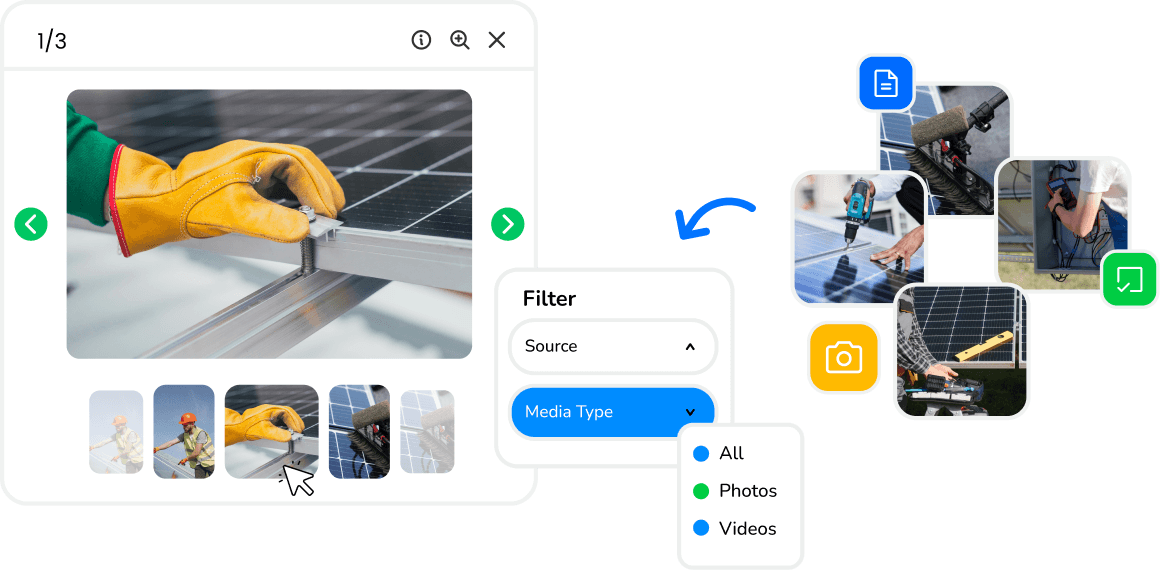
The Arrivy Photo Gallery acts as a high-visibility layer that sits over your entire operation. Instead of making you go to the data, we bring the data to you in one place. Whether you are looking at a single Task, a massive Project, or a long-term Customer Profile, you now have a dedicated gallery tab that aggregates everything.
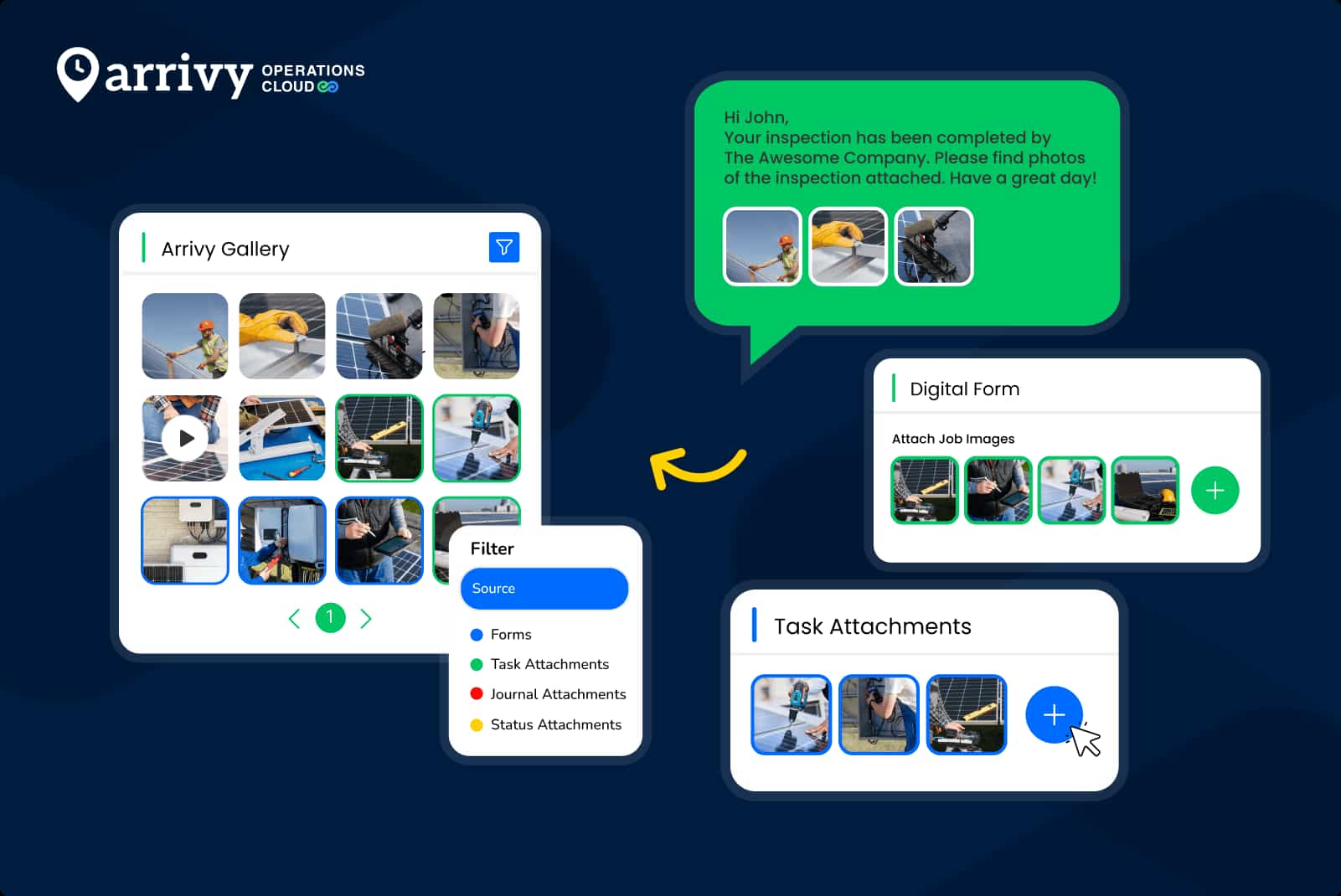
It pulls every image from every corner of the platform (form submissions, status updates, journal entries, and direct attachments) and lays them out in a clean, searchable grid.
What Makes Arrivy Photo Gallery a Game-Changer?
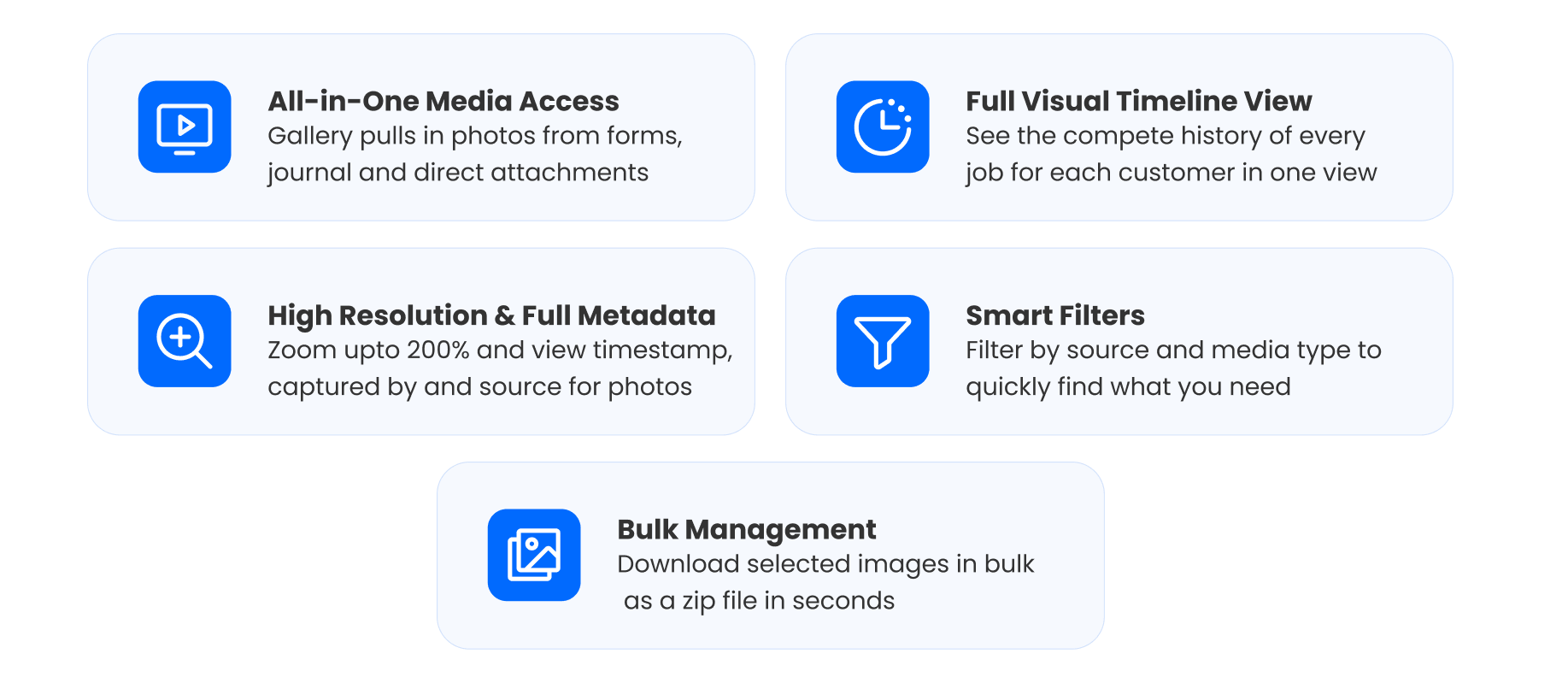
1. Centralized “All-in-One” Media Access
You don’t have to click through three different tabs anymore to see what happened on-site. The gallery automatically pulls in:
- Form Attachments: Every photo taken during an inspection or survey.
- Journal Entries: Real-time updates sent by field crews or customers.
- Status Triggers: Images required as part of a status change (e.g., “Job Completed”).
- Direct Attachments: Files uploaded directly to the task or project.
2. A Full Visual Timeline for Every Customer
This is the most impactful part of the new feature. Inside every Customer Profile in Arrivy, you now have a dedicated Gallery tab. It provides a chronological record of every job ever performed for that client. If you’re back at a property for the third time in two years, you can see the entire evolution of that site without opening a single old task. It builds massive trust when you can show a customer exactly what has changed over time.
3. High-Resolution Inspection with Full Metadata
Clarity requires detail. Our new high-resolution viewer allows users to zoom up to 200% for close-up inspections. More importantly, it provides the context behind the image. By opening the Info panel, you can see the exact timestamp, the person who took the photo, and the specific form or task it originated from. If there is ever a dispute or a quality question, you have the metadata to back up your work.
4. Smart Filtering and Bulk Management
When you’re dealing with a project that has 200+ images, you need to find specific data fast. The gallery includes robust filters to narrow down your view by:
Source: (e.g., Only show photos from “Installation Forms”)
Media Type: Toggle between photos and videos.
Moreover, If a client needs a report of the day’s progress, you can select the relevant images and download them as an organized ZIP folder instantly. What used to be a tedious manual process is now a standard part of your workflow.
Arrivy vs. Traditional Media Management
| The Old Workflow | The Arrivy Gallery |
|---|---|
| Photos are locked inside individual forms and journals | Every image is pulled into a unified, searchable grid |
| Office teams spend time hunting through records | Information is instantly accessible in one place |
| Customer history is fragmented by job | A full visual timeline exists for every property |
| Sharing proof of work is a manual, multi-step process | One-click bulk selection and organized downloads |
Moving Beyond Attachments
In this industry, the difference between a good company and a great one is how they handle information. If your team is constantly slowed down by a lack of clarity, your growth will always be capped.
The Arrivy Gallery is a commitment to making your field operations transparent, accountable, and fast. It turns your photos and attachments into “intelligence you use.”
The feature is now live for all Arrivy users. Log in, open a customer profile, and see your business in a whole new light.