

Almost every field service team experiences delays because they do not have instant access to the information they need.
What should take seconds turns into a 10 to 15-minute delay, missed schedules, and frustrated customers. Over time, these interruptions add up to hours of lost productivity and revenue.
Arrivy’s AI Team Assistance fixes this by delivering instant answers from company documents and live task data, right inside Arrivy. No switching tools. No back-and-forth.
In this post, you will learn why field delays happen and how our new feature removes them.
Why Field Delays Happen and What They Cost?
Here are the most common reasons field delays happen and how they impact operations.
1. No Centralized Knowledge System
Most teams rely on WhatsApp messages, PDF folders, verbal briefings, and outdated SOPs. When a technician needs an answer mid-job, it is hard to find a single source of information.
Deloitte research found that a single distraction costs 23 minutes of focus and frequent interruptions cut productivity by 40%. In field service, one unanswered question does not just pause a job. It costs the rest of the day.
This leads to:
Inconsistent execution
Repeated mistakes
2. Managers Become Default Support
When information is not accessible, managers step in. They answer the same questions every day, which pulls them away from operational work.
This leads to:
Slower response times
Reduced team independence
3. No Real-Time Task Intelligence
Field teams often work without a full context. Task details, customer requirements, or job instructions are not always clear at the moment of execution.
Schneider Electric cut repeat service visits by 38% simply by getting the right information to technicians at the right moment. That is the same gap AI-Powered Team Assistance addresses.
This leads to:
Missed steps
Repeat visits
4. Training Gaps Slow Down New Hires
New technicians depend on others for answers. Without access to structured knowledge, onboarding takes longer, and performance varies.
This leads to:
Lower service consistency
Higher rework costs
The Shift: From Reactive Support to Instant AI Assistance
For years, field service teams have operated on a reactive model.
This cycle repeats throughout the day, across teams.
The problem is that the system requires human intervention for information that should already be accessible.
Modern field service operations demand a different model entirely.
One where:
- Your technician asks a question on-site and gets an answer immediately
- Your dispatcher pulls up task details without calling anyone
- Your manager stops being the first point of contact for information that already exists in your own documents
That is exactly what Arrivy’s AI-Powered Team Assistance is built to do.
Introducing Arrivy’s AI-Powered Team Assistance
AI-powered Team Assistance is now live in Arrivy.
What Does It Do?
Arrivy’s AI-Powered Team Assistance gives field crews, dispatchers, and managers instant answers from company documents and live task data, without leaving the platform
Arrivy’s AI-Powered Team Assistance is built directly into the platform your team already uses every day. There is no separate app to download, no new system to learn, and no switching between tools mid-job.
At its core, the feature works in three steps:
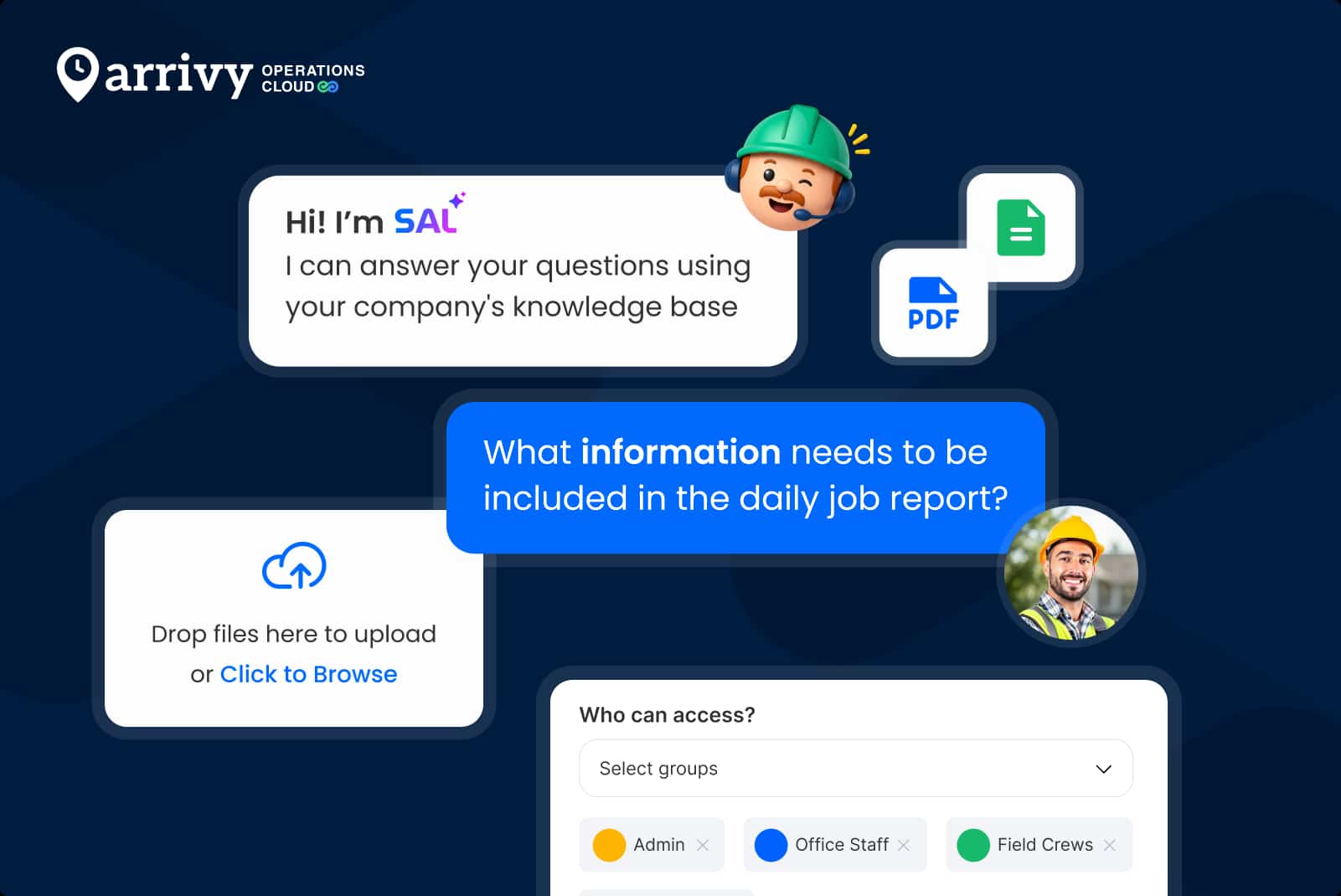
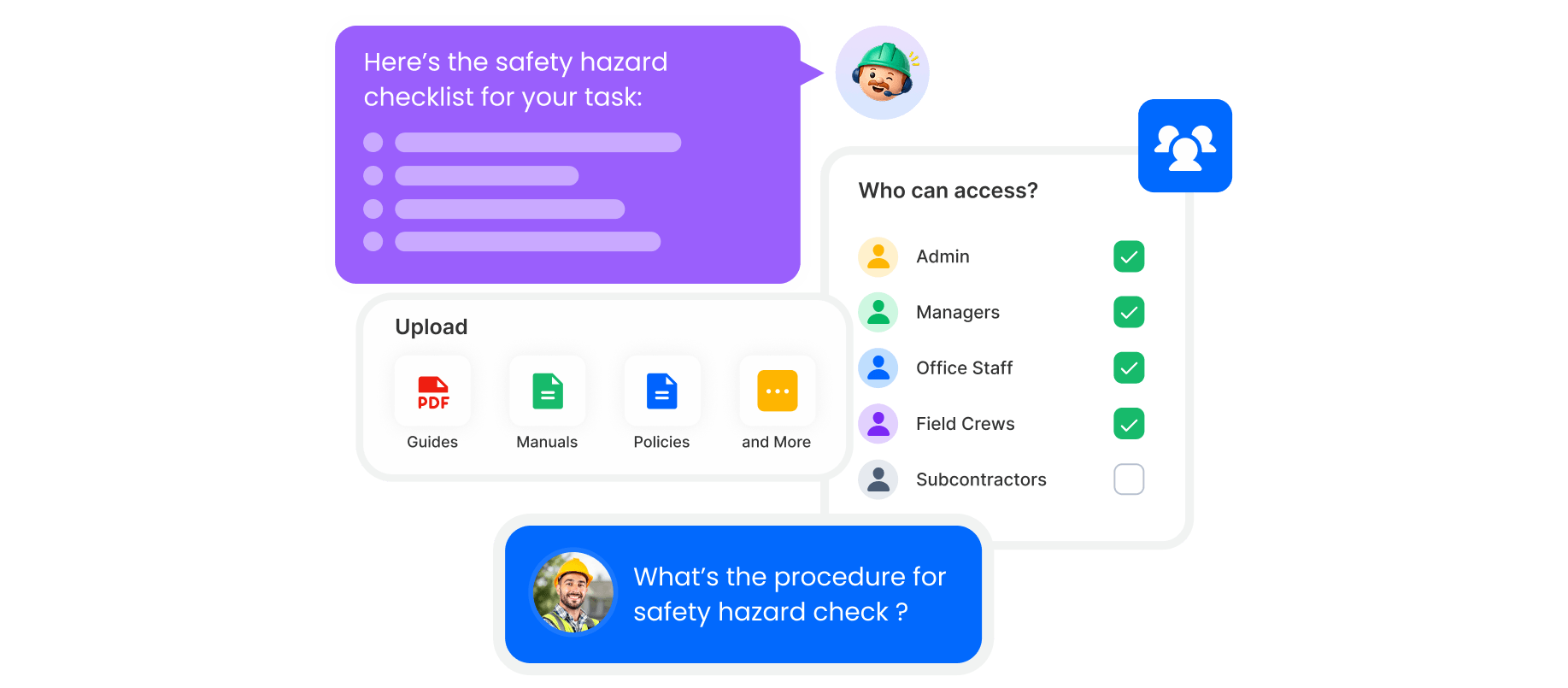
1. Your business uploads company documents into Arrivy, including SOPs, training manuals, job guides, and onboarding materials.
2. Field crews, dispatchers, and managers ask questions directly inside Arrivy on the web or mobile.
3. SAL AI (Arrivy’s AI) pulls answers from those documents and from live task data instantly.
What is SAL AI?
SAL is Arrivy’s built-in AI, trained to respond using your own company documents and live task data.
It is different from the generic AI tool because it is context-aware. SAL AI understands the current task, the crew assigned to it, and the job details tied to it. If a technician asks a question about their current task, AI provides a specific answer.
Access is also role-based. Each user sees information relevant to their role:
| Role | Access |
|---|---|
| Field Crew | Job-specific instructions, materials, safety protocols, task details |
| Dispatcher | Task summaries, scheduling information, crew assignments |
| Manager | Operational data, team performance, task analytics |
This means no information overload and no irrelevant answers. Every person on your team gets exactly what they need to keep the job moving.
Work Anywhere with AI Assistance
Ask questions, get answers, and keep the job moving, on web and mobile, right inside Arrivy.
Why Arrivy’s AI Team Assistance Stands Out?
According to the McKinsey report, service operations are one of the most common areas where AI is applied to improve execution and support. For field teams, that efficiency shows up in the time between a question and an answer.
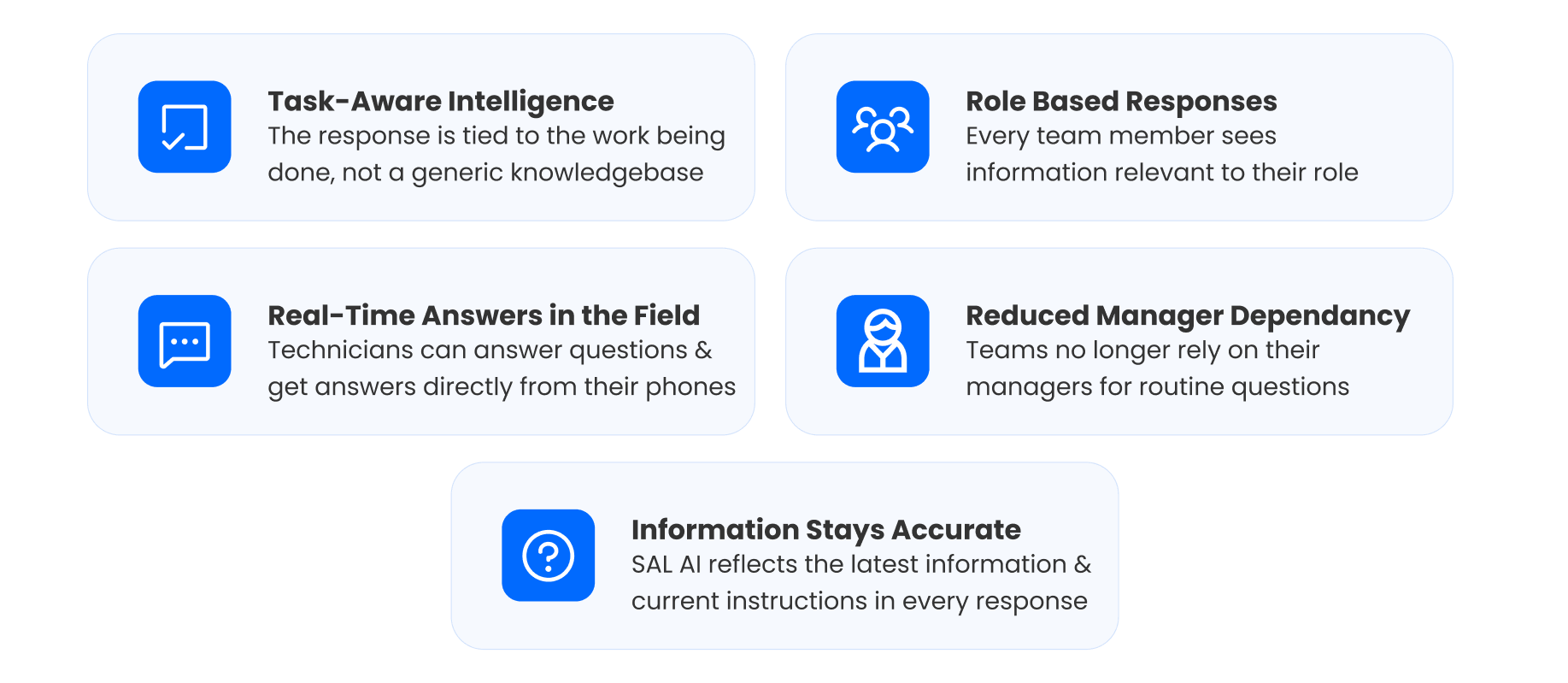
Here is what sets Arrivy’s AI Team Assistance apart:
Task-Aware Intelligence
The response is tied to the work being done, not a generic knowledge base.
Role-Based Responses
Every team member sees information relevant to their role.
Real-Time Answers in the Field
With Arrivy, technicians can ask questions, capture images, and get answers directly from their phones while the job is in progress.
Reduced Manager Dependency
Teams no longer rely on managers for routine questions.
Information Stays Accurate Over Time
SAL AI reflects the latest information in every response. Teams work with current instructions without extra follow-ups.
Arrivy vs Traditional Methods
The difference between traditional workflows and AI-powered Team Assistance shows up in daily operations.
| Traditional approach | Arrivy AI Team Assistance |
|---|---|
| The technician calls the office for answers | The technician asks SAL and gets an instant response |
| Knowledge scattered across folders and messages | Company knowledge available in one place |
| New hires depend on supervisors for every question | Self-serve access to onboarding and job guidance |
| Managers are pulled into repetitive questions daily | Routine queries handled automatically |
| Generic answers with no job context | Task-aware responses tied to the active job |
| Desktop-only or paper-based reference materials | Access to the web and mobile during the job |
| Outdated documents circulating across teams | Updates reflected instantly across teams |
As teams grow, these gaps become harder to manage.
Best Practices to Get the Most out of AI Team Assistance
Enabling the feature is only the first step. To get consistent results, a few setup decisions matter. Here are the five that matter most:
1. Start with High-Frequency Questions
Upload the information your team asks for every day. Build around real job scenarios, then expand.
2. Keep Documents Clear and Structured
Use simple language and clear headings so answers surface correctly.
3. Set Role Access Deliberately
Give each role access to relevant information.
4. Train Your Team to Use it in the Field
Encourage crews to ask SAL AI instead of calling the office.
5. Keep Information up to Date
Replace outdated documents, so responses stay accurate.
Why Arrivy is the right choice for field operations?
Arrivy does not add another tool to your stack. It brings AI into the workflow your team already uses.
AI, scheduling, dispatch, and execution in one platform
Answers available during the job, not after a delay
No switching between systems or tools
Everything stays connected, from planning to execution.
Conclusion
Field delays come from slow access to information.
Arrivy’s Team Assistance, powered by SAL AI, changes how work gets done. Questions are answered during the job, so work continues without interruption.
The impact shows up in daily operations. Jobs move faster. Errors reduce. Teams work with more clarity. That is what AI-powered field service management looks like in practice.