

What is dispatch software?
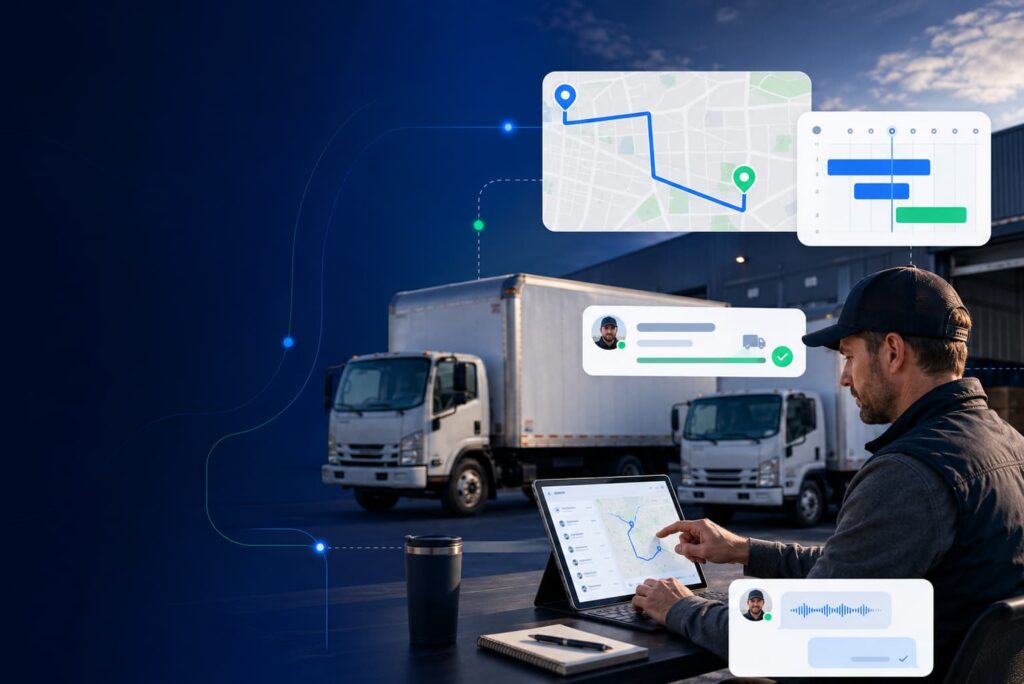
Dispatch software is a digital system that helps businesses schedule jobs, assign technicians or drivers, optimize routes, track field progress in real time, and keep customers updated through automated notifications. It is commonly used by field service, delivery, logistics, construction, moving, HVAC, roofing, solar, installation, and home service businesses to reduce manual coordination, improve ETA accuracy, and increase operational visibility.
In simple terms, dispatch software replaces spreadsheets, whiteboards, shared inboxes, and manual phone calls with a centralized dispatch dashboard. Instead of guessing which crew is available, where a driver is, or whether a customer has been updated, operations teams can manage the full job-day workflow from one connected system.
Modern dispatch software does more than assign work. It connects dispatchers, field crews, customers, vehicles, routes, job records, proof of service, and reporting into one operational workflow.
Before moving towards radical solutions for your business, let’s delve deeper into understanding dispatch software.
Key takeaways
- Dispatch software helps businesses schedule jobs, assign crews, optimize routes, track progress, and communicate with customers.
- It is especially useful for companies with mobile teams, technicians, drivers, installers, contractors, or field crews.
- Core features include a dispatch dashboard, drag-and-drop scheduling, GPS tracking, live ETAs, route optimization, mobile crew apps, automated notifications, proof of delivery, integrations, and analytics.
- Dispatch software improves operational visibility, reduces manual work, minimizes phone tag, and helps teams respond faster to real-time changes.
- The best dispatch software should integrate with CRM, ERP, accounting, telematics, calendar, and field service systems.
- Arrivy helps service and logistics teams manage dispatching, routing, live tracking, customer communication, digital documentation, and reporting from one platform.
Why Dispatch Software Matters?
Many small and mid-sized businesses still rely on spreadsheets, shared inboxes, phone calls, and manual updates to coordinate field work. That approach may work when the team is small, but it quickly becomes difficult to manage as job volume, crew count, service areas, and customer expectations grow.
Without a dispatch system, operations teams often deal with:
Repeated data entry
Missed or delayed updates
Poor visibility into crew location
Inefficient route planning
Overbooked or underused teams
Unclear customer arrival windows
Higher risk of no-shows or missed appointments
More paperwork and billing delays
Dispatch software solves these problems by giving the business a centralized system for managing job-day execution.
| Manual dispatching | Dispatch software |
|---|---|
| Spreadsheets, whiteboards, and phone calls | Centralized dispatch dashboard |
| Repeated data entry | Connected job records |
| Limited real-time visibility | Live crew, driver, and job tracking |
| Manual customer updates | Automated SMS, email, and tracking notifications |
| Static routes | Route planning and optimization |
| Paper forms and signatures | Digital forms, photos, notes, and eSignatures |
| Delayed reporting | Real-time operational analytics |
Industry Insight
The dispatch software industry has been experiencing remarkable growth in recent years. In fact, the global service dispatch software market was valued at approximately $3.9 billion in 2022 and is expected to grow at a CAGR of nearly 12.5% through 2030.
3 Levels of Impact of Dispatch Software
Thinking of abandoning pen-and-paper dispatching? Get reliable support from dispatch software and let your business flourish. A dispatch software will help you at these three levels:
Dispatcher
Have complete access to the entire process and can make any real-time changes if required.
Technicians
Mobile app access makes the job easier. The task journal helps track customer history, capture updates, and manage follow-ups without paperwork.
Customer Experience
Customers stay informed throughout the process. This transparency builds trust and loyalty, directly leading to retention.
How Dispatch Software Works – The Dispatch Workflow
Dispatch software manages the full journey from job creation to completion. While every business has its own process, most dispatch workflows follow seven core steps.
-
-
Step 1 – Job Creation & Intake
When a new job/service request/ delivery order is created in the system, it includes details like:
- Customer information
- Service location
- Job type/requirements
- Scheduled date and time window
- Required crew, technician, driver, vehicle, or equipment
- Special instructions
- Priority level or SLA requirement
The goal is to create one source of truth for the job before it reaches the dispatcher or field team.
-
-
-
Step 2 – Assignment & Scheduling
Once the job is created, the dispatcher assigns the right person or team. Dispatch software can support manual assignment, drag-and-drop scheduling, or automated assignment.
Assignments may be based on:
- Technician skill set
- Driver or crew availability
- Service territory
- Proximity to the job location
- Vehicle or equipment requirements
- Customer time window
- Job priority
- Workload balance
A good dispatch platform helps dispatchers avoid double-booking, reduce idle time, and make faster scheduling decisions.
-
-
-
Step 3 – Route Planning & Optimization
After jobs are assigned, the system helps determine the most efficient routes. Route optimization is especially important for businesses with multi-stop crews, delivery teams, mobile technicians, or service territories.
The system considers the following factors while planning routes:
- Distance
- Estimated travel time
- Traffic conditions
- Job duration
- Customer time windows
- Crew availability
- Service area boundaries
This helps reduce unnecessary driving, improve on-time arrival, and make better use of available field resources.
-
-
-
Step 4 – Real-Time Tracking & Updates
Once a technician, driver, or crew is dispatched, the system tracks progress in real time. Dispatchers can see whether a team is scheduled, en route, arrived, working, delayed, or completed.
- Customers can also receive automated updates such as:
- Appointment confirmation
- Crew or driver information
- “On the way” notification
- Live tracking link
- ETA update
- Delay notification
- Job completion message
This reduces the number of inbound calls for service updates.
-
-
-
Step 5 – Job Execution & Mobile App Access in the Field
Modern dispatch software usually includes a mobile app for technicians, drivers, installers, or field crews. This gives field teams access to the information they need without calling the office.
A mobile dispatch app can help crews:
- View assigned jobs
- Access customer details
- Open routes and navigation
- Change job status
- Add notes
- Upload photos or videos
- Complete digital forms
- Capture eSignatures
- Work offline when internet access is limited
- Sync updates back to the office
This creates a paperless workflow and keeps dispatchers informed without constant manual check-ins.
-
-
-
Step 6 – Proof of Service, Proof of Delivery, and Billing Handoff
After the job is completed, the crew can capture proof of service or proof of delivery. This may include:
- Customer signature
- Completion photos
- Delivery photos
- Notes
- Digital forms
- Time stamps
- Location data
- Before-and-after documentation
The system can then sync job completion data with CRM, accounting, invoicing, or work order systems. This helps reduce billing delays, missing documentation, and customer disputes. On job completion, the dispatch software also automatically:
- Records completion time
- Generates completion report
- Triggers customer satisfaction survey/review request
- Updates inventory/equipment records
-
-
-
Step 7 – Reporting & Analytics
The final step is performance analysis. Dispatch software stores job data so operations leaders can understand what happened and where to improve.
Common dispatch KPIs include:
- On-time arrival rate
- First-time completion rate
- Average dispatch time
- Travel time per job
- Crew utilization
- No-show or missed appointment rate
- Customer status inquiry rate
- Job completion time
-
Core Features of Dispatch Software
The most efficient dispatch software serves at 4 levels. It connects dispatchers, field teams, and customers, ultimately providing real-time and transparent information to the business owners. The core features of the dispatch software that make it significant for any modern service-based business are:
| Feature | What it does |
|---|---|
| Visual Dispatch Dashboard | Shows jobs, crews, statuses, routes, and schedules in one view |
| Drag-and-drop scheduling | Allows teams to assign, reassign, or reschedule jobs quickly |
| GPS tracking and live ETA | Tracks crew or driver location and calculates arrival estimates |
| Route optimization | Plans efficient routes based on location, traffic, time windows, and workload |
| Mobile app for crews and drivers | Gives field teams access to job details, updates, forms, photos, and signatures |
| Automated notifications | Sends SMS, email, or portal updates to customers and teams |
| Proof of delivery or proof of service | Captures signatures, photos, notes, and completion records |
| Customer tracking link | Lets customers see live status or arrival progress |
| Digital forms and checklists | Replaces paper documentation with structured field data |
| System integrations | Connects with CRM, ERP, accounting, calendar, telematics, and field service tools |
| Reporting and analytics | Measures dispatch performance, travel time, utilization, and customer feedback |
Dispatch software vs. related tools
Dispatch software overlaps with several other operations systems, but it has a distinct role.
Dispatch software vs. scheduling software
Scheduling software focuses on booking appointments and assigning time slots. Dispatch software goes further by managing real-time job assignment, crew tracking, route optimization, customer notifications, proof of service, and completion updates.
Dispatch software vs. field service management software
Field service management software is usually broader. It may include estimates, work orders, inventory, invoicing, contracts, asset history, and technician management. Dispatch software focuses specifically on job-day execution: assigning work, routing teams, tracking progress, and keeping customers updated.
Dispatch software vs. route optimization software
Route optimization software focuses on finding efficient routes. Dispatch software may include route optimization, but it also manages schedules, assignments, job status updates, customer communication, proof of delivery, and reporting.
Dispatch software vs. fleet management software
Fleet management software focuses on vehicles, driver behavior, maintenance, fuel, compliance, and telematics. Dispatch software focuses on assigning jobs, coordinating field teams, managing routes, and completing service or delivery workflows.
Who uses dispatch software?
Dispatch software is useful for any business that sends people, vehicles, equipment, or crews to customer locations.
Field service businesses
Field service businesses use dispatch software to assign technicians, manage service windows, track job progress, and keep customers updated.
Common examples include:
- HVAC
- Plumbing
- Electrical
- Roofing
- Solar
- Installation and repair
- Pool service
- Appliance repair
- Home services
Delivery, logistics, and transportation teams
Delivery and logistics businesses use dispatch software to manage route planning, driver assignments, live tracking, proof of delivery, and customer notifications.
Common use cases include:
- Last-mile delivery
- Courier operations
- Furniture delivery
- Appliance delivery
- Retail delivery
- Transportation and logistics
Construction and contracting teams
Construction and contracting businesses use dispatch software to coordinate crews, equipment, vehicles, and job-site schedules.
Common use cases include:
- Crew dispatch
- Equipment assignment
- Job-site coordination
- Territory management
- Contractor scheduling
- Project-day execution
Moving companies
Moving companies use dispatch software to schedule crews, assign trucks, optimize routes, notify customers, capture signatures, and document job completion.
Events and rental businesses
Event and rental businesses use dispatch software to coordinate deliveries, pickups, setup crews, equipment movement, and customer communication.
Benefits of Dispatch Software
Dispatch software helps businesses improve scheduling, field operations, customer communication, and overall resource management. By replacing manual coordination with real-time visibility and automation, dispatch management software creates value for operations teams, field crews, customers, and business owners.
Key Benefits of Dispatch Software by Stakeholder
For operations teams
- Reduces manual scheduling and repeated coordination calls.
- Provides a real-time dispatch dashboard for better visibility.
- Helps assign jobs faster based on availability, location, and workload.
- Makes schedule changes easier when delays, cancellations, or urgent jobs occur.
- Supports proactive problem-solving instead of reactive dispatch management.
For field crews and drivers
- Eliminates constant phone tag between dispatchers and field teams.
- Provides clear job instructions through mobile access.
- Improves route efficiency with navigation and location-based assignments.
- Replaces paper forms with digital documentation.
- Enables real-time job updates from the field.
For customers
- Provides more accurate estimated arrival times.
- Reduces uncertainty around technician or driver arrival windows.
- Sends automated status updates and notifications.
- Enables live tracking for better transparency.
- Improves customer experience through professional communication.
For business owners
- Improves resource planning and workforce utilization.
- Reduces missed opportunities caused by inefficient scheduling.
- Provides better visibility into team performance and job progress.
- Speeds up reporting with centralized dispatch data.
- Lowers coordination costs and supports scalable operations.
How to choose the best dispatch software
Choosing dispatch software is not just about finding the longest feature list. The right platform should match your operational complexity, team size, customer experience goals, and existing software stack.
-
Look for scalability
A dispatch system should support your business as job volume grows. It should work for today’s dispatch process while giving you room to expand into more crews, territories, routes, locations, or service lines.
-
Prioritize real-time visibility
Your dispatchers should be able to see job status, crew availability, route progress, customer updates, and schedule changes in real time.
-
Check mobile app quality
Field teams need a reliable mobile experience. Look for job details, one-tap status updates, navigation, offline access, digital forms, media uploads, and signature capture.
-
Evaluate customer communication features
Automated notifications, live tracking links, ETA updates, two-way messaging, self-scheduling, and branded customer portals can significantly improve the service experience.
-
Confirm integration options
Dispatch software should connect with the systems your business already uses. Common integrations include:
- CRM systems
- ERP platforms
- Accounting software
- Calendar tools
- Payment tools
- Storage platforms
- Communication tools
Arrivy’s ecosystem includes integrations such as Salesforce, HubSpot, QuickBooks-related workflows, Xero, Square, Samsara, CompanyCam, Pipedrive, Zoho, Calendly, Google Drive, SharePoint, and others.
-
Review reporting and analytics
A strong dispatch platform should help you measure on-time arrival, job duration, route efficiency, customer feedback, crew utilization, and operational bottlenecks.
-
Make sure it fits your industry
Dispatch workflows vary by industry. A moving company, HVAC contractor, solar installer, courier team, and construction business may all need dispatch software, but their workflows are not identical. Choose a system that can adapt to your operational model.
Why Do You Need Dispatching Software?
A simple answer to this question is:
If you are looking to 10x your business profitability and radically increase customer retention rate, dispatch software is the indispensable solution. Without dispatch software, even a company with a small fleet can struggle to maintain efficient operations. In short, if you want to overcome common challenges such as communication gaps, wasted time and resources, and dissatisfied customers, it’s worth giving dispatch software a try.
Happy Crew = Happy Customers!
Looking for efficiency? Start here.
How Does Arrivy Simplify Dispatch Management?
Choosing the right dispatch software can be challenging, especially when every provider claims to solve your dispatching issues. Arrivy helps service, delivery, logistics, and field operations teams manage dispatching from one centralized platform. It is designed for teams that need real-time visibility, automated customer communication, mobile crew coordination, route planning, and digital proof of service.
Here are the 6 key features of the dispatch software offered by Arrivy:
1. A Visual Dispatch Dashboard for Complete Job-Day Control
Arrivy offers a centralized dashboard that gives dispatchers real-time visibility and control over all jobs. Key features include:
- Live Tracking: View all active jobs on a map with color-coded status indicators
- Route View: Group tasks by team/route with optimized stop sequences
- Drag-and-Drop Scheduling: Easily reassign or reschedule jobs
- Status Overview: See at-a-glance metrics like on-time performance
2. AI-Assisted Routing & Optimization
Arrivy’s intelligent routing capabilities help maximize efficiency:
- Auto-Routing: Automatically groups jobs by location, time windows, and resource skills
- Traffic-Aware ETAs: Adjusts routes in real-time based on traffic conditions
- Load Balancing: Distributes work evenly across teams
- What-If Scenarios: Test different scheduling options before committing
3. Mobile App for Crews & Drivers
The Arrivy mobile app (iOS/Android) empowers field teams with:
- One-Tap Status Updates: Mark jobs as En Route, Started, or Completed
- Offline Mode: Works without internet, syncing when connection resumes
- Digital Forms: Complete checklists and capture customer signatures
- Media Capture: Attach photos/videos to job records
4. Customer-Facing Experience
Arrivy enhances customer communication through:
- Automated Notifications: SMS/email alerts for ETA, delays, and completion
- Live Tracking Link: Customers can view driver location (Uber-like)
- Two-Way Messaging: Secure chat between customers and field teams
- Rating System: Collect feedback after job completion
5. Digital Proof of Delivery & Documentation
Eliminates paper trails with:
- eSignatures: Capture customer approvals on-site
- Media Attachments: Photos, videos, and notes for condition verification
- Offline Capability: Document collection works without connectivity
- Audit Trail: Timestamped record of all job activities
6. Reporting & Insights
Data-driven decision-making tools include:
- Performance Analytics: On-time rates, job duration trends
- Customer Feedback: Service rating reports
- Exportable Data: CSV exports for further analysis
- Custom Reports: Build dashboards for specific KPIs
Why Choose Arrivy Over Generic Dispatch Tools?
Arrivy stands out by offering practical and high-impact dispatch tools for your business. Take a closer look at why choosing Arrivy makes a difference.
| Feature | Arrivy | Other Tools |
|---|---|---|
| Industry Coverage | Supports field service, last-mile logistics, moving, construction, HVAC, roofing, solar, delivery, and more | Often focused on one narrow use case |
| Customer Experience | Built-in customer experience layer (live tracking, notifications, two-way messaging, feedback tools) | Mostly provided as paid add-ons or lack native functionality |
| Integrations | Flexible & custom-built integrations with CRMs (Salesforce, HubSpot), ERPs, accounting tools, and vertical solutions (MoversSuite, Samsara) | Limited pre-built integrations often require custom development |
| Scalability | Supports SMB and enterprise operations | Typically designed for either SMB or enterprise, not both |
| Mobile Capabilities | iOS and Android mobile apps with offline mode, forms, media capture, and status updates | Many require third-party apps or have limited mobile functionality |
| Routing Intelligence | AI-assisted routing, traffic-aware ETAs, load balancing, and route planning | Basic route sequencing without real-time adjustments |
| Documentation | Digital proof of delivery, eSignatures, photos, notes, and audit trails | Often rely on separate documentation systems |
| API Access | Enterprise-grade API for custom integrations and white-labeling | Limited or no API access in many solutions |
Conclusion – Dispatching Smarter in 2026 and Beyond
In 2026 and beyond, AI and predictive analytics will turn dispatch software into a true competitive advantage for businesses. A reliable dispatch platform will pave the way for consistent, up-to-date growth. It empowers dispatchers, field teams, customers, and business owners alike. When work becomes easier, job completion rates, customer retention, and overall revenue all increase. It’s fair to say that dispatch software is the smarter dispatching solution for 2026 and beyond.