Login
Login




















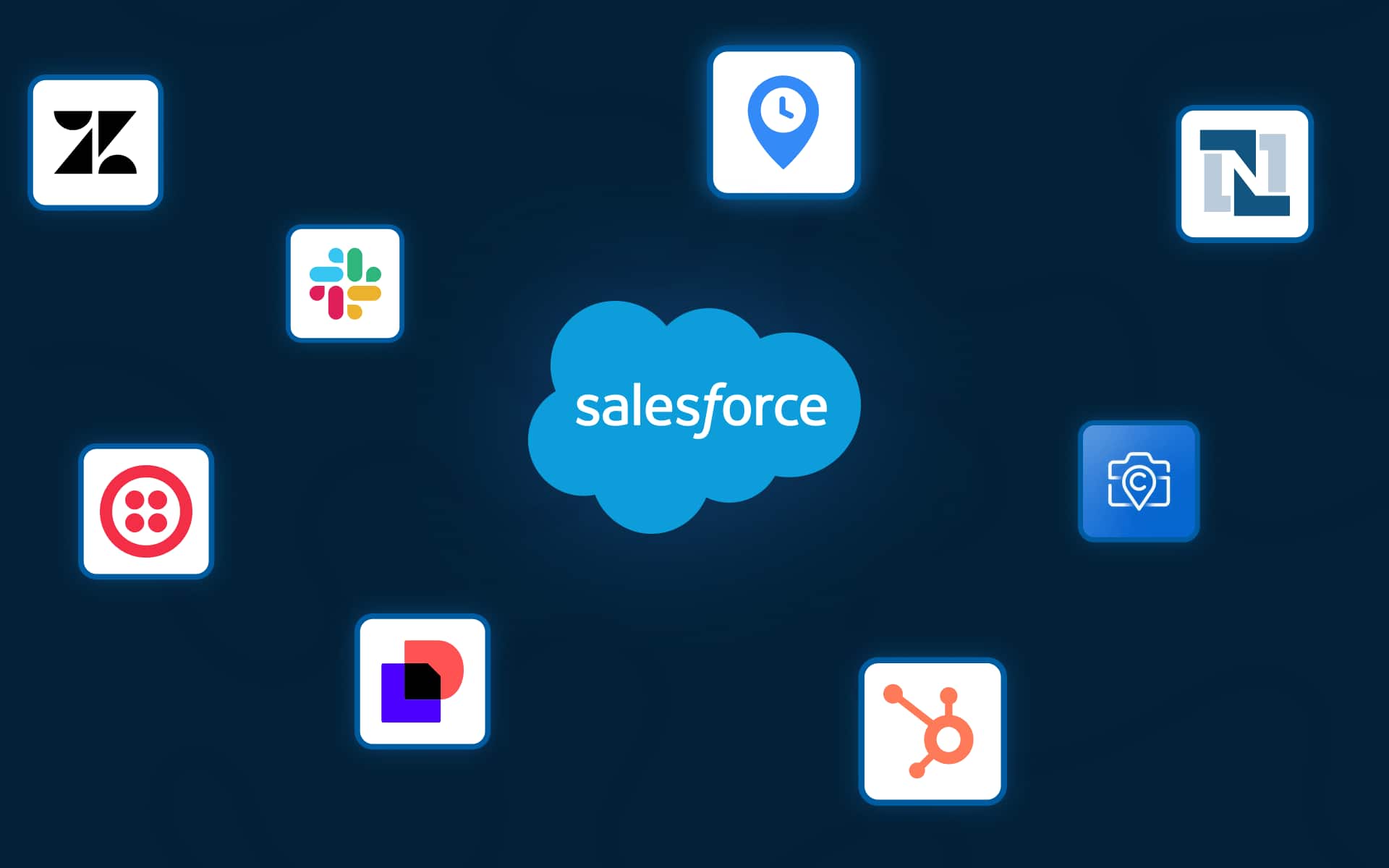


Finding the best Salesforce integrations for field service isn’t the same problem as finding the best Salesforce integrations for a sales team, and most guides don’t seem to know that.
For a service business, the real work starts the moment a deal is marked “Closed Won.” Someone then has to schedule the job, assign the right crew, notify the customer, capture field documentation, and send an invoice, ideally without a single manual handoff. That chain of events is where field service businesses win or lose, and Salesforce alone doesn’t manage it.
This guide is built around that problem. The integrations below are chosen specifically for operations managers, service business owners, and dispatch leads, running anywhere from 5 to 200+ field staff, who need to connect their CRM to what actually happens in the field, without a year-long IT project.
Key Takeaways
Why Salesforce Integrations Work Differently for Service Businesses
Salesforce was built to track deals. For a SaaS company, a consulting firm, or a financial services provider, that’s fine as long as closing the deal is the end goal. But for a service business, closing the deal is the starting point.
When a roofing company closes a $22,000 re-roof, they need to:
None of that happens in Salesforce natively. But all of it can happen automatically, connected back to that one Salesforce record, with the right integration architecture.
Does Salesforce Have a Built-In Field Service Product?
Yes, Salesforce offers a native product called Salesforce Field Service (formerly Field Service Lightning). It’s comprehensive but expensive, complex to implement, and built for large enterprises with dedicated Salesforce administrators. For service businesses with 5–200 field staff, purpose-built platforms that integrate with Salesforce typically offer faster setup, lower cost, and better field-specific functionality.
Let’s look at the framework that separates a great service operations integration from a generic CRM plugin:
That’s the framework. Now let’s look at the integrations that actually apply it.
The 10 Best Salesforce Integrations for Field Service Businesses (2026)
Each integration below is evaluated through the lens of field service operations, not generic business use. We’ve covered what it is, exactly how it connects to Salesforce, why it matters operationally, a real user review, and a practical tip to get the most value out of it.
1. Arrivy Operations Cloud for Field Services – The operations layer between your CRM and your field teams
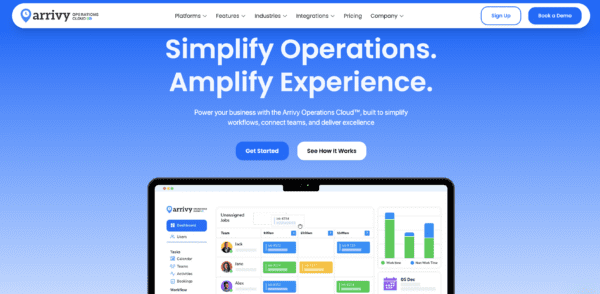
What it is: Arrivy is a field operations management platform built specifically for service businesses with mobile crews. It handles the complete job lifecycle including scheduling, crew assignment, real-time dispatch, customer notifications, GPS tracking, digital forms, and post-job reporting, all in a single platform with a native Salesforce integration listed on the AppExchange.
How it integrates with Salesforce: Install Arrivy from the AppExchange and it links directly to your Salesforce Opportunities and Leads. From there, deals can automatically convert into Arrivy jobs when they hit a defined stage like Closed Won. Or if you prefer manual control, your team can trigger job creation with a single click from the record page.
Either way, the job lands in Arrivy pre-populated with everything already in Salesforce (no re-entry).
Field crews pick up job details on the Arrivy mobile app and send updates back in real time: progress, schedule changes, completion status. All of it syncs back into your Salesforce record automatically. Digital forms, inspection reports, and service documentation attach to the record too, even if the crew captured them offline.
Your sales and support teams see all of it through an embedded task panel inside the Salesforce Opportunity page. They never need to leave Salesforce to know what’s happening in the field.
Why it matters for service businesses: Most service businesses run the sales-to-field handoff on copy-paste and phone calls. Someone reads a Salesforce record, manually moves the details into a scheduling tool, and updates Salesforce again when the job is done. Arrivy closes that gap entirely.
Pro tip: Map multiple Salesforce stages to different Arrivy task types, not just Closed Won. Proposal Sent can trigger a site survey task, Contract Signed can trigger a material checklist, and Closed Won triggers the job itself. This way Arrivy becomes a project management layer across the full job lifecycle, not just a dispatch tool at the end of it.
“The team has been great to work with and completed the implementation quickly. They’ve been great with a 1-day turn around on the updates that we’ve requested to the integration as well.”
— Danielle Boenisch, Ambia Solar
2. QuickBooks Online – Automatic invoicing the moment a job is marked complete
What it is: QuickBooks Online is the most widely used accounting software for small and mid-sized service businesses. It handles invoicing, expense tracking, payroll, and financial reporting. Connected to Salesforce, it becomes the billing layer that fires automatically when a job is done.
How it integrates with Salesforce: The QuickBooks-Salesforce integration syncs customer records, job values, and payment status between both platforms. Native connectors and middleware options (like Zapier, DBSync, and MuleSoft all support this pairing) handle the data flow. When a job is marked complete in Salesforce, the integration can automatically fire a QuickBooks invoice pre-populated with customer details and line items already in the Salesforce record.
Why it matters for service businesses: For service businesses, the billing lag is one of the most consistent cash flow killers because someone has to know the job is done, gather all the details, manually create the invoice, and send it. This routinely takes 4–7 days after job completion. Automated invoicing via the QuickBooks-Salesforce stack cuts that to hours or minutes. Implementing this two-way workflow consistently improves a service business’s days-sales-outstanding (DSO) and significantly reduces invoice follow-ups with customers.
Pro tip: Set up a custom field in Salesforce to log materials and parts used before a job is marked complete. When that data is in the Salesforce record, it carries straight into the QuickBooks invoice automatically. Your billing team stops chasing technicians for job details and customers stop disputing invoices over incorrect line items.
“I use QuickBooks on a daily basis for invoicing clients, bank reconciliation as well as looking at the various reports. I have customised the reports to show the time period and categories that are useful for our business.”
— Claire R. Directory
3. Slack – Real-time field operations alerts without anyone watching a dashboard
What it is: Slack is the leading team messaging platform and, since Salesforce’s acquisition of it, has become the most tightly integrated communication tool in the Salesforce ecosystem. For service businesses, it’s the connective tissue between what’s happening in the field and what the office needs to act on.
How it integrates with Salesforce: Because Salesforce owns Slack, the integration is unusually deep and requires minimal setup. Salesforce records, opportunity stage changes, task updates, and custom workflow triggers can all push real-time notifications directly into Slack channels or direct messages. You configure which events go where, and the right people get notified the moment something changes.
For service businesses using Arrivy, the chain extends further. A job status change in Arrivy updates Salesforce, which triggers a Slack message, so your ops channel gets a real-time alert when a crew goes en route, when a job is flagged with a problem, when a customer escalation is raised, or when a high-value job completes.
Why it matters for service businesses: The operational cost of poor real-time visibility is enormous in field service, and most of it is invisible. Slack’s Salesforce integration brings the information flow that usually happens through phone tag and manual CRM checks into a single channel that the right people see immediately.
Pro tip: Set up dedicated Slack channels for different job events, like #emergency-callouts, #jobs-flagged, #completions-today, etc. Then use Salesforce Record-Triggered Flows with the “Send to Slack” action to route notifications to the right channel based on job type or priority. Your dispatch team gets a live, filtered alert feed instead of a CRM dashboard they have to actively monitor.
“Slack is easy to use and helpful for communication amongst teams. We love the connections to other services.”
— Verified Slack user, Capterra review
4. DocuSign – Digital agreements and field sign-offs that attach themselves to Salesforce
What it is: DocuSign is the leading e-signature platform. Service businesses use it to collect legally binding signatures on service agreements, change orders, work authorizations, warranty registrations, and inspection sign-offs.
How it integrates with Salesforce: ocuSign installs from the AppExchange and connects directly to your Salesforce records. Customer data from the Opportunity auto-populates agreement templates, so there’s nothing to copy across manually. When the customer signs from any device, the completed document attaches to the Salesforce record automatically.
In the field, technicians use DocuSign on mobile to collect on-site signatures for job completions, scope changes, and safety inspections. Everything lands on the corresponding Salesforce record without anyone manual updates.
Why it matters for service businesses: Paper and PDF-via-email signature workflows remain surprisingly common in field service operations, and they introduce three consistent problems:
- delays (customers take days to print, sign, and return)
- Lost documents (PDFs get orphaned in email threads)
- Compliance gaps (no verifiable record of what was signed when)
DocuSign-Salesforce eliminates all three. For regulated industries like electrical, HVAC, pest control, home inspection, and solar etc., having a complete, timestamped digital signature trail attached to every Salesforce job record is an efficiency gain and often a legal requirement that also protects you in warranty and liability disputes.
Pro tip: If you’re already using Arrivy, you may not need DocuSign at all. Arrivy has built-in e-signature functionality that lets field technicians collect legally binding signatures on-site without a separate integration.
“Combining DocuSign and Salesforce delivers huge productivity gains, as well as improved staff and client satisfaction. Highly recommended!”
— Rory Galvin, Salesforce AppExchange review
5. Route Optimization (Arrivy Routing / Salesforce Maps) – More jobs per crew, per day, with tighter customer arrival windows
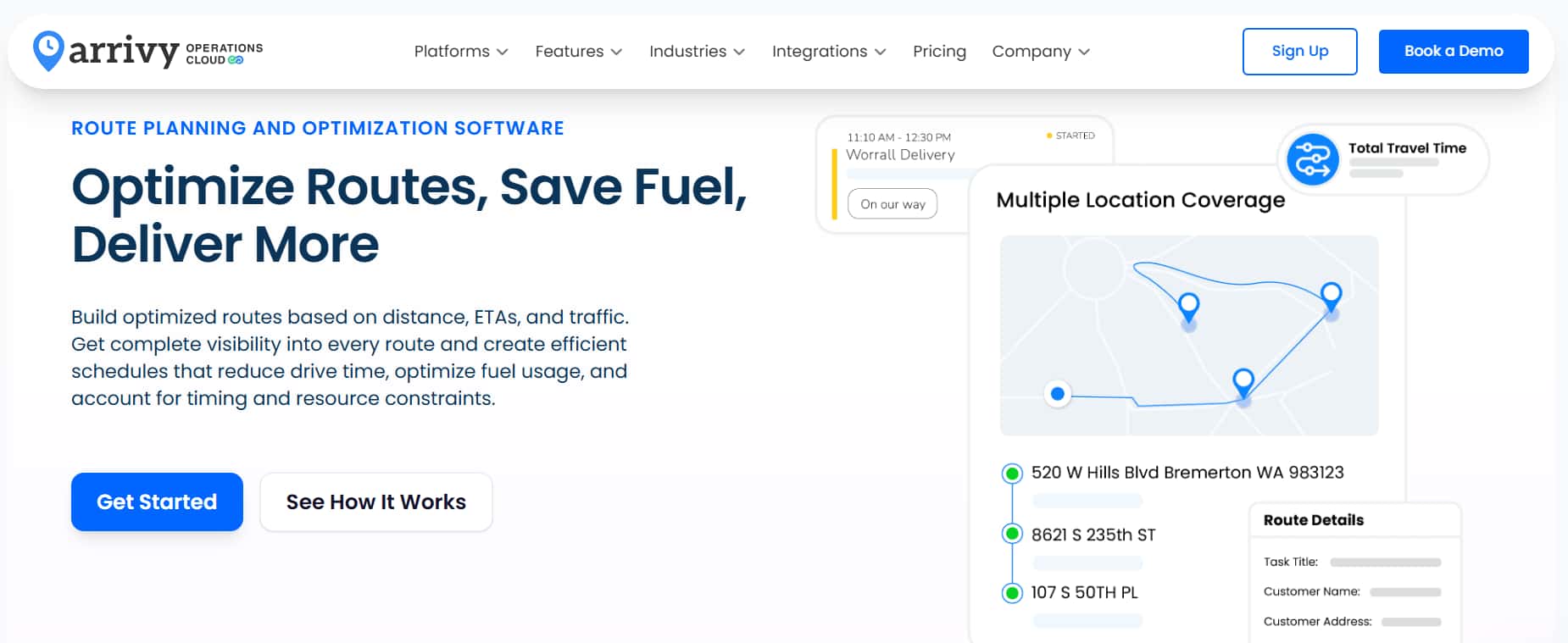
What it is: Route optimization tools use job location data, crew availability, and job duration estimates to calculate the most efficient sequence and assignment of field jobs. Salesforce Maps is Salesforce’s native mapping and routing product, whereas Arrivy includes built-in intelligent routing as part of its dispatch board. Both pull location data directly from Salesforce records.
How it integrates with Salesforce: Salesforce Maps visualizes open jobs from Salesforce records on a live map and allows dispatchers to assign and sequence jobs based on geographic clustering and priority. Arrivy’s routing engine goes a step further. It pulls all open job addresses from Salesforce, applies routing logic based on crew start locations, job duration, and priority, and pushes an optimized job sequence directly to each crew member’s mobile app without a dispatcher manually sorting a list.
Why it matters for service businesses: Route optimization consistently delivers one of the highest measurable ROIs of any field service integration. Reducing average drive time between jobs recovers hours of productive crew time daily. Annualized, that’s a material revenue impact. Beyond efficiency, optimized routing means customers receive tighter arrival windows, which has a direct, measurable impact on satisfaction scores and review quality.
Pro tip: Combine route optimization with Arrivy’s customer notification layer. When routing generates a specific estimated arrival time for each job, Arrivy can automatically send customers a personalized ‘your technician will arrive between 11:00 and 11:15 AM’ SMS. This level of precision is what turns a good customer experience into a 5-star review.
“Honestly, being able to see where leads and accounts are on a map is super helpful. Route planning is a huge win — I used it a lot for field visits, and it saved me hours. Also nice to visualize territories and spot gaps.”
— Thomas S., Mechanical or Industrial Engineering
6. Zendesk – Every customer support ticket that needs field resolution becomes a field job automatically
What it is: Zendesk is the leading customer support platform, used by service businesses to manage inbound support requests, warranty claims, maintenance calls, and emergency callouts. For field service companies, support tickets often aren’t just issues to resolve over the phone and rather require someone to physically show up.
How it integrates with Salesforce: The Zendesk-Salesforce integration syncs customer records, account history, service contract details, and ticket data bidirectionally. When a customer calls in with a warranty claim, the support agent sees the customer’s full Salesforce history (previous jobs, equipment installed, contract terms, and prior service notes) inside Zendesk without switching tabs.
When a ticket needs field dispatch, a single click creates or updates the Salesforce record. When the job is completed and Salesforce is updated, the Zendesk ticket closes automatically.
Why it matters for service businesses: The gap between a customer support team and a field operations team is one of the most common places service jobs fall through the cracks. A customer calls about a warranty issue, but the job gets lost between teams. Or the field team shows up to a job without knowing the history of prior service calls, making the technician look uninformed in front of the customer. Zendesk-Salesforce closes both failure modes.
Pro tip: The Zendesk-Salesforce integration handles the data side well. But if your team also needs to schedule crews, track field progress, and close tickets automatically when jobs are done, Arrivy connects natively with Zendesk to cover the execution side. Support tickets convert into scheduled field tasks automatically, and completion data syncs back in real time to both Zendesk and Salesforce.
“Great app. Our support loves to see some of the Salesforce info when working on a Zendesk ticket.”
— Verified Zendesk user, Marketplace review
7. CompanyCam – Time-stamped, geo-tagged field photos auto-attached to every Salesforce record
What it is: CompanyCam is a photo and video documentation platform built specifically for contractors and field service crews. Technicians use it to capture before-and-after photos, site conditions, completed work documentation, and job issues, all automatically geo-tagged, time-stamped, and organized by project.
How it integrates with Salesforce: CompanyCam integrates with Salesforce via its API and through Zapier workflows. Photos and projects in CompanyCam are linked to Salesforce opportunities and accounts, meaning every photo a technician takes in the field is automatically associated with the correct customer and job record in Salesforce. Managers view complete field documentation from inside the Salesforce record without logging into a separate system or texting anyone for photos.
Why it matters for service businesses: A time-stamped photo of pre-existing damage before your crew starts work is the difference between accepting liability and defending against it. Attaching all of this to the Salesforce record creates an operational history that’s searchable, auditable, and accessible to anyone who needs it.
Pro tip: CompanyCam lets you build project templates for each job type with checklists attached. Enable the “Require Photo” toggle on checklist items and technicians can’t check off a task without snapping the photo first. Every required photo syncs back to the Salesforce record automatically. This way, every job is documented the same way, regardless of who is on the crew.
“I use this for my roofing company and it’s well worth the money! GAME CHANGER!”
— John Cotten, John Cotten Roofing
8. Twilio (SMS & Automated Customer Notifications) – Customers always know what’s happening
What it is: Twilio is a cloud communications platform that lets businesses send automated SMS and voice messages triggered by software events. For service businesses, it powers the customer notifications that most operations teams are still sending manually — booking confirmations, day-before reminders, technician-on-the-way alerts, and post-job review requests.
How it integrates with Salesforce: Twilio connects to Salesforce through Salesforce Flow, Apex code, or middleware like Zapier and Make. When a job milestone is reached in Salesforce, a Flow triggers a Twilio SMS to the customer automatically. The message can include the technician’s name, photo, a real-time GPS tracking link, and a calculated arrival window. The customer gets an Uber-like experience while the office makes zero calls.
Why it matters for service businesses: Bad customer communication is the single most consistent driver of negative service reviews. Research consistently shows that customers who receive proactive status notifications rate their service experience significantly higher, even when jobs run slightly late. Automating these touchpoints via Twilio and Salesforce removes the burden entirely from your team and sets you apart from every competitor who still relies on manual outreach.
Pro tip: Set up two-way SMS through Twilio so customer replies route back into Salesforce as activity records. Your team sees the full conversation in context on the customer record without monitoring a separate inbox, and customers get a direct line without calling the office.
“Twilio makes it simple to integrate SMS, voice, and email through one reliable platform. The APIs are easy to work with, well-documented, and scale smoothly from small projects to enterprise deployments. I also appreciate the strong global coverage and consistently high delivery rates.”
— Amos V., Verified G2 review
9. HubSpot Marketing Hub – Every completed job is the start of a retention campaign automatically
What it is: HubSpot Marketing Hub is a marketing automation platform built for lead nurturing, lifecycle email campaigns, and customer retention. For service businesses, it’s where the relationship with a customer continues after the job is done.
How it integrates with Salesforce: HubSpot’s native Salesforce integration is one of the most mature bidirectional CRM-to-marketing syncs available. HubSpot’s Salesforce integration is one of the most mature bidirectional syncs available. New leads from HubSpot campaigns appear in Salesforce automatically. Lifecycle stage changes in Salesforce trigger HubSpot campaign enrollment. When a job is marked complete in Salesforce, HubSpot workflows fire immediately: post-job review requests, seasonal maintenance reminders, cross-sell campaigns, and referral invitations, all without a marketing team manually managing lists.
Why it matters for service businesses: Service businesses generate their most profitable revenue from repeat customers and referrals, yet most treat the end of a job as the end of the relationship. A customer who had their HVAC installed this spring is a high-probability buyer for a maintenance contract this fall, but only if someone remembers to reach out, and only if the outreach is timely and relevant. HubSpot-Salesforce makes that outreach automatic and data-driven. The job type, completion date, and customer segment in Salesforce determine which campaign a customer enters, how long after completion they hear from you, and what the message says. This is what repeat business at scale looks like.
Pro tip: Build separate post-job sequences for installation customers and maintenance customers. Installation customers get an upsell to a maintenance plan. Maintenance customers get a renewal reminder and a referral ask. Customers who receive relevant post-job communication are significantly more likely to book again than those who receive nothing.
“I like how intuitive it is while still being really powerful. You don’t need to be a marketing ops expert to launch campaigns, build workflows, or track performance. At the same time, the data is there whenever you want to dig deeper, and honestly, the automation saves a ton of time.”
— Isaac R., Verified G2 review
10. NetSuite (Cloud ERP) – For enterprise service businesses where inventory, assets, and multi-entity financials must connect to every job

What it is: NetSuite is Oracle’s cloud ERP platform, used by mid-market and enterprise service businesses to manage inventory, procurement, asset tracking, multi-entity financials, and payroll across multiple locations or divisions.
How it integrates with Salesforce: NetSuite and Salesforce connect through middleware platforms like MuleSoft, Boomi, or Celigo, which handle the data flow between both systems. When a deal closes in Salesforce, NetSuite picks it up automatically, creates the corresponding financial records, and kicks off the billing process. As the job moves forward, inventory updates, asset records adjust, and payment status flows back into Salesforce. The goal is a clean handoff between your CRM and your financials without anyone re-entering data on either side.
Why it matters for service businesses: At scale, disconnected CRM and ERP systems turn small data gaps into expensive operational problems fast. A well-configured NetSuite-Salesforce-Arrivy integration creates a single source of operational and financial truth from job creation through revenue settlement, and that’s the foundation that enterprise operations require to scale without drowning.
Pro tip: NetSuite manages the financials and Salesforce manages the customer relationship. But neither tracks what actually happened on the job. That’s the gap Arrivy fills. Job data captured in the field through Arrivy feeds into NetSuite, providing the accurate inputs it needs to recognize revenue, decrement inventory, and update asset records correctly.
“Having all the business processes under one platform makes things easy to find, dependable for reporting, and robust to rely upon. What I like most about NetSuite is how customizable it is. It may not be great at any one thing, but you can tailor it to your needs.”
— Will R., Verified G2 review
The Complete Field Ops Integration Stack
No single integration does everything. The service businesses that run the tightest operations are those that have connected the right tools at each layer of the stack, in the right sequence. Here’s how the complete architecture looks — and how each tool connects to the others.
| Layer | Tool | Trigger | What Happens |
|---|---|---|---|
| CRM & Sales | Salesforce | Deal closes | Customer record created, opportunity archived, downstream integrations fire |
| Operations Bridge | Arrivy | Salesforce stage change | Job created, crew assigned, customer notified, real-time tracking live, field progress visible in Salesforce |
| Routing | Arrivy / Salesforce Maps | New jobs added to schedule | Crew routes optimized; arrival windows calculated; sequence push to mobile app |
| Customer Comms | Twilio / Arrivy | Job milestones hit | Automated SMS: booking confirm, day-before reminder, en-route alert, post-job review |
| Documentation | CompanyCam + Arrivy Forms | Crew arrives on site | Photos, digital forms, signatures captured; auto-attached to Salesforce record |
| Support ↔ Field | Zendesk | Support ticket filed | Ticket data pushed to Salesforce; field job created; completion status closes the ticket |
| Billing | QuickBooks / NetSuite | Job marked complete | Invoice auto-generated with customer details and line items; synced to Salesforce; cash flow same-day |
| Lead → Retention | HubSpot | Job completed | Post-job review request fires; maintenance reminders and referral campaigns enroll automatically |
| Team Alerts | Slack | Any Salesforce event | Ops channel gets real-time alerts: new job, crew delays, issues, customer escalations |
Why Arrivy sits at the center:
Every integration in this stack depends on one thing: accurate job data inside Salesforce. Someone has to capture what’s happening in the field and get it back into Salesforce before QuickBooks can invoice, HubSpot can follow up, or Slack can alert your team.
That’s what Arrivy does. It captures the complete job lifecycle in the field and feeds it back into Salesforce automatically. Job status, completion details, materials used, field documentation. All of it.
Arrivy also connects natively with every other tool in this stack, so many workflows fire directly between Arrivy and those tools, while outcomes are reflected in Salesforce. And since Arrivy has built-in e-signature functionality, DocuSign is optional for teams already using it.
For service businesses building this stack, Arrivy is the right place to start. Without field data flowing into Salesforce reliably, every other integration in this list is only as good as whatever someone last remembered to update manually.
The service businesses growing fastest in 2026 are the ones whose operations run so efficiently that every crew member does more jobs, every customer has a better experience, and the team in the office spends their time managing exceptions rather than manually executing the same routine tasks, every single day.
Ready to close the gap between your CRM and your field teams?
Arrivy’s Salesforce integration is live on the AppExchange and ready to deploy. See exactly how service businesses like yours have eliminated the manual handoff between sales and operations.