
 Login
Login






















If you run a field service business, quoting is a revenue and operations control point. The quoting tools that materially improve margin and throughput do three harder things well:
This comparison is written for small-to-mid-sized service businesses that need speed and consistency, but can’t afford process bloat or tool sprawl.
We’ll evaluate:
✓
Custom quote templates & pricing rules
✓
Mobile-friendly quote creation
✓
Approval workflows & version control
✓
Customer-facing quote experience
✓
Quote-to-job conversion
✓
CRM, scheduling & payment/accounting integrations
The Evaluation Lens That Actually Matters in Field Service
Most “quote tool” roundups flatten everything into templates and price. That misses the reality that quoting is the front-end of execution for service operations. So, we have compared a mix of tools, ranging from design-first to billing-first, and some that focus on field execution:
- Arrivy – positions quoting as a quote-to-job-to-invoice operational pipeline, with auditability and onsite closure emphasis
- SumoQuote – contractor-grade sales proposals with pricing controls and e-signing
- Canva (basic) – excellent visuals; minimal operational control
- PandaDoc – strong approvals/tracking; execution requires another system
- Zoho Invoice/Zoho Books – solid quote→invoice automation; not dispatch
- FreshBooks – clean estimate/approval/invoice flow; not dispatch
- Jobber – quote approval and conversion into jobs is native
- Housecall Pro – proposal-style quoting + approvals tied to jobs
You should pick the one that matches your bottleneck, and the following comparison will help you decide that.
8 Best Online Quote Maker Software for Service Businesses (With Operational Implications)
1. Arrivy: Designed for the quote-to-job “handoff gap”
Most quoting tools implicitly assume that once a customer approves an estimate, the hard work is done. In real service operations, that assumption is wrong.
The quote itself is rarely the bottleneck. The friction appears after the customer says yes, when approved work has to be reinterpreted, rebuilt, and re-entered across systems before execution can even begin. This is the quote-to-job handoff gap, and it is where time, margin, and momentum are routinely lost.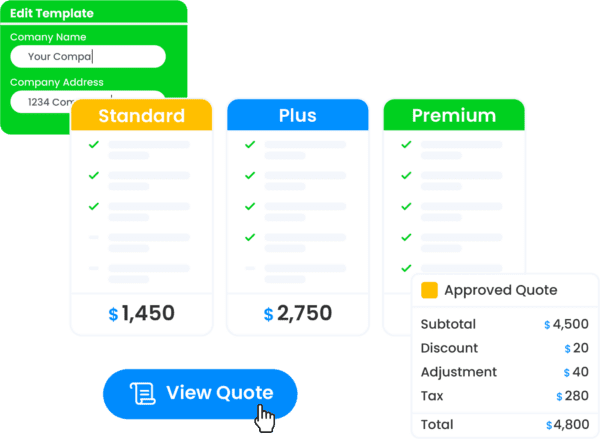
In many service businesses, approval triggers a cascade of manual steps:
Each handoff introduces risk, and each re-entry adds latency. So, Arrivy approaches quoting from a fundamentally different premise: “a quote is not a document, but a structured operational artifact.”
Where Arrivy Is Structurally Different?
Arrivy eliminates the re-entry layer entirely by treating quotes as the first executable version of the job, not a precursor to it.
A crew member opens the task and taps Create Quote directly inside Arrivy. They enter measurements, select services from the centralized pricing library, and Arrivy automatically calculates totals while generating structured Good/Better/Best options. The quote can be presented immediately on the crew member’s device for on-the-spot review and signature, or sent instantly via a secure link for later approval. In both cases, the customer has a professional, itemized quote in hand before the crew leaves the property. This removes waiting time, minimizes follow-up, and helps you close more jobs on the first visit. That field-level experience is possible because the quote is structurally tied to execution from the start. And approved quotes flow directly into execution because Arrivy unifies:
| Capability | Operational Impact |
|---|---|
| Centralized item libraries and pricing controls | Ensuring pricing consistency across teams, roles, and locations without relying on individual judgment or spreadsheets. |
| Mobile quote creation for field teams | Allowing technicians and sales staff to generate accurate, compliant quotes on-site, while context and customer intent are still fresh. |
| Digital approvals with a complete audit trail | Capturing signatures, revisions, and timestamps to support accountability, compliance, and dispute resolution. |
| Automatic conversion into dispatch-ready jobs | The moment a customer approves, Arrivy creates a scheduled job that includes all line items, attachments, notes, and customer data. |
| Direct invoicing and accounting synchronization | Approved workflows cleanly into systems like QuickBooks, Xero, and Square, accelerating billing while preserving data integrity. |
As a practical impact, you experience faster quoting and a compressed cycle time from quote approval to execution.
Arrivy enables teams to:
Where most tools stop at “quote accepted,” Arrivy is designed to also get the job done.
For field service businesses, quoting extends beyond creating polished documents or collecting e-signatures. What matters just as much is how smoothly approved work moves into execution. Once a customer says yes, teams should be able to begin scheduling and dispatch without rebuilding scope, re-entering pricing, or transferring information between systems.
Many tools on this list focus on presentation quality or billing efficiency. Far fewer are designed to manage the handoff from approval to dispatch in a structured way. If your main need is faster document creation, several options here will work well. If your challenge lies in connecting sales to operations without friction, Arrivy is built specifically for that transition, alongside faster quote creation.
2. SumoQuote: Sales-forward quoting for contractors
SumoQuote is a contractor-focused quote/proposal tool that’s optimized for speed, presentation, and close mechanics, especially in trades like roofing. It emphasizes reusable layouts, photo-rich pages, and customer-friendly signing so field sellers can present, adjust, and close work without turning quotes into a back-office bottleneck.
What SumoQuote does extremely well?
SumoQuote supports reusable layouts/templates and multi-option quoting. Its documentation describes quote templates and up to three quote tabs (commonly used for “good/better/best”) to standardize how options are presented and speed up assembly time.
It also supports pricing consistency through product/price lists, line-item pricing options (including “cost-up” approaches), and margin controls, including a margin slider and admin controls positioned to reduce surprise discounting or margin erosion.
For approvals, SumoQuote includes documented e-sign flows for both in-person and remote signing, plus support for additional signers and visible signing status. This is useful when you need fast acceptance with a clear record of exactly who signed and when.
Where SumoQuote tends to stop?
SumoQuote is not a field-dispatch system. After acceptance, operational execution typically depends on your CRM/FSM stack, e.g., syncing into JobNimbus and converting there, or pushing financial details into QuickBooks Online. SumoQuote reduces re-keying via integrations, but it doesn’t inherently become a dispatch-ready job inside SumoQuote itself.
- ✓ You sell work in the field and your bottleneck is creating fast and consistent proposals with pricing controls and easy e-sign acceptance.
- ✓ Ideal for contractor-style workflows where the next step is CRM/accounting integration rather than dispatch-native execution.
-
- ✕ Your #1 requirement is that an “approved quote” immediately becomes a scheduled, dispatch-ready job inside the same operational platform.
- ✕ You require end-to-end field execution tracking within the same system.
3. Canva (Basic): The best-looking quotes, but not a quoting system
Canva offers a deep library of estimate/quotation templates you can customize and export/share. It’s great for creating clean estimate PDFs quickly using templates, especially if you don’t need quoting logic like service catalogs, line-item pricing rules, or structured approvals.
The trade-off is that everything after you send the quote is manual. There’s no acceptance workflow, no status tracking, and nothing converts into a job or invoice automatically. Canva works best as a “presentation layer” paired with a workflow tool (like Zoho Invoice or FreshBooks for billing, or Jobber/Housecall Pro for operations).
- ✓ Use Canva if: you already run scheduling/invoicing elsewhere and only need a visually elevated quote format.
- ✓ Brand control: typography, layout, imagery, polished presentation
- ✓ Fast drafting: reuse templates for consistent look
- ✕ Avoid if: your team needs controlled pricing, acceptance workflows, or quote-to-job automation.
- ✕ No item library, no pricing governance, no taxes/discount logic at a business-rule level
- ✕ No customer “approve” workflow with tracking, no audit trail, no conversion into jobs/invoices
4. PandaDoc: Excellent for approvals, signatures, and buyer engagement
PandaDoc is built for structured proposals/quotes, pricing tables, and document tracking. Its pricing tables are designed to pull from catalogs and/or CRM data for consistency. It also explicitly emphasizes real-time tracking/notifications in its offering. It’s a strong fit when your sales process involves multiple stakeholders or you want visibility into when quotes are opened, reviewed, and signed.
The limitation is that PandaDoc doesn’t run the job once a quote is approved. It typically needs to hand off into an FSM or scheduling system to handle dispatch and execution. In practice, it’s often paired with an ops platform when the “yes” needs to turn into scheduled work immediately.
- ✓ Use PandaDoc if: your sales cycle needs strong approvals, stakeholders, compliance, or polished buyer-facing proposals.
- ✓ Buyer experience: interactive proposals, pricing tables, e-signatures, track views
- ✓ Sales process control: templates + standard language + approvals
- ✕ Avoid if: you want the “approved quote” to immediately populate scheduling/dispatch.
- ✕ It doesn’t natively become a dispatch-ready job. You typically integrate into your FSM stack to operationalize approved work.
5. Zoho Invoice / Zoho Books: Pragmatic quote-to-invoice automation (and very cost-effective)
Zoho explicitly supports automating conversion of accepted quotes into invoices. It also provides preference controls (e.g., editing accepted quotes) that matter when customers negotiate after approval.
Where it tends to fall short is job-day execution. Scheduling crews, routing, live job status, and operational handoffs aren’t the center of the product. It’s often a solid starting point if you want structure and credibility in quoting, and later plan to add a field execution layer as operations grow.
- ✓ Use Zoho Invoice/Books if: your bottleneck is billing, not dispatch
- ✓ Quotes/estimates as part of billing: quote → invoice is straightforward, including automation
- ✓ Cost profile: strong for small teams that need “good enough” operational flow without FSM spend
- ✕ Avoid if: you need quote approval to trigger scheduling/crew assignment automatically.
- ✕ Quote acceptance does not inherently become a scheduled job with dispatch context. Your scheduling/dispatch remains separate.
6. Jobber: A clean quote→Job workflow for smaller service teams
Jobber’s help docs are unusually explicit about operational flow. Once a quote is approved, you can convert it into a job and proceed with scheduling/assignment. Jobber also positions quoting around approvals and automated follow-ups.
- ✓ Use Jobber if: you want an all-in-one that keeps quoting and jobs tightly connected with minimal complexity.
- ✓ Service-centric quoting with a clear operational path
- ✓ Quote approvals and follow-ups are first-class
- ✓ Approved quote → job conversion is straightforward and documented
- ✕ Avoid if: your approvals, audit requirements, or multi-location controls are more sophisticated.
✕ If you need deep audit/version control, more complex multi-team pricing governance, or highly customized “quote-to-execution” workflows, you may outgrow it depending on your operation.
7. Housecall Pro: Proposal-style quoting built to close in-home services
Housecall Pro’s proposal tooling is explicitly designed around presenting multiple options (“good, better, best”), which is a proven close-rate lever in home services. It also supports estimate approvals and signatures, including prompting for signature when the customer approves. And it supports estimates created on existing jobs to enable upsells without workflow detours.
The main limitation is that if your quoting process is closer to formal B2B proposals (multi-approver, strict version control, contract-style workflows), a document-first tool can feel cleaner for that layer. Housecall Pro is best when your quoting motion is tightly connected to “sell → schedule → deliver → get paid” for residential or field-driven services.
- ✓ Use Housecall Pro if: you sell in the field and want a proposal-led close motion.
- ✓ Selling mechanics: multi-option proposals, upsells, on-the-spot approvals
- ✓ Operational continuity: estimates can stay connected to job context (important for ongoing work)
- ✕ Avoid if: your quoting resembles B2B contracting with strict version governance and complex approvals.
- ✕ Avoid if: you’re not in a proposal-driven, consumer-service motion, or you need enterprise-grade audit/versioning, your needs might exceed its sweet spot.
8. FreshBooks: Excellent for estimate approvals and getting paid
FreshBooks frames estimates/quotes as an approval step before conversion to invoices. It also supports converting estimates into invoices (billing-centric flow).
But it doesn’t solve field operations. Dispatch, route coordination, job status tracking, and operational execution require another system. FreshBooks is a good fit when your “quote problem” is really a “cash flow and billing workflow” problem, not a scheduling and execution problem.
- ✓ Clean estimate → acceptance → invoice experience
- ✓ Strong fit for smaller service firms where billing and payment collection are primary
- ✓ Use FreshBooks if: you primarily need quoting to streamline invoicing and collections.
- ✕ Avoid if: you need quote acceptance to create a dispatch-ready job.
- ✕ Dispatch and scheduling are outside its core model
Quick Comparison Table
| Tool | Primary Strength | Starting Price* | Quote → Job Handling | Mobile Experience | Integrations |
|---|---|---|---|---|---|
| Arrivy | Native quote → dispatch → invoice workflow | Contact sales | Native job creation | Mobile quoting & execution | Broad (50+ integrations + APIs) |
| SumoQuote | Sales-forward proposals | $119/month (Light) | Typically via CRM/FSM integration, no native dispatch | Mobile web-app | JobNimbus, QuickBooks Online export, plus Zapier |
| PandaDoc | Approvals, eSign, tracking | ~$19/user/month | Requires integration | Strong for review & signing | Strong CRM integrations |
| Zoho Invoice | Free estimates → invoices | Free | Converts to invoice | Strong mobile support | Strong within Zoho ecosystem |
| Jobber | All-in-one FSM workflow | ~$29/month | Native job creation | Field-friendly mobile apps | Accounting & payments |
| Housecall Pro | Mobile sales proposals + FSM | ~$59/month | Native job creation | Mobile-first estimating | Accounting & payments |
| FreshBooks | Estimates → invoicing & billing | $23/month | Invoice-focused | Strong mobile invoicing | Accounting & payments |
| Canva | Visual, branded quote PDFs | ~$5/user/month | Not supported | Basic mobile editing | Limited |
*Pricing reflects publicly available information as of early 2026. Always verify current plans on official vendor sites.
Practical Recommendations (What to Choose, Depending on Your Bottleneck)
Final Thoughts
Many platforms optimize one slice of the process, either design quality, approval mechanics, or invoicing efficiency. Fewer address the structural reality that approved work must move cleanly and immediately into execution. That handoff, often invisible in software demos, is where delays accumulate, errors surface, and margins erode.
Ready to upgrade your quoting process? Pick one tool from this list, sign up for a trial this week, and create your next three quotes with it. You’ll know within a week if it’s the right fit. That’s 3 hours invested that could save you 10+ hours every single week going forward.