Login
Login























Job quoting software helps service businesses create detailed job quotes and price estimates, send them to customers, collect approvals, and connect that information to scheduling and invoicing, all within one system.
For businesses that quote frequently, the main value is in removing the manual work between a customer inquiry and a scheduled job. That includes building the estimate, formatting it, sending it, tracking whether it was opened, following up, and then re-entering all the approved details into your scheduling and accounting tools. Quoting software handles and automates most of that.
Recommended Reads
The Problems Quoting Software Addresses
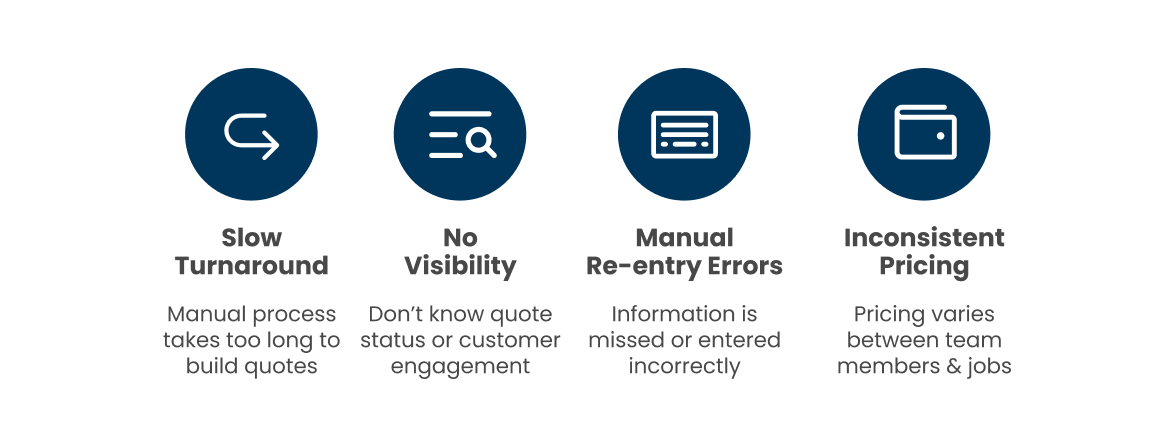
If you’re quoting manually, you’re likely running into at least a few of these issues:
Manual re-entry errors. After a quote is approved, the details need to move into scheduling, and then again into invoicing. Each transfer is an opportunity for information to be missed or entered incorrectly. Quoting software that connects to your scheduling and accounting systems eliminates this manual copy pasting.
Slow quote turnaround. Building a quote manually by pulling together pricing, formatting a document, and then writing up scope takes time. When a customer is comparing multiple providers, response speed matters. An item library and templates reduce the time to build and send a quote significantly. At Arrivy, we’ve seen this be the deciding factor more often than price.
How the Quoting Workflow Works?
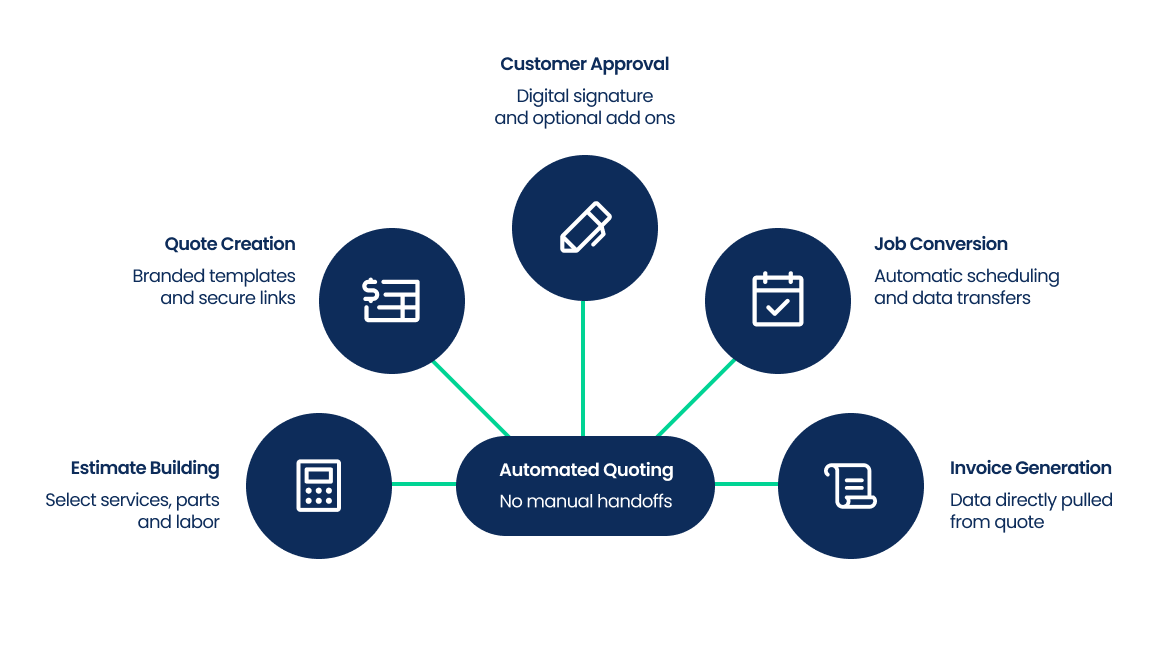
Here’s how we’ve designed the process to work end-to-end with no manual handoffs between steps.
Step 1: Build the estimate.
You select services, parts, and labor from a pre-built item library with pricing already defined. Discounts, taxes, and deposits can be applied within the estimate. Photos, site diagrams, or compliance documents can be attached to document scope or site conditions.
Step 2: Create and send the quote.
Using branded templates with your logo, colors, and standard terms, you assemble the quote and send it as a secure link. Quotes can be built and sent from a mobile app, which matters for teams quoting in the field. You can set expiration dates on quotes to keep the process moving.
Step 3: Customer reviews and approves.
The customer opens the link on any device, reviews the pricing and scope, and approves with a digital signature. If you’ve offered multiple pricing tiers, they can compare and choose. If there are optional add-ons, they can select those at the point of approval. You receive a notification when they view or sign.
Step 4: Quote converts to a job.
Once approved, the quote automatically becomes a scheduled job. All line items, notes, and attachments carry over to the task without manual re-entry. The job is ready for dispatch and crew assignment immediately.
Step 5: Invoice is generated.
Because the quote and job data are already in the system, the invoice pulls directly from the approved quote. It syncs to your accounting software (QuickBooks, Xero, or similar) without anyone rebuilding it from scratch.
Features Worth Looking At
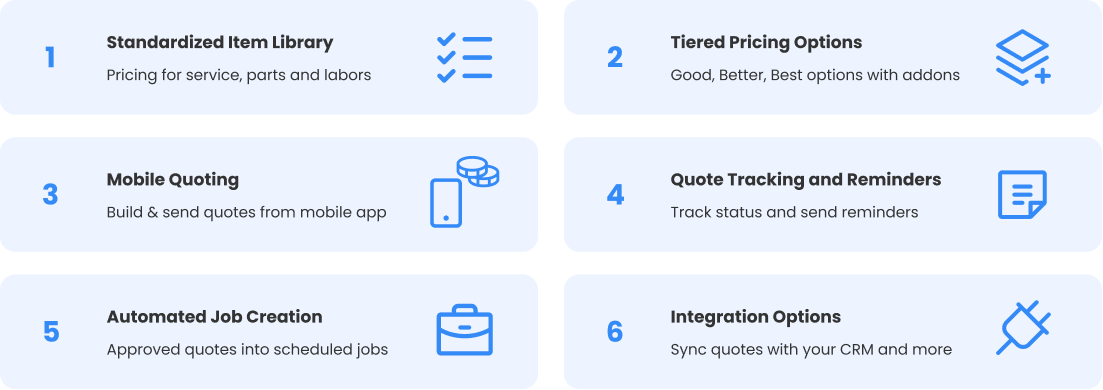
A few of these will already be on your list. Together, they’re what makes quoting actually connected to the rest of your business.
Types of Job Quoting Software
1. Standalone quoting tools
These focus exclusively on building and sending quotes. They’re straightforward to use but don’t connect to scheduling or operations, so the handoff after approval remains manual.
2. CRM-based quoting systems
Quoting is built into a CRM platform, making them strong for sales teams that need to manage leads and track deals. They’re less suited for businesses
where quotes need to connect to field operations.
3. Field service quoting software
These tools integrate quoting with job scheduling, dispatch, and execution. An approved quote automatically becomes a job in the same system.
4. Proposal software
Focused on design and presentation, these tools are used for high-value or complex deals where the document itself needs to be persuasive. They typically don’t connect to operations.
Field service quoting software is the most relevant category for contractors and service businesses where operations follow directly from a signed estimate.
Benefits of Using Job Quoting Software
The obvious win is speed. But for field service teams, the deeper benefit is in eliminating the re-entry, follow-up, and version mismatch between what was quoted and what gets billed.
How We Think about Quoting at Arrivy
Arrivy’s quoting module is built inside its field service management platform, so approved quotes flow directly into operations rather than sitting in a separate sales tool.
Teams build quotes from a shared item library with standardized pricing. Customers receive tiered pricing options and can select add-ons at approval. Once signed, the quote converts automatically into a scheduled job, with all line items, attachments, and notes included, and is queued for dispatch. Invoices generate from the approved quote data and sync to QuickBooks, Xero, and other accounting tools without manual re-entry.
Quote status is visible throughout the process, and automated reminders go out for quotes that haven’t been approved. Field teams can build and send quotes from the mobile app, online or offline.
The result is that the process from inquiry to scheduled job to invoicing runs without the usual manual steps in between.