





















Event management software has expanded far beyond registration forms and ticket sales.
Modern event teams manage budgets, vendors, schedules, equipment, staff, attendee communication, and post-event reporting through event planning tools. The right software helps you keep each moving part organized and visible.
Some platforms focus on registration and attendee engagement. Others help you manage hybrid events, ticketing, or event marketing. When your challenge is coordinating field crews, deliveries, and on-site execution, you need software built for operations.
In this guide, we will explore the best event management software tools for 2026. You will learn what each platform does best, where it fits in the event lifecycle, and which solution is the right fit for your team.
What Is the Best Event Management Software in 2026?
The best event management software depends on the type of events you run and the part of the workflow you want to improve.
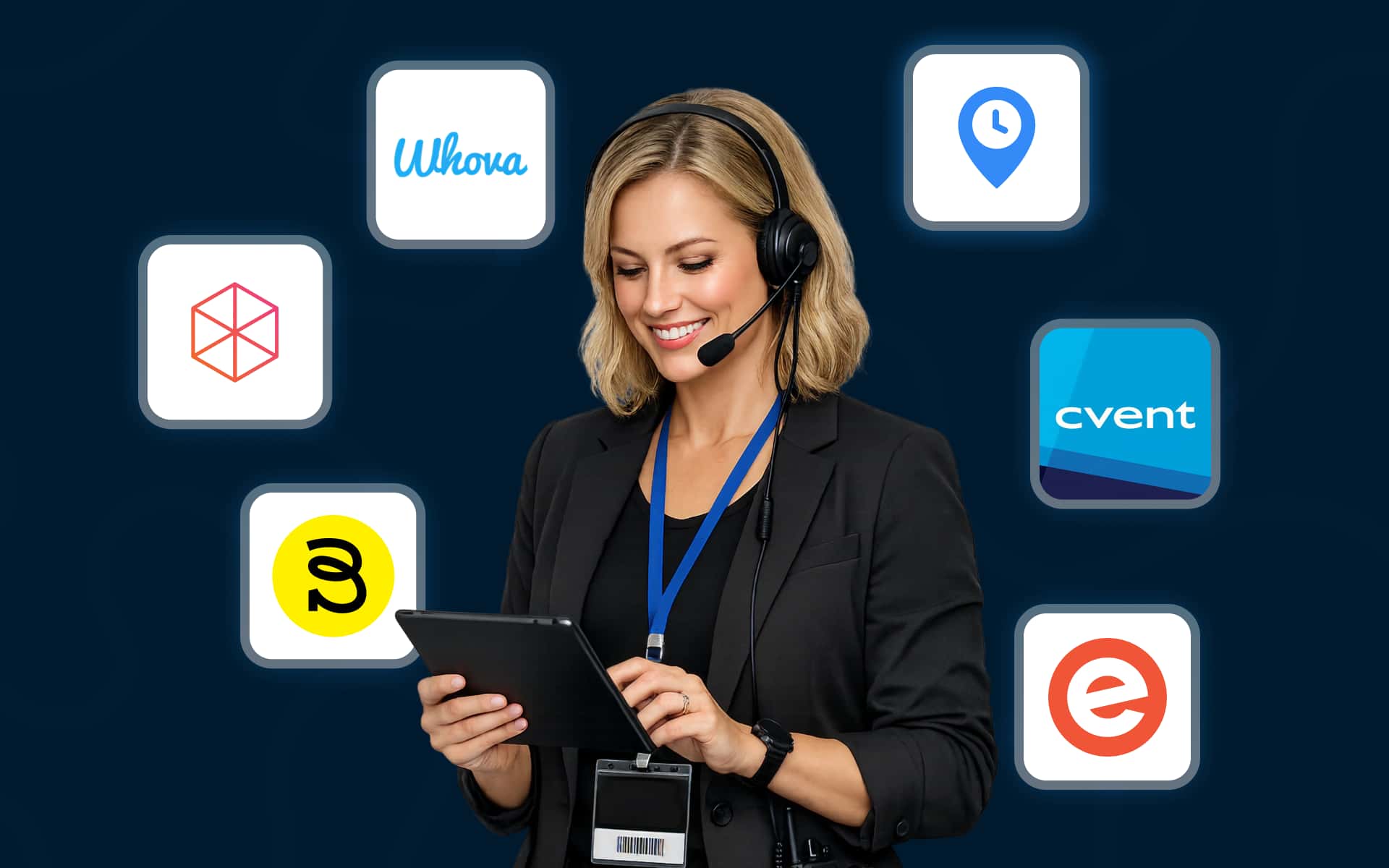
Cvent is best for enterprise event management.
Bizzabo is best for B2B conferences.
Whova is best for attendee engagement.
vFairs is best for hybrid and trade show events.
Eventbrite is best for ticketing and public events.
Arrivy is best for event operations, crew coordination, and on-site execution.
What Is Event Management Software?
Event management software is a digital system used to plan, coordinate, execute, and analyze events.
It acts as an operating system that helps you manage budgets, registrations, ticketing, vendors, staff schedules, attendee communication, check-in, and post-event reporting.
Some platforms focus on attendee-facing functions, such as registration, mobile event apps, and networking. Others focus on operational tasks, such as scheduling, dispatch, route planning, and real-time tracking.
The right platform gives your team a single system to manage the entire event lifecycle.
How to Choose the Best Event Management Software?
Choosing event management software becomes much easier when you look at where your team needs the most support.
Some teams spend most of their time managing registrations and attendee communication. Others are focused on coordinating staff, equipment, and on-site logistics.
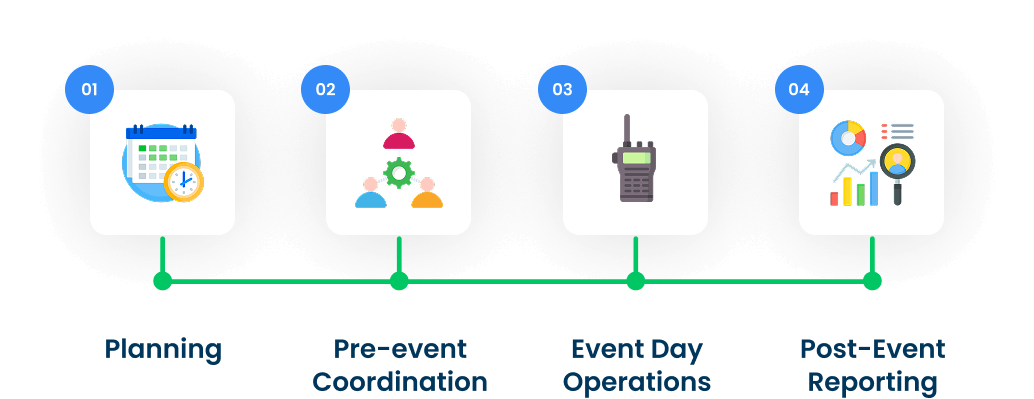
A useful way to evaluate your options is to break the event lifecycle into four stages.
Post-Event Reporting: Attendance analysis, feedback collection, and ROI reporting.
Once you identify the stage that creates the most friction in your workflow, the right software choice becomes clear.
We evaluated leading event management platforms based on their features, ease of use, scalability, integrations, and fit across the event lifecycle. We then shortlisted the tools that performed best for different event needs.
What Event Management Software Usually Includes?
Most event management software tools combine several functions in a single platform. The exact feature set varies by product, but most solutions cover the core tasks involved in planning and running an event.
| Category | Features |
|---|---|
| Planning | Budgeting, timelines, venue management, vendor coordination |
| Registration and Ticketing | Registration forms, ticket sales, and payment processing |
| Attendee Management | Event apps, check-in, badge printing, networking |
| Operations | Staff scheduling, dispatch, route planning, task checklists |
| Communication | Email, SMS, push notifications, status updates |
| Reporting | Attendance reports, survey results, and ROI analysis |
Some platforms focus on registration and attendee engagement. Others place more emphasis on event workflow management and operational execution.
If your events involve field teams, equipment deliveries, or multi-site coordination, event operations software with scheduling, live tracking, and proof of completion becomes essential.
Why Event Management Software Matters More in 2026?
Planning an event used to mean tracking registrations, sending reminders, and making sure vendors arrived on time.
But now in 2026, it is no longer enough.
Today’s events involve sponsors, exhibitors, venue staff, AV vendors, temporary workers, and equipment deliveries, often all working on tight timelines.
The events industry is continuing to grow. According to the U.S. Bureau of Labor Statistics, employment for meeting, convention, and event planners is projected to grow through 2034.
At the same time, attendee expectations are also rising. Skift Meetings reports that event teams are under pressure to deliver more personalized experiences while managing tighter budgets.
When information is scattered across spreadsheets, inboxes, and messaging apps, it becomes difficult to see what is on schedule and what needs attention.
Event management software gives teams one place to coordinate work, communicate updates, and track progress.
For events that involve setup crews, equipment deliveries, and on-site logistics, operational visibility is especially important. This is where event operations software, such as Arrivy, adds value.
Best Event Management Software Tools for 2026
The platforms below make up the best event management software tools for 2026. Each one addresses a different part of the event lifecycle, from registration and attendee engagement to field operations and on-site execution.
Cvent — Best for Enterprise Event Management
Cvent is a leading platform for large conferences and corporate events. It offers registration, venue sourcing, attendee management, on-site check-in, and reporting in one system. Its broad feature set makes it a strong fit for enterprise teams, but it takes time to learn and set up. Pricing is available by custom quote.
Bizzabo — Best for B2B Conferences
Bizzabo is designed for organizations that want to create branded conference experiences. It combines registration, event marketing, networking, and analytics in one platform. Its smart badges and engagement tools are especially useful for B2B events. Pricing is based on an annual subscription and is generally better suited to organizations with larger event budgets.
Whova — Best for Attendee Engagement
Whova is known for its mobile event app and attendee engagement features. It includes registration, agenda management, networking, surveys, and check-in tools. The platform is easy to use and receives consistently strong reviews from event organizers. Pricing is provided on request.
vFairs — Best for Hybrid and Virtual Events
vFairs is a popular choice for hybrid events, trade shows, and virtual exhibitions. It offers registration, virtual venues, badge printing, and lead capture tools. Its immersive event environments help organizations create engaging online experiences. Pricing is available by quote.
Eventbrite — Best for Ticketing and Public Events
Eventbrite is one of the easiest ways to sell tickets online. It works well for workshops, classes, and community events. Organizers benefit from built-in payment processing and event discovery, though customization and reporting are more limited than in enterprise platforms. Eventbrite is free for free events and charges per-ticket fees for paid events.
Arrivy — Best for Event Operations and On-Site Execution
Arrivy helps event teams manage the operational work that begins once the event plan is in place. If your team is coordinating setup crews, equipment deliveries, venue installations, or multi-location events, Arrivy gives you one place to schedule jobs, dispatch teams, and track progress in real time.
Best For
Event production companies
Experiential marketing agencies
Trade show setup teams
Brand activation teams
Multi-location event operations
Key Features
- Drag-and-drop scheduling and dispatch
- Crew management and availability
- Route planning and optimization
- Live GPS tracking
- Mobile checklists and digital forms
- Photo, note, and signature capture
- Automated SMS and email updates
- Customer tracking links
- Reporting and analytics
- Integrations with CRM, calendar, and accounting tools
Where Arrivy Fits in the Event Lifecycle
Arrivy supports the operational stages of the event lifecycle, especially pre-event coordination and event-day execution.
Managers can use it to:
Assign crews and equipment
Build conflict-free schedules
Monitor job progress in real time
Resolve delays quickly
Document completed work
Field teams can use the mobile app to access job details, complete checklists, upload photos, and collect signatures from the job site, even when connectivity is limited.
Every update is stored automatically, giving teams a complete record of what was done and when.
Bottom Line
Arrivy fills the gap between event planning and event execution. If your biggest challenge is coordinating crews, equipment, and on-site logistics, it gives you the visibility and control needed to keep complex events on schedule.
Quick Comparison
| Software | Best For | Main Strength | Best-Fit Event Type |
|---|---|---|---|
| Cvent | Enterprise event management | Registration, venue sourcing, reporting | Corporate meetings and conferences |
| Bizzabo | B2B conferences | Event marketing, networking, smart badges | SaaS events and executive conferences |
| Whova | Attendee engagement | Mobile event app, agenda, community tools | Conferences and association events |
| vFairs | Hybrid and virtual events | Virtual venues, lead capture, badge printing | Trade shows and exhibitions |
| Eventbrite | Ticketing | Public event discovery and payments | Workshops and community events |
| Arrivy | Event operations | Scheduling, dispatch, live tracking | Activations and production events |
Which Event Management Software Is Right for You?
If your priority is registration, attendee engagement, or ticketing, platforms such as Cvent, Bizzabo, Whova, vFairs, and Eventbrite offer strong options.
If the real challenge lies in coordinating crews, equipment, and on-site execution, Arrivy is purpose-built for that part of the event lifecycle.
Final Thoughts
The best event management software is the one that fits the way your team works.
For some organizations, that means stronger registration and attendee engagement tools. For others, the real challenge is coordinating the people and logistics required to deliver the event.
Start by identifying where your process slows down, whether that is ticketing, communication, scheduling, or on-site execution. Once you understand the bottlenecks, it becomes much easier to choose a platform that supports your workflow and scales with your business.