
 Login
Login



















When sales teams close deals in a CRM but field operations manage jobs separately, critical customer details often get lost. Information silos like these aren’t sustainable for modern service businesses.
This gap can be filled by integrating Field Service Management (FSM) Software with customer relationship management (CRM) systems, resulting in a unified workflow that improves customer experience, team productivity, and business profitability.
Recommended Reads
Why Field Operations and CRM Data Often Operate in Silos?
FSM software solutions, such as Arrivy, handle scheduling, dispatching, and execution for field operations, while CRM platforms like Salesforce or Microsoft Dynamics 365 manage sales pipelines. These two systems frequently develop independently, resulting in silos that impair productivity and visibility. Here are some key reasons why these systems often function independently:
Different System Priorities:
While FSM tools prioritize task distribution, technician routing, and service completion, CRMs concentrate on sales progress and relationship tracking. Teams are bound to manually align updates or duplicate entries in the absence of integration.
Lack of Native Integrations:
The lack of native integrations between FSM and all CRM systems forces teams to transfer data manually, resulting in increased errors and delays. It also creates silos between sales and operations teams, negatively impacting customer communication and workflow efficiency.
Data Structure Mismatches:
FSM parameters such as “Task Status” hardly correspond with CRM fields like “Opportunity Stage” or “Account Type.” Automation is made more difficult by this mismatch unless advanced field mapping is set up.
Fragmented Processes:
A canceled job may appear as “Active” in sales reports, or a closed deal in the CRM may never initiate a field task. A whopping 44% of companies report losing revenue due to poor CRM data that impacts their decision-making processes.
Limited Cross-Functional Visibility:
Limited cross-functional visibility between FSM and CRM systems leads to disjointed operations, where sales and field teams work with outdated or incomplete information. Sales teams and technicians are unable to access client histories and service visit completion times without a shared view. This causes delays in service delivery and poor customer experiences due to miscommunication.
What CRM–Field Service Integration Really Means?
The CRM-Field Service integration automates the flow of business operations from customer acquisition to service delivery. This integration helps in the following ways:
Unified Data Flow:
Every new lead or closed deal in the CRM automatically creates or updates corresponding tasks in FSM. Job status changes in the field are instantly reflected in CRM dashboards, ensuring continuous visibility.
Automated Workflows:
When a CRM deal reaches “Closed Won”, FSM software can automatically create a corresponding field job. Likewise, if a work order is canceled in the CRM, the linked field task can be automatically closed. This ensures job status alignment across systems.
Custom Field Mapping:
Through custom field mapping (as JSON-based field mapping), businesses can synchronize complex enterprise data such as regional assignments, job priorities, or custom attributes. This keeps CRM and field service platforms aligned with consistent and accurate data.
Real-Time Visibility:
Integrated systems provide real-time visibility across teams. Dispatchers can get access to up-to-date sales pipeline details, while sales representatives can monitor service progress and job completion status directly from the CRM dashboard.
Why Does It Matter?
Efficiency:
Manual processes cause delays and errors in over 50% of U.S. companies.
Customer Experience:
Integration enables technicians to arrive with a full CRM context.
Scalability:
Automated triggers and mappings support high-volume operations without manual errors.
The Building Blocks of CRM Integration in Modern Field Service
As businesses continue to digitize their operations, CRM–FSM integration has become essential. This integration helps companies upgrade from a basic data network to a complete operational framework. Along with sharing customer data, modern integrations also enable predictive insights, better visibility, and automated service execution.
The five fundamental components that outline how field operations are transformed by successful CRM-FSM integration are listed below.
1. Task Creation & Synchronization
The first layer of CRM and FSM integration connects sales opportunities, service requests, or customer cases directly to field service jobs. When a deal is marked as “Closed Won” in a CRM such as Salesforce, HubSpot, or Microsoft Dynamics 365, a corresponding work order or service task is automatically created in the field service management platform.
This eliminates manual data entry and ensures instant job scheduling once a sale is completed. If a customer cancels or reschedules, both systems update simultaneously, keeping sales, dispatch, and support aligned.
Why Does It Matter?
Saves technician hours in high-volume operations such as HVAC or utilities.
Strengthens accountability by linking each completed task to its CRM record.
Helps managers track first-time fix rates, completion times, and customer feedback levels.
Task synchronization essentially turns service commitment into measurable service outcomes.
2. Smart Field Mapping
Once data starts flowing automatically, the next priority is accuracy. Smart field mapping ensures every CRM data point, such as customer ID, location, or product type, correctly matches its counterpart in the FSM system.
Modern integrations use JSON-based mapping and metadata recognition to keep data error-free and consistent. This prevents duplication, mismatched fields, and missing information.
Conditional logic makes it smarter:
If Opportunity Type = Installation → assign the installation crew.
If Product Category = Enterprise Equipment → set a 3-hour service window.
This flexibility allows companies to align integration logic with real-world business rules rather than forcing teams to adapt to rigid software structures. Field mapping forms the foundation of reliable data exchange and ensures updates flow accurately between sales and service.
3. Real-Time Customer Data Sync
Customers today expect information that is current and precise. Real-time synchronization enables CRM and FSM systems to exchange updates continuously. Any change in contact details, job status, or service outcomes is reflected across both systems instantly.
This two-way flow improves visibility across departments:
- Sales teams can track installation progress.
- Dispatchers can monitor live job updates.
- Support agents can respond to customer queries immediately.
Real-time sync also enables proactive service models. For instance:
- If a technician notes potential equipment failure, the CRM triggers a preventive maintenance reminder.
- If a customer submits feedback, it’s logged in the CRM to refine engagement strategies.
This continuous feedback loop improves responsiveness and helps AI tools forecast demand, optimize technician routes, and anticipate service trends.
4. Workflow Automation
After CRM and FSM data are synchronized, automation turns that connection into action. Automated workflows convert routine updates into trigger-based events, reducing manual work and human error.
For example:
- When a CRM case is escalated, the system auto-assigns it to the nearest qualified technician.
- When the job is completed, notes, images, and digital signatures sync back to the CRM.
- Billing and invoicing initiate automatically once the task is closed.
Automation provides consistency across departments and has the potential to scale as operations grow. Companies can handle larger workloads without increasing the workforce, which helps in maintaining efficiency while ensuring compliance and visibility.
Each automated workflow also generates operational data such as timestamps and travel durations. These insights feed into dashboards that help identify bottlenecks and reveal performance patterns. Automation, therefore, becomes the operational bedrock of an integrated field service strategy.
5. Unified Communication Layer
Even with integrated data, many field organizations still face fragmented communication. Teams rely on separate tools like emails, calls, or chat apps, which often cause delays or confusion.
A unified communication layer centralizes every message, notification, and customer update within the CRM–FSM ecosystem. Each conversation and note connects directly to the relevant service record, ensuring complete transparency.
Key capabilities include:
Automated notifications: Customers receive real-time confirmations, ETAs, and completion alerts.
Internal collaboration: Technicians can leave notes, upload media, and tag colleagues in context.
Feedback tracking: Ratings and reviews feed directly into the CRM for future service improvement.
When communication is within the same platform as operations, every stakeholder remains well-informed.
Building the Foundation for Intelligent Field Service
Together, these five components—task synchronization, smart field mapping, real-time data sync, workflow automation, and unified communication—form the foundation of a connected field service ecosystem.
They create a data-to-delivery flow where every step is traceable, measurable, and actionable. As organizations move toward predictive and AI-assisted service models, these building blocks remain critical. They ensure technology supports human expertise, enabling teams to work faster, communicate clearly, and deliver consistently excellent customer experiences.
How FSM Integrates with Popular CRMs
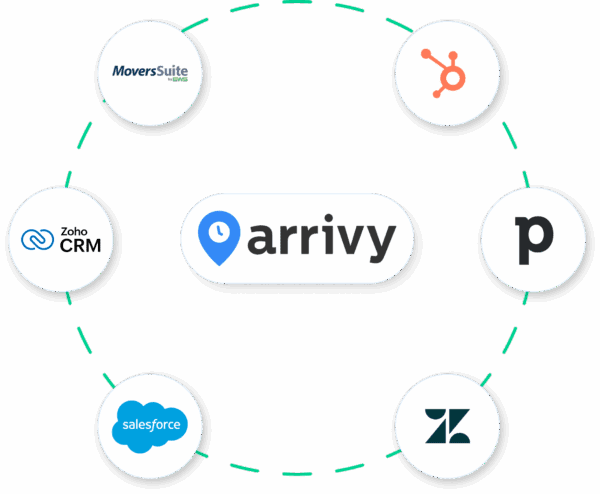
Modern field service management systems are designed to connect with a wide range of CRM platforms. It serves both enterprise-level organizations and small to mid-sized businesses (SMBs). Below is an overview of how these integrations typically work across popular CRM systems.
| CRM Platform | Integration Highlights | Benefits for CRM Users |
|---|---|---|
| Salesforce | Create and sync field tasks directly from Opportunities or custom objects | Keeps Salesforce workflows connected with service operations |
| Microsoft Dynamics 365 | Link accounts, contacts, and work orders through JSON mapping | Connects Dynamics 365 data with on-site service teams |
| HubSpot | Turn Deals or Tickets into live field tasks with instant updates | Adds field operations to HubSpot’s CRM view |
| Pipedrive | Convert deals into field jobs with two-way data sync | Extends Pipedrive’s deal tracking to service execution |
| Infusionsoft (Keap) | Create tasks automatically from Opportunities or Contacts | Automates Keap’s post-sale process |
| Zoho CRM | Generate jobs from Deals or Sales Orders with field mapping | Integrates Zoho’s sales and service data |
| Nimble CRM | Sync customer and relationship data to field tasks | Bring Nimble’s contact insights to on-site service |
| Paradigm Vendo | Convert showroom appointments into service tasks | Connects Vendo’s retail workflows with field teams |
By connecting CRM and FSM platforms, businesses give field, dispatch, and sales teams real-time visibility. Bidirectional updates instantly reflect progress and customer interactions, while automated task creation reduces errors and manual data entry.
How CRM Integration Shapes Modern Operations
The day-to-day operations of a business are enhanced due to CRM-FSM integration. Here is how this integration shapes modern business operations:
Breaks Down Organizational Silos
It eliminates barriers between departments by enabling seamless data sharing and collaboration.
Creates Intelligent Workflows
Automates task creation and field mapping between systems, reducing manual effort.
Enables Real-Time Decision Making
Provides live updates and synchronized data across platforms for timely actions.
Delivers Superior Customer Experiences
Keeps customers informed with automated updates and personalized service.
Drives Operational Efficiency
Reduces redundancies and optimizes resource allocation through integrated systems.
Real-World Use Cases of FSM Software and CRM Integration
FSM and CRM integration provides significant benefits across various industry use cases by bridging the gap between sales/service teams and field operations. Here’s how it helps:
| Industry | Use Case | Impact |
|---|---|---|
| Solar & Renewable Energy |
When a deal is marked “Closed Won,” an installation job is created with technician assignment and route planning.
Sales teams track installations and maintenance schedules in CRM, while FSM software manages dispatch and customer notifications.
|
Reduces scheduling errors and accelerates project closure. |
| HVAC & Plumbing | Integration links CRM tickets to FSM tasks, automatically notifying customers about technician arrival times. | Improves on-time arrivals and increases repeat customer rates. |
| Logistics & Warehousing | Shipment or delivery tasks created in the CRM automatically flow into FSM for route planning and driver scheduling. | Optimizes delivery routes, reduces fuel consumption, and improves fleet visibility across operations. |
| Construction |
CRM systems sync with field operations to manage bids, subcontractors, and material deliveries.
Project updates, blueprints, and approvals are shared instantly between teams for better coordination and compliance tracking.
|
Speeds up project handoffs, enhances visibility across teams, and ensures accurate documentation and compliance. |
How to Successfully Implement CRM and FSM Software Integration
When implementing CRM-FSM integration, the following steps should be followed:
Step 1. Define Key Objectives
Start by identifying measurable outcomes, for instance, reduced manual entry, improved response times, or better customer feedback. Each objective informs mapping and automation rules.
Step 2. Choose the Right Integration Scope
Determine whether to enable full bidirectional sync or partial sync (e.g., task creation only). Businesses often begin with core data flows and expand later.
Step 3. Configure Field Mapping and Triggers
Set up field mappings to ensure accurate data flow between both platforms. For example, map the CRM opportunity stage “Closed Won” to automatically trigger a new job or task in the FSM software with a “Scheduled” status.
Step 4. Test and Validate Workflows
Run controlled tests with small data sets to ensure updates trigger as expected. Use a sandbox environment to avoid production errors.
Step 5. Train Teams and Monitor Adoption
Ensure both CRM and field teams understand how automated updates replace manual processes. Dashboards help track adoption and performance gains.
Step 6. Analyze and Optimize
Once integration runs, monitor metrics like first-time-fix rate, scheduling lag, and customer satisfaction (CSAT). Continuous refinement ensures long-term return on investment (ROI).
Why Businesses Choose Arrivy for CRM Integration?
Arrivy is a specially designed API-first FSM platform that links field execution and customer data in real-time. The following table shows how Arrivy can create an impact for your business:
| Advantages | Arrivy’s Implementation | Impact |
|---|---|---|
| Seamless Handoff | Connects sales (CRM) and operations (Arrivy) teams for task creation from leads. | Eliminates manual data entry, reducing errors and speeding up service fulfillment. |
| Real-Time Sync | Updates CRM records (e.g., Salesforce Opportunities) with task status changes in Arrivy. | Enables sales teams to track field operations live, improving client communication. |
| Multi-CRM Support/Flexibility | Supports Salesforce, HubSpot, Zoho, Copper, Infusionsoft, Nimble, Paradigm Vendo, and more. | Avoids vendor lock-in; fits diverse business needs without requiring CRM switching. |
| Automated Workflows/Advanced Mapping | Field-level mapping (e.g., CRM contacts → Arrivy customers) with JSON configuration. | Eliminates manual data transfer; ensures accuracy and consistency across systems. |
| Customer Engagement | Shares live tracking links and updates through automated notifications integrated with the CRM. | Enhances transparency, boosting customer satisfaction. |
| Customizable Integration/Strong API | Representational State Transfer (REST) APIs for custom integrations and white-labeling of booking and communication features. | Scales with business growth; maintains brand consistency while supporting unique workflows. |
| CRM-FSM Communication Layer | Auto-triggers Arrivy tasks from CRM records; syncs status updates bidirectionally. | Bridges sales/operations teams with real-time visibility. |
| Proven Industry Success | Supports solar, HVAC, logistics, and other industries by enabling end-to-end workflow visibility, real-time dispatch tracking, and dynamic routing with accurate ETAs. | Tailored solutions with industry-specific field service workflows. |
Conclusion
A recent industry survey found that businesses attribute 32% of their performance lag to integration complexity, highlighting the growing importance of seamless system connections. In today’s competitive landscape, unified integration between field service management and customer relationship management systems is essential for maximizing productivity, enhancing customer experiences, and driving sustainable business growth. When data from both systems is combined, businesses gain complete visibility into their operations, enabling smarter decision-making and greater transparency across teams. With Arrivy’s comprehensive list of integrations with popular CRMs in the market, service businesses can unlock the full potential of their field operations, delivering exceptional service and exceeding customer expectations every step of the way.
Looking ahead, AI-powered insights and predictive analytics are reshaping how businesses manage field operations. Predictive dispatching assigns technicians based on historical performance data, while real-time data sharing between CRM and field service platforms creates instant upselling and cross-selling opportunities during customer visits. Hence, CRM-FSM integration is the future of modern operations.